


A Small Moment 🎁 Behind the Scenes

Featured Replies
Topics
-
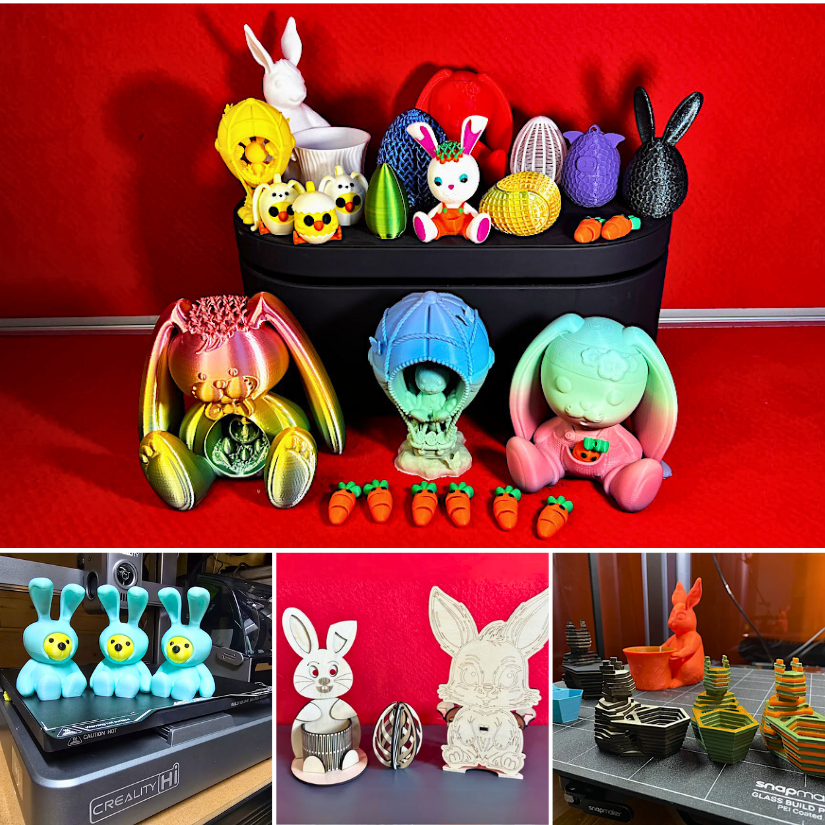
🐣 Got Easter-themed 3D prints? Share your decorations, gifts, or functional models — whether you designed it, printed it, or just have a cool remix! Featured: Bugman140, 3DPrintBunny, KOZA-Designs, 3DWithUs 📸 Post your photos, tell us what filament you used, and drop a link to the model (if it's public). ✅ STL sources (Printables, MyMiniFactory, Cults, etc.) welcome ✅ Designed by you or others — just credit the designer ✅ Cross-technology prints/projects are welcome ❌ No AI renders or unprinted
-
Anyone knows where to buy the silicone nozzle wipers for the ECC2 ? The ones for the Centauri Carbon are not compatible... Thanks!
-
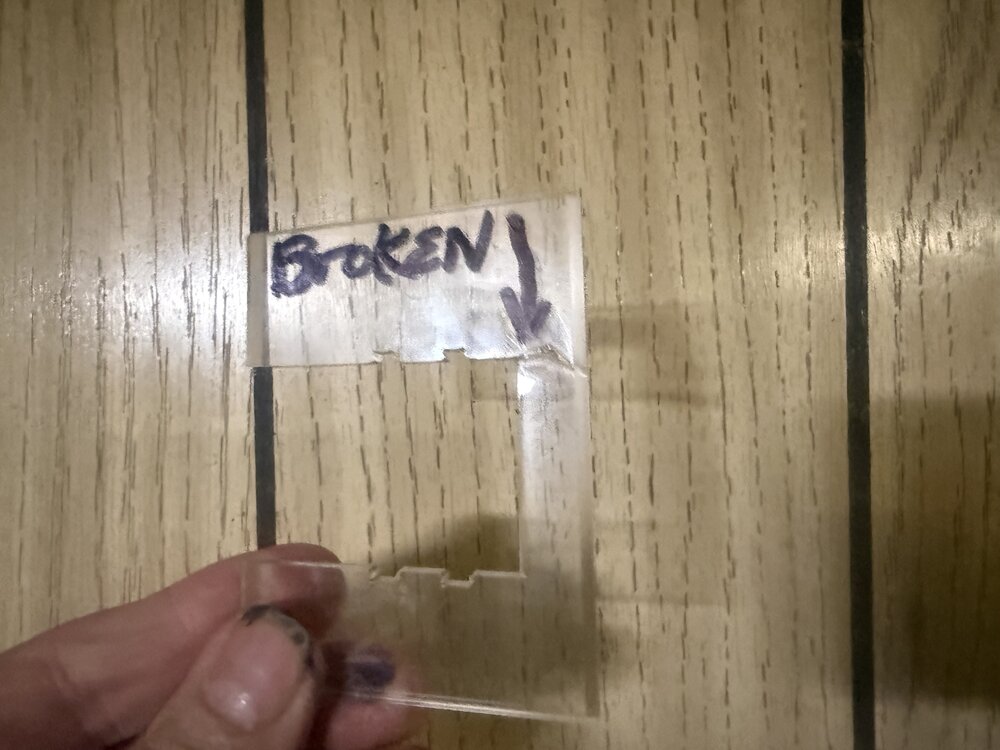
I tried assembling my exciting new purchase, a Series X Tetras filament dryer . It is an upgrade kit for my AMS 2 Pro that came with my bamboo H2 C printer. It allows individual temperature settings for each of the four spool bays and is compatible with in-use conditions so you can print and dry with four different spools simultaneously! However, I am stymied at two different points in the assembly and product integration with my existing bamboo AMS. The first issue, which is more of an annoyanc
-
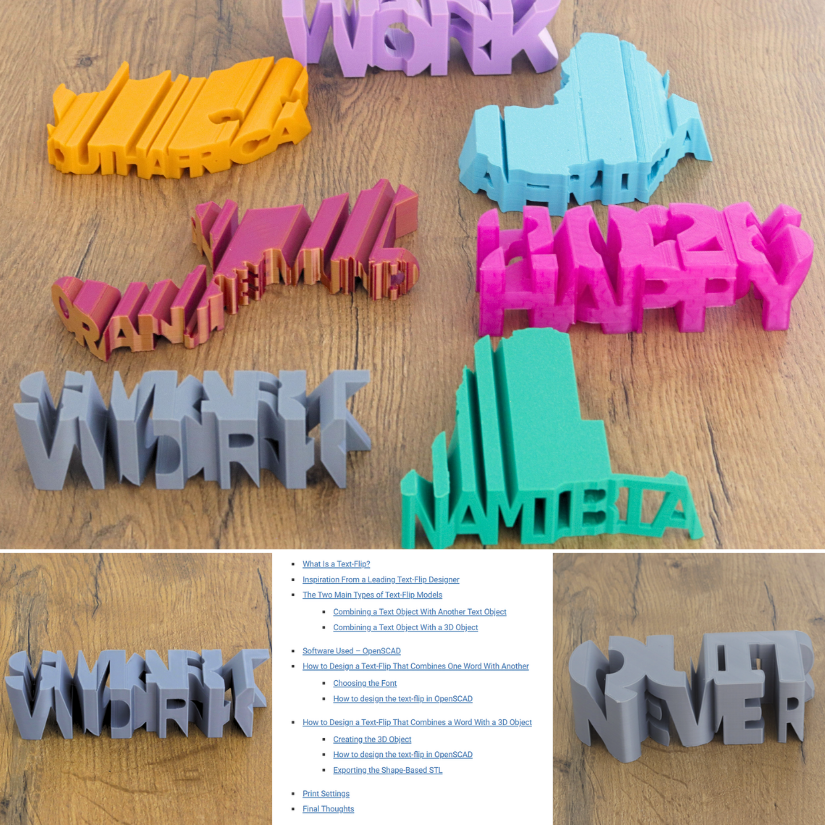
Learn more about Text-Flips and how to design them. https://3dwithus.com/text-flips-how-to-design-and-3d-print-your-own If you printed or designed text-flips, do not hesitate to share them with us here or in a new thread.
-
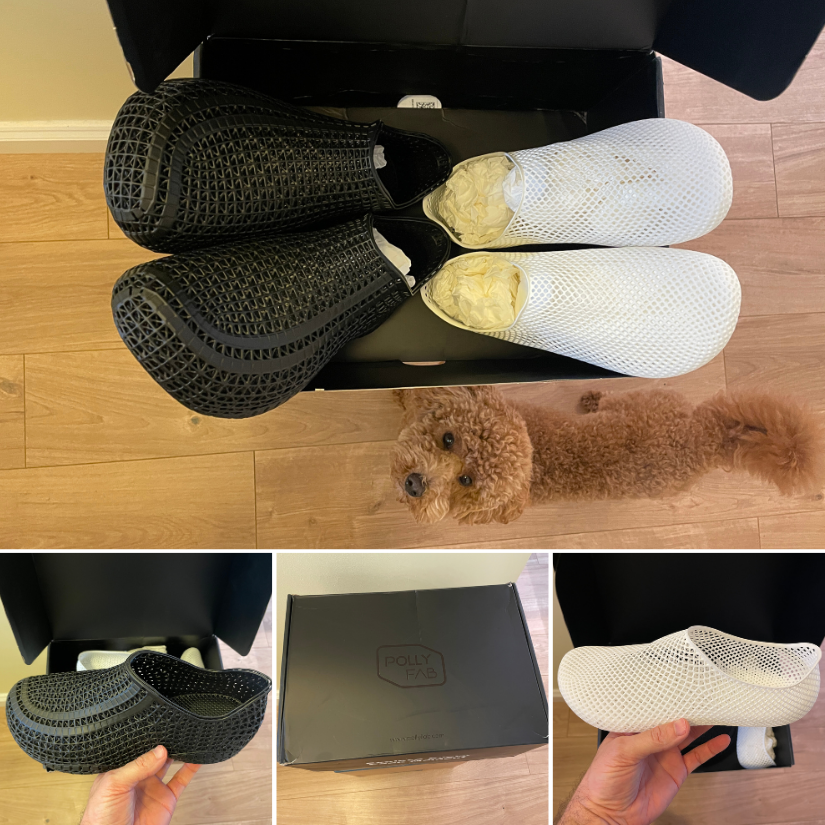
Two pairs of 3D printed shoes from PollyFab just arrived — one white pair, Aero EU 39 (252) for my wife, and one black pair Flux 43 EU (276.04) for myself. Initial impressions are positive: a flexible lattice design and lightweight. (Also approved by our furry quality-control inspector 🐶🙂) I'll wear them for a bit and report back on comfort, breathability, and everyday performance. If anyone else has tried these, feel free to share your experience! I know that Phil Macey https://www.youtube.com




Create an account or sign in to comment