Leaderboard
-
Max Funkner
Authors1Points122Posts -
Marcidy
Authors1Points33Posts


Popular Content
Showing content with the highest reputation on 01/30/26 in all areas
-
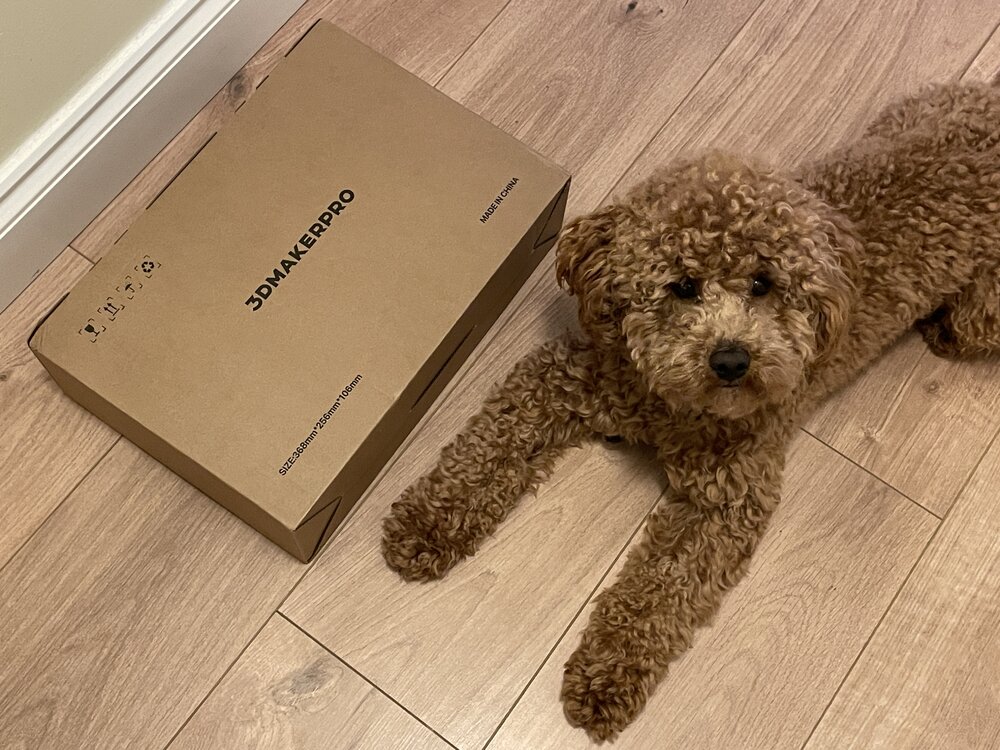
1 pointThe 3DMakerPro Toucan has arrived. The box was received and inspected by our very strict quality control officer, Teddy 🐶 Unboxing, and the first scans will be coming soon. Have you tried this scanner? Share your experience with us.
 1 point
 -
1 pointLooks really interesting. Did you try any other 3d scanning applications before this? I would be curious how competitive can be a 3d scanner app for a phone that makes 3d models from 2d photos (using AI or not). I heard good reviews about both 3d scanners and apps as well. But i would give the apps a try before scanners, because the price is too steep (1500$) compared against a free web tool or AI that may make a similar quality 3d model using 2d photos of it. Nonetheless great review!1 point