


Make Road RC kit printed with Eryone PETG lite

Featured Replies
Topics
-
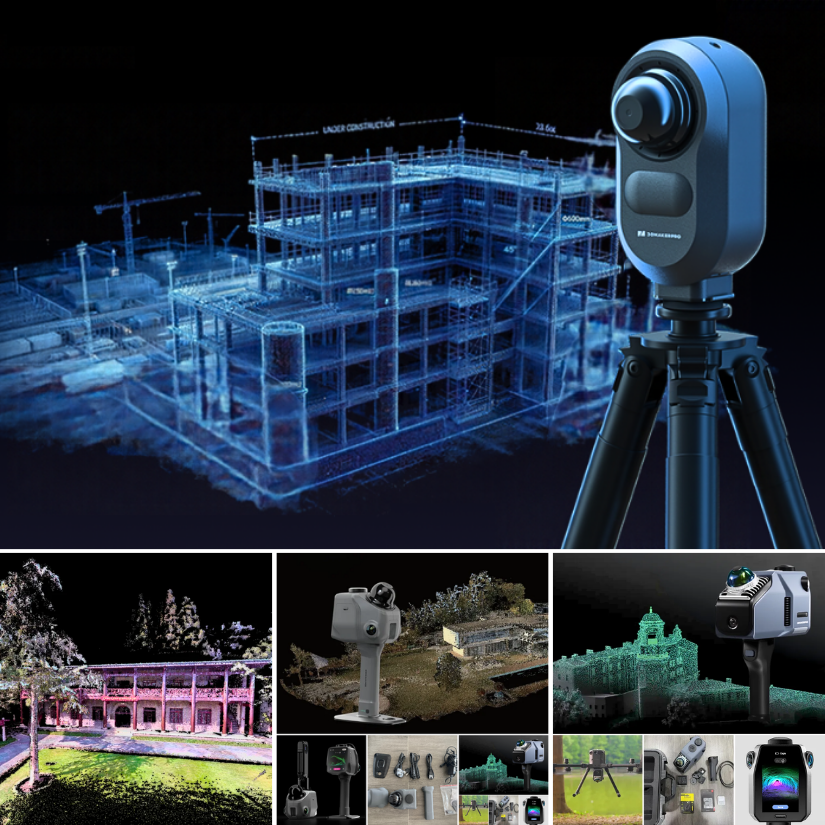
New LiDAR scanner coverage guide: https://3dwithus.com/3dmakerpro-spatial-lidar-3d-scanners Particularly impressed with JimuMeta scan results previews available to explore: Museum Exterior:https://view.jimumeta.com/?m=jmgnhwtapbmsv3 Street View:https://view.jimumeta.com/?m=jmyexo3ds9phfh Have you had an experience with Owl? Share it with us.
-
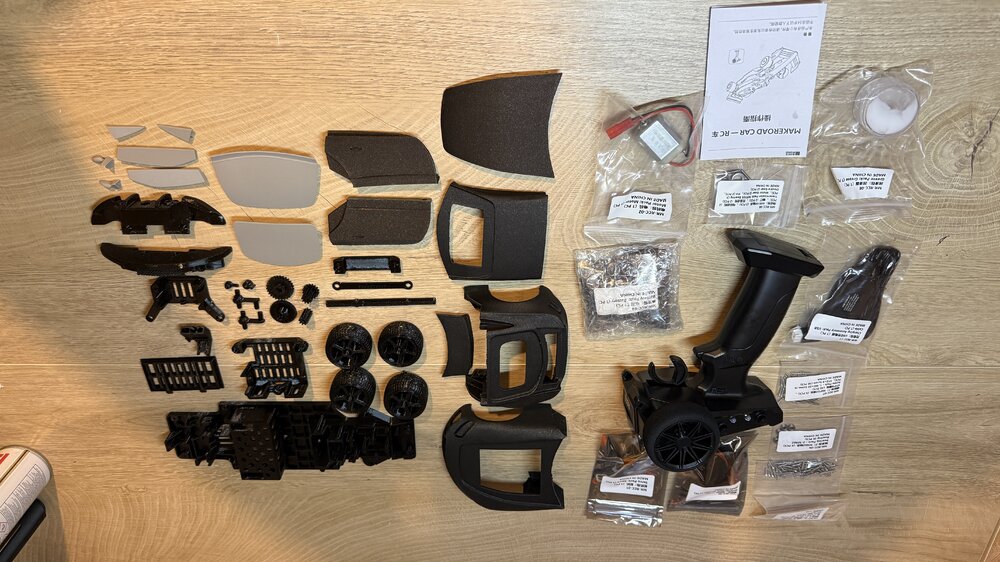
Tried the Eryone PETG Lite for this project. It's the RC kit from the Sunlu Make Road collaboration. Printed all the chassis parts with it; they came out clean, with no stringing, and the supports came off easily—even the very small, detailed parts printed with no problem. The body shell was printed in Prusa Galaxy Black, another filament I hadn't tried before; the colour and texture are amazing. It's like a matte finish with a grey highlight.
-
Hi everyone, I'm planning to start producing small gnome figures using 3D printing, and I'd appreciate some advice from people with experience in this area. I'd like to print the figures at around 2 inches (5 cm) tall. I have a few questions: Production time: Approximately how many figures could I print per day with a typical 3D printer? Filament: What type of filament would you recommend for this kind of decorative model? Multicolor printing: I'd like to produce the figures in different color
-
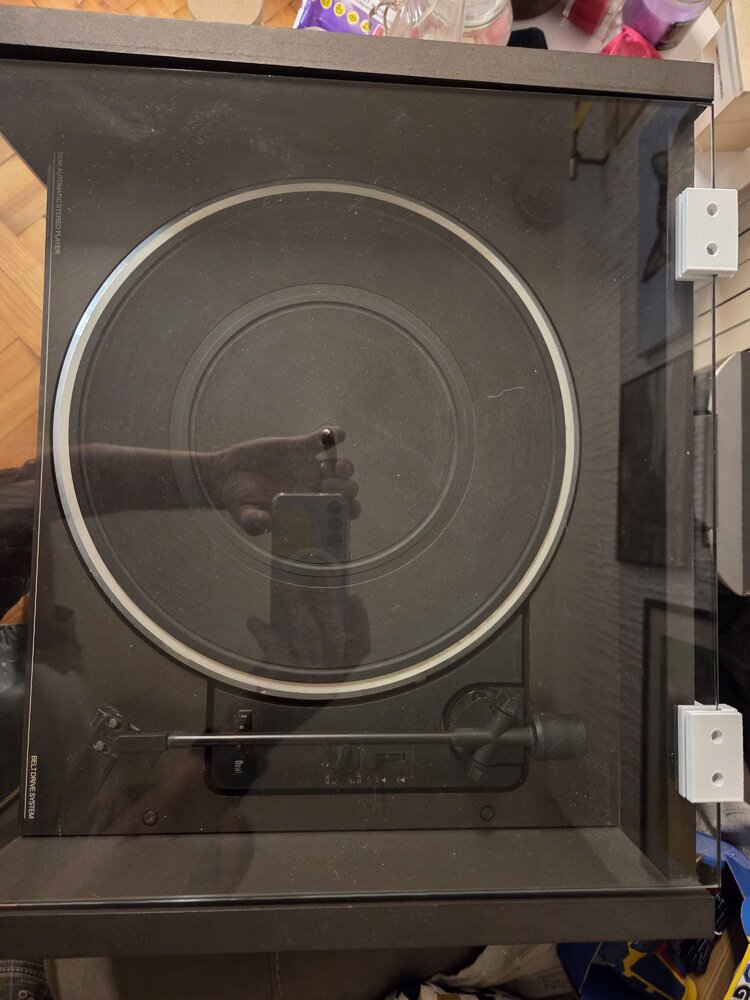
I needed a replacement hinge for the glass lid of my turntable, but the original design was too weak for the job. I redesigned and tested the hinge through several iterations. The final version was strengthened around the load-bearing areas, uses five interlocking hinge tabs, a 3 mm hinge pin, and a 5.3 mm slot for the 5 mm glass panel. One of the biggest challenges was getting the glass clearance right while keeping enough material on the opposite wall for strength. I also added a 5 mm solid re
-
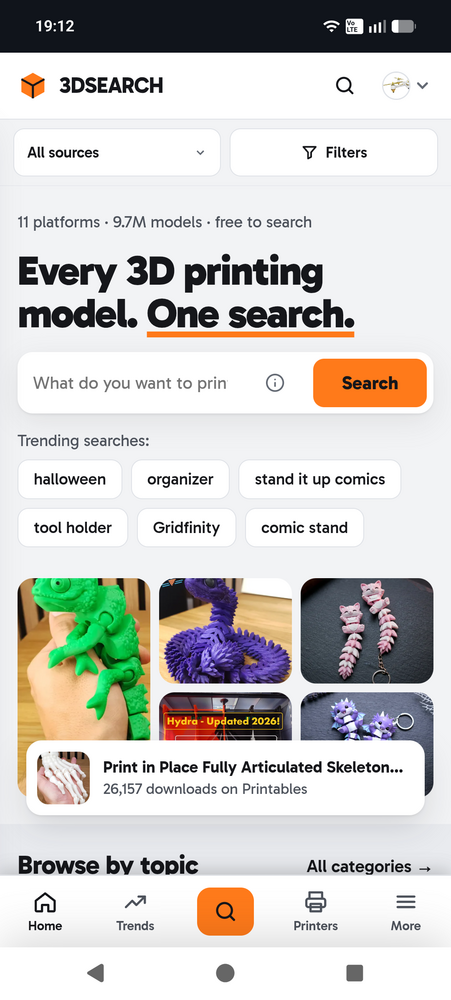
Hi everyone, I'm Chris from Austria. For a while now I've been working on a side project that came out of my own frustration. Whenever I looked for a model, I ended up with Thingiverse, Printables, MakerWorld and Cults open in different tabs, typing the same search four times. So I built 3DSEARCH, which searches all of them at once. It now covers almost 9.7 million models from 11 sites: MakerWorld, Thingiverse, Printables, Cults3D, Creality Cloud, Sketchfab, GrabCAD, Thangs, MakerOnline, MyMiniF






Account
Navigation
Search
Configure browser push notifications
Chrome (Android)
- Tap the lock icon next to the address bar.
- Tap Permissions → Notifications.
- Adjust your preference.
Chrome (Desktop)
- Click the padlock icon in the address bar.
- Select Site settings.
- Find Notifications and adjust your preference.
Safari (iOS 16.4+)
- Ensure the site is installed via Add to Home Screen.
- Open Settings App → Notifications.
- Find your app name and adjust your preference.
Safari (macOS)
- Go to Safari → Preferences.
- Click the Websites tab.
- Select Notifications in the sidebar.
- Find this website and adjust your preference.
Edge (Android)
- Tap the lock icon next to the address bar.
- Tap Permissions.
- Find Notifications and adjust your preference.
Edge (Desktop)
- Click the padlock icon in the address bar.
- Click Permissions for this site.
- Find Notifications and adjust your preference.
Firefox (Android)
- Go to Settings → Site permissions.
- Tap Notifications.
- Find this site in the list and adjust your preference.
Firefox (Desktop)
- Open Firefox Settings.
- Search for Notifications.
- Find this site in the list and adjust your preference.
Join the conversation
You can post now and register later. If you have an account, sign in now to post with your account.
Note: Your post will require moderator approval before it will be visible.