


First 3D print ever

Featured Replies
Topics
-
Learning CAD isn't easy. Learning CAE isn't easy. Learning CAM isn't easy. Understanding engineering principles isn't easy either. But you don't have to figure everything out on your own. Today, there are YouTube channels that teach the basics of CAD and design through practical, step-by-step exercises. These can be useful for students getting started, as well as hobbyists who want to design their own parts for 3D printing. A simple exercise can be a good place to start: create a sketch, add dim
-
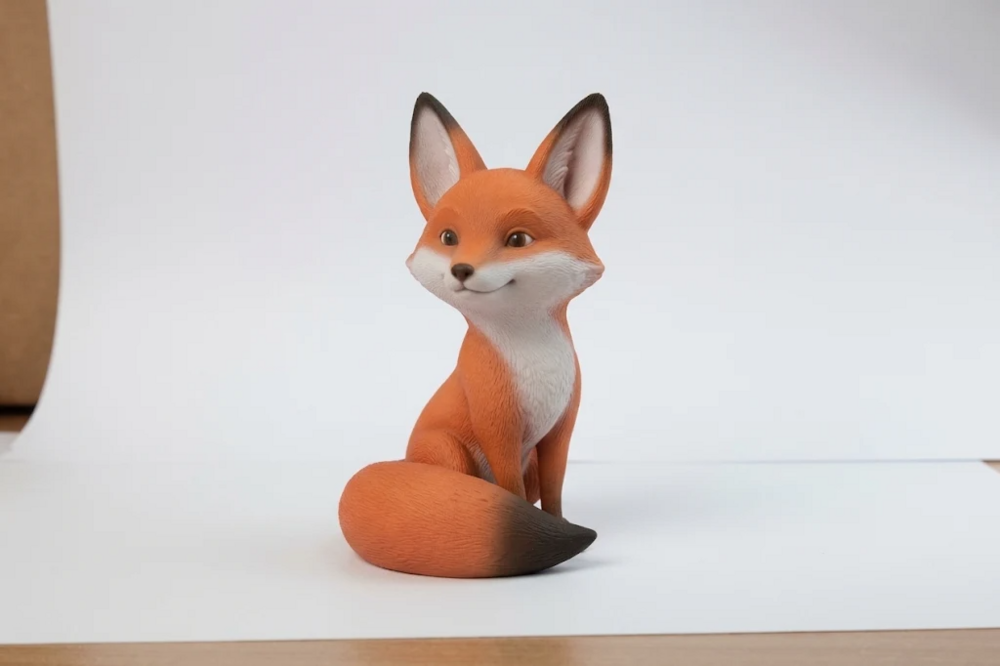
Okay, so I finally got my model printed for the first time and I can't stop grinning! A small part I modeled for a uni assignment had been sitting on my screen forever. Recently I caught JLC3DP's Black Friday deal and grabbed some coupons, so I got it printed for super cheap and just went for it. I don't even own a printer. The second I opened the package I just froze. The model I'd been spinning around in Blender every day was suddenly in my hand, with weight, with texture, every little detail
-
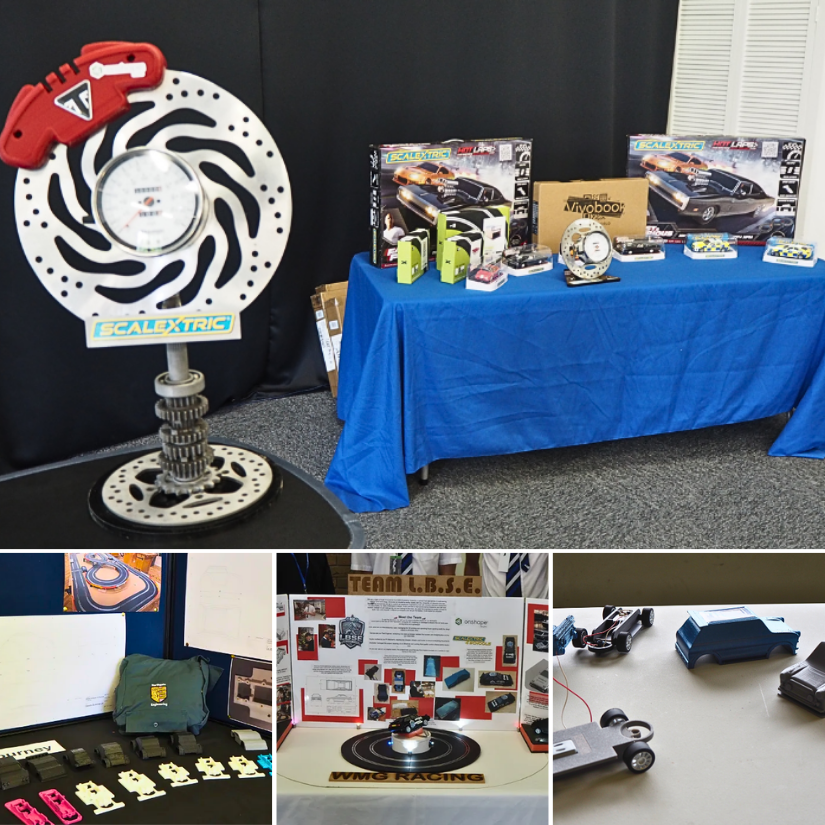
At Scalextric4Schools, students design, 3D print and race their own cars, combining CAD with practical engineering. 🏎️ Take a look at some of our student projects and feel free to share your own designs or ask questions! Read more: https://3dwithus.com/scalextric4schools-from-cad-and-3d-printing-to-racing-cars
-
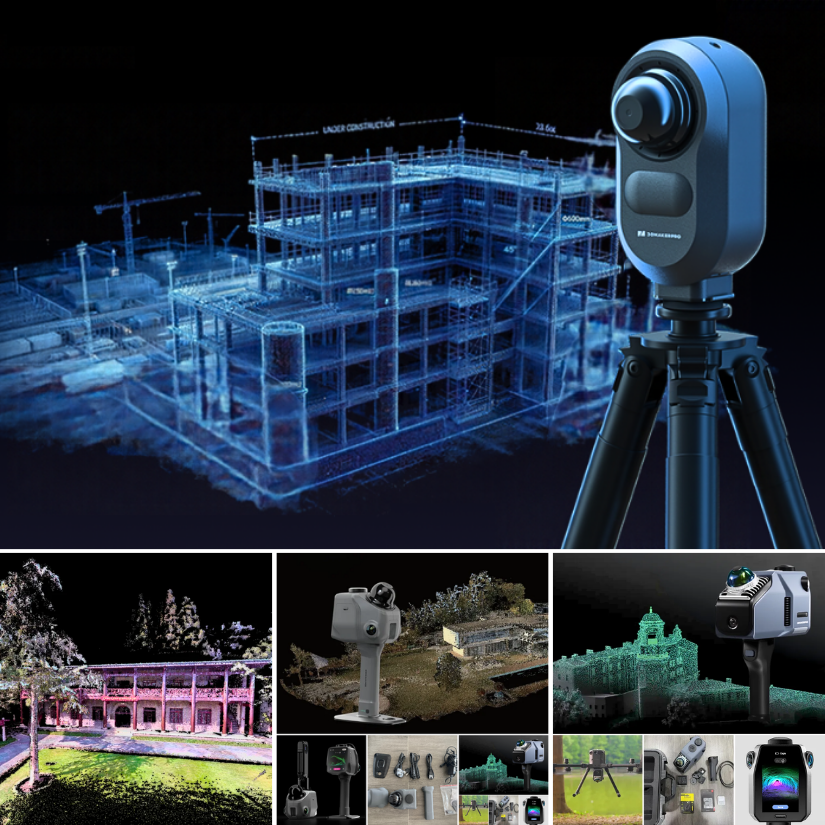
New LiDAR scanner coverage guide: https://3dwithus.com/3dmakerpro-spatial-lidar-3d-scanners Particularly impressed with JimuMeta scan results previews available to explore: Museum Exterior:https://view.jimumeta.com/?m=jmgnhwtapbmsv3 Street View:https://view.jimumeta.com/?m=jmyexo3ds9phfh Have you had an experience with Owl? Share it with us.
-
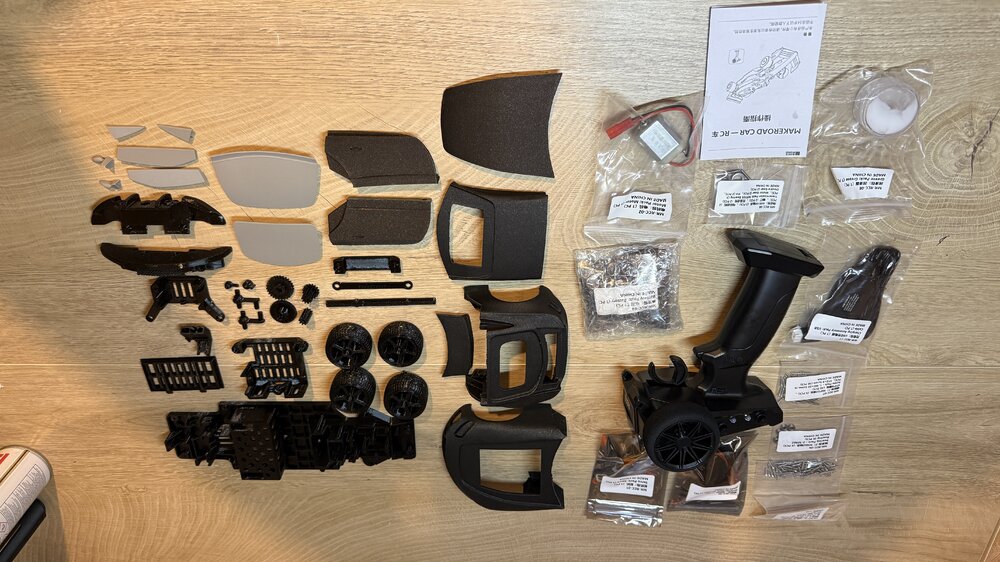
Tried the Eryone PETG Lite for this project. It's the RC kit from the Sunlu Make Road collaboration. Printed all the chassis parts with it; they came out clean, with no stringing, and the supports came off easily—even the very small, detailed parts printed with no problem. The body shell was printed in Prusa Galaxy Black, another filament I hadn't tried before; the colour and texture are amazing. It's like a matte finish with a grey highlight.




Account
Navigation
Search
Configure browser push notifications
Chrome (Android)
- Tap the lock icon next to the address bar.
- Tap Permissions → Notifications.
- Adjust your preference.
Chrome (Desktop)
- Click the padlock icon in the address bar.
- Select Site settings.
- Find Notifications and adjust your preference.
Safari (iOS 16.4+)
- Ensure the site is installed via Add to Home Screen.
- Open Settings App → Notifications.
- Find your app name and adjust your preference.
Safari (macOS)
- Go to Safari → Preferences.
- Click the Websites tab.
- Select Notifications in the sidebar.
- Find this website and adjust your preference.
Edge (Android)
- Tap the lock icon next to the address bar.
- Tap Permissions.
- Find Notifications and adjust your preference.
Edge (Desktop)
- Click the padlock icon in the address bar.
- Click Permissions for this site.
- Find Notifications and adjust your preference.
Firefox (Android)
- Go to Settings → Site permissions.
- Tap Notifications.
- Find this site in the list and adjust your preference.
Firefox (Desktop)
- Open Firefox Settings.
- Search for Notifications.
- Find this site in the list and adjust your preference.
Join the conversation
You can post now and register later. If you have an account, sign in now to post with your account.
Note: Your post will require moderator approval before it will be visible.