


Campaign Announcements – Share Yours Here

Featured Replies

This topic is now closed to further replies.
- Share on Bluesky
- Share on Facebook
- {lang="reddit_text"
- Share on LinkedIn
- Share on Pinterest
- Share on X
Followers
Topics
-
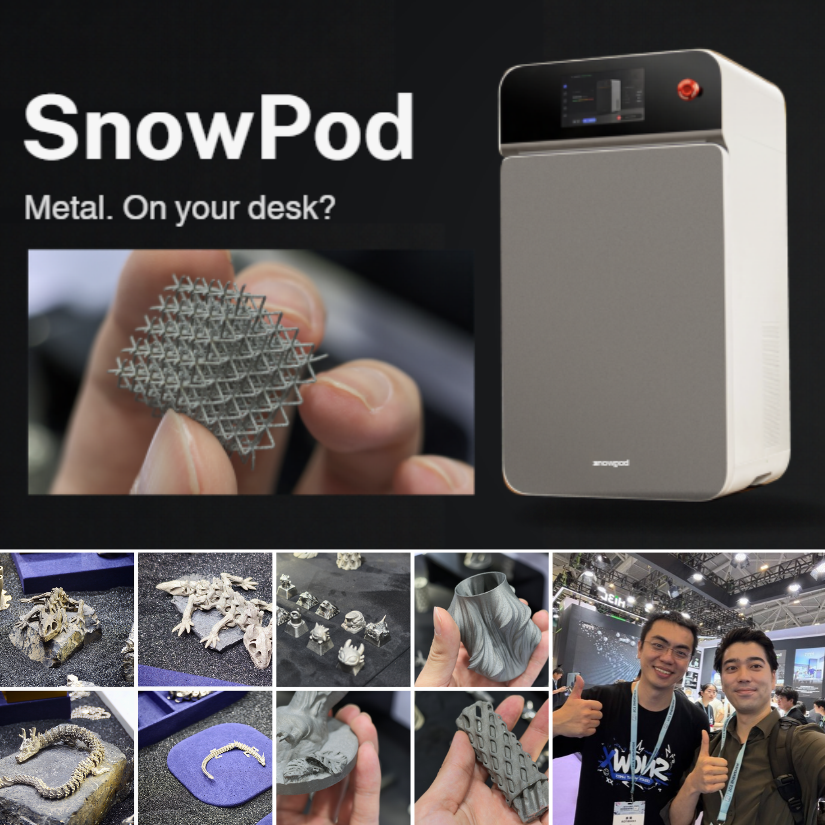
I had a hands-on look at the SnowX SnowPod desktop metal 3D printer at TCT Shenzhen, including the workflow, supports, powder handling, and sample prints. Full article and photos are linked below: https://3dwithus.com/snowx-snowpod-desktop-metal-3d-printer
-
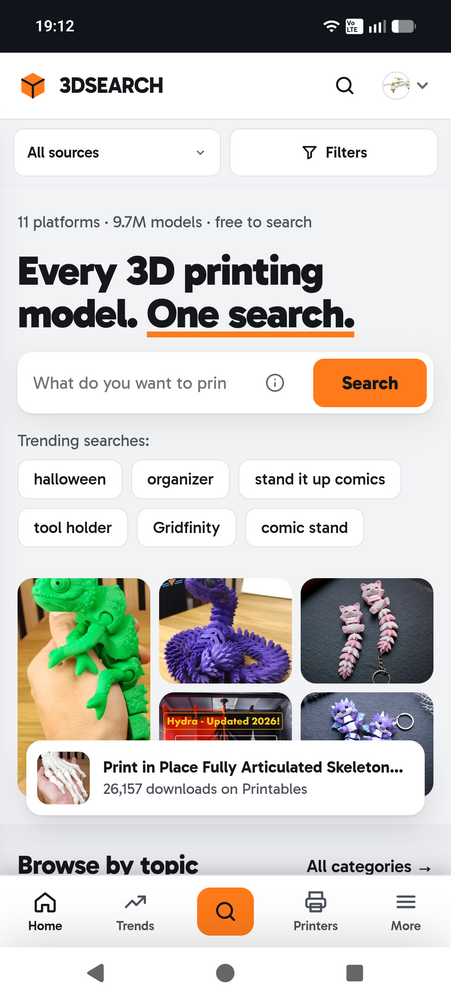
Hi everyone, I'm Chris from Austria. For a while now I've been working on a side project that came out of my own frustration. Whenever I looked for a model, I ended up with Thingiverse, Printables, MakerWorld and Cults open in different tabs, typing the same search four times. So I built 3DSEARCH, which searches all of them at once. It now covers almost 9.7 million models from 11 sites: MakerWorld, Thingiverse, Printables, Cults3D, Creality Cloud, Sketchfab, GrabCAD, Thangs, MakerOnline, MyMiniF
-
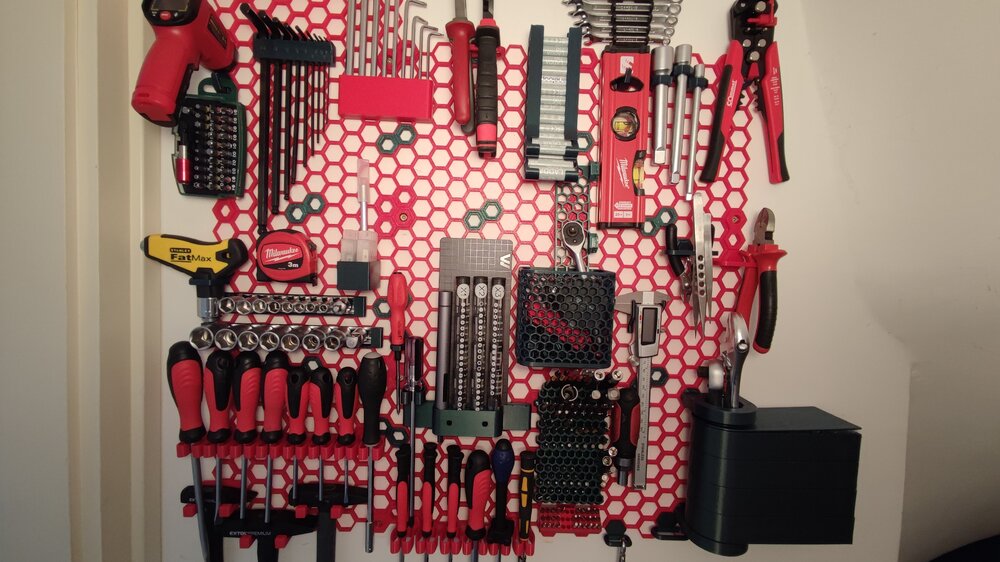
This was my very first time trying out PETG to print something that needs to be more durable than PLA. I suggested this Honeycomb Storage Wall project to my father and we aggreed to try it out with PETG. It went much easier than excpected. A little bit of stringing here and there, but the final result was good and worth it. Now we are thinking of printing another one for the garage wall as well :D I used CR-PETG for the red parts. Green one is from 3dk.berlin. After i ran out of both I started t
-
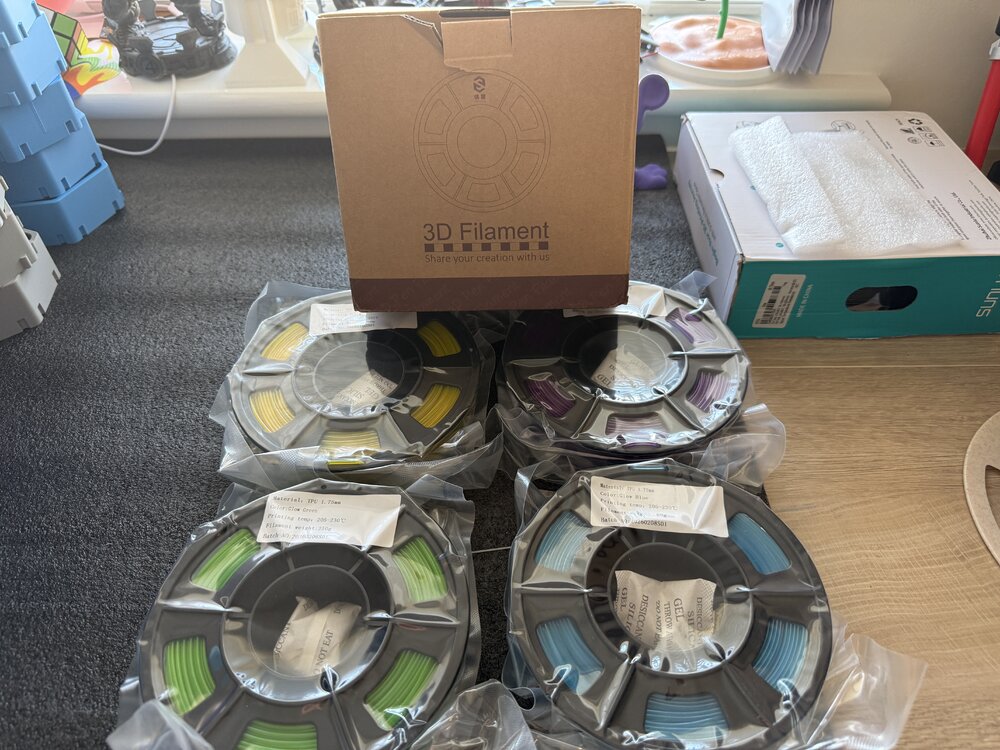
4 250 gram Yousu glow in the dark TPU been sent to try ( yellow purple green blue) will post prints after I’ve tried it. Should be interesting to try print with glow TPU.
-
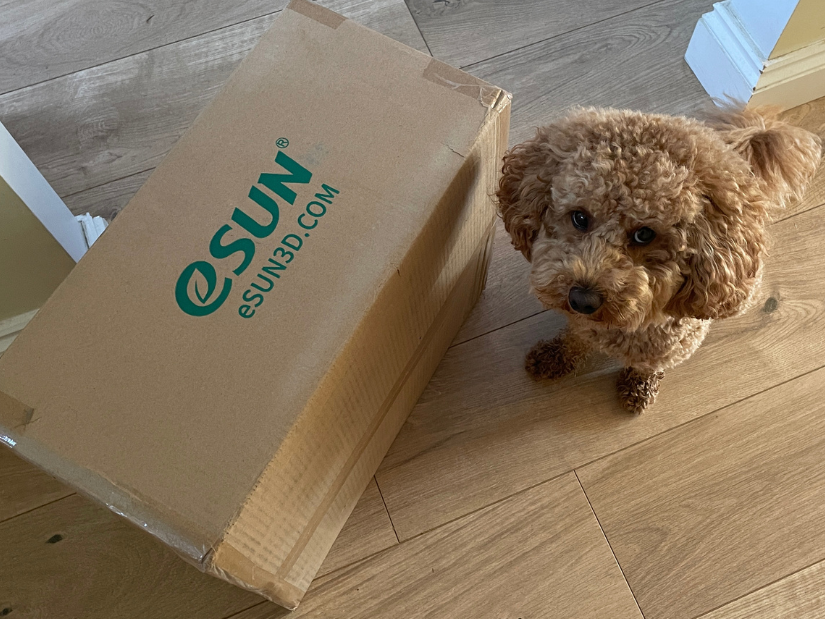
Power of tradeshows. Every little kick towards collaboration helps. The first part of our eSUN collaboration has arrived: a box full of filament. Teddy is definitely not amused that I forced him to work again 🐾 Earlier this year I visited the eSUN booth at TCT3Sixty. They had an impressive range of materials available. My original post on X: https://x.com/MaxFunkner/status/2092605001990332899




Account
Navigation
Search
Configure browser push notifications
Chrome (Android)
- Tap the lock icon next to the address bar.
- Tap Permissions → Notifications.
- Adjust your preference.
Chrome (Desktop)
- Click the padlock icon in the address bar.
- Select Site settings.
- Find Notifications and adjust your preference.
Safari (iOS 16.4+)
- Ensure the site is installed via Add to Home Screen.
- Open Settings App → Notifications.
- Find your app name and adjust your preference.
Safari (macOS)
- Go to Safari → Preferences.
- Click the Websites tab.
- Select Notifications in the sidebar.
- Find this website and adjust your preference.
Edge (Android)
- Tap the lock icon next to the address bar.
- Tap Permissions.
- Find Notifications and adjust your preference.
Edge (Desktop)
- Click the padlock icon in the address bar.
- Click Permissions for this site.
- Find Notifications and adjust your preference.
Firefox (Android)
- Go to Settings → Site permissions.
- Tap Notifications.
- Find this site in the list and adjust your preference.
Firefox (Desktop)
- Open Firefox Settings.
- Search for Notifications.
- Find this site in the list and adjust your preference.