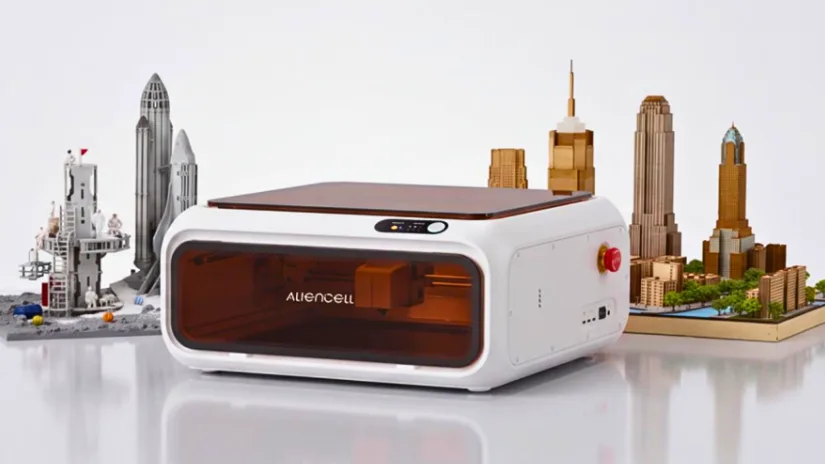
Aliencell offers three enclosed desktop laser engravers and cutters: the compact E1, the larger X1 Lite, and the feature-rich X1. The machines share a focus on camera-assisted workflows, software previews, and interchangeable laser modules, but they suit different projects, workspaces, and budgets. In this guide, we look at the Aliencell laser engraver range, including its new E1 model and how it compares with the X1 series.
Table of Contents
Aliencell E1: Compact Laser Engraver and Cutter
Where to Buy Aliencell E1
Price: $449.99 – $899.99
Compare the Prices & Bundles:
Official Store | Amazon
The Aliencell E1 is the newest and most compact machine in the range. It has an enclosed design and a 305 × 305 mm (12 × 12 inch) work area, making it a practical option for personalized gifts, workshop labels, coasters, and other small-format projects. Aliencell positions it for beginners, hobbyists, creators, and small businesses.
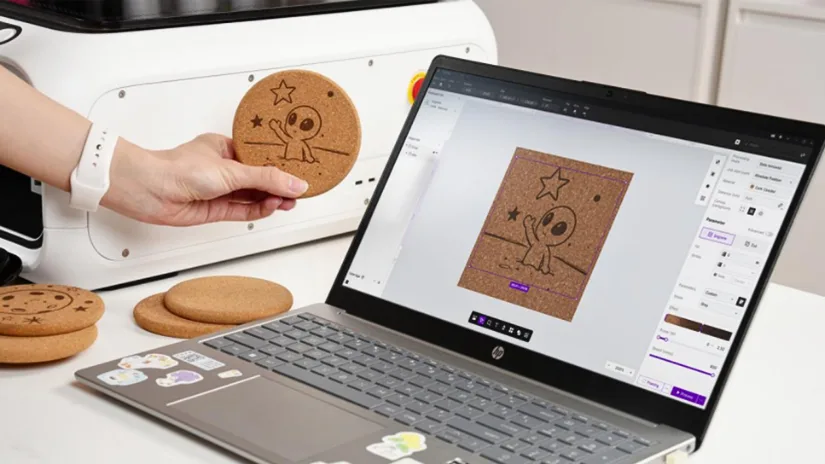
The E1 is designed around the steps before engraving begins. Its front-facing 4K camera helps users place artwork on a workpiece, while the 1.9-inch colour LCD shows machine status and guidance. The Smart Fill function helps arrange repeated designs for batch jobs, such as wooden tags or small personalized items. These tools may reduce manual positioning work, although real-world accuracy and ease of use would need independent testing.
Fine Detail and True-to-Result Preview
One of the E1’s more interesting features is its 0.03 × 0.03 mm square laser spot, specified for the 10W diode module. Aliencell uses a two-stage beam-shaping optical system intended to produce fine outlines and smoother tonal transitions in grayscale artwork and photo engraving. The 20W diode and optional 3W infrared modules have different spot sizes and are intended for different types of work.
In Aliencell Space software, True-to-Result™ Preview is designed to simulate the appearance of an engraving on a selected material before the job starts. The E1 launch material describes an initial selection of 10 material presets, with more planned. Such a preview can help when choosing artwork or judging contrast, but material grain, coatings, thickness, and actual settings will still affect the finished result.
Interchangeable Laser Modules and Curved Objects
Different tasks require different laser sources. The E1 offers a 10W diode module for everyday detailed engraving, a 20W diode module for more demanding cutting tasks, and an optional 3W infrared module for marking compatible metals and plastics. According to the supplied product information, the 20W diode can cut up to 10 mm basswood in one pass under suitable conditions. Module and bundle availability should be checked before purchase.

A compatible rotary attachment opens up projects involving tumblers and other cylindrical or curved items. Aliencell also advertises support for surfaces tilted by up to 30 degrees in compatible setups. This makes the E1 interesting for creators producing personalized drinkware, gifts, and small-batch merchandise.
Aliencell specifies a maximum engraving speed of 600 mm/s and maximum acceleration of 20,000 mm/s². These are manufacturer specifications rather than measured results from 3DWithUs testing. The enclosed machine is marketed as a Class 1 design, but users still need suitable extraction or filtration, approved materials, and compliance with the operating instructions.
E1 highlights: 305 × 305 mm workspace; 10W and 20W diode options; optional 3W IR; 4K positioning camera; 1.9-inch LCD; Smart Fill; True-to-Result preview; compatible rotary accessories; Aliencell Space and LightBurn support.
Explore the Aliencell E1 configurations.
Aliencell X1 Lite: Larger Workspace for Laser Projects
Where to Buy Aliencell X1 Lite
Price: $799.99 – $1,799.99
Compare the Prices & Bundles:
Official Store | Amazon
The Aliencell X1 Lite moves to a much larger working area, approximately 610 × 465 mm (24 × 18 inches) with compatible modules. That extra space makes a difference for larger signs, multiple items arranged on one bed, and repeatable production work.
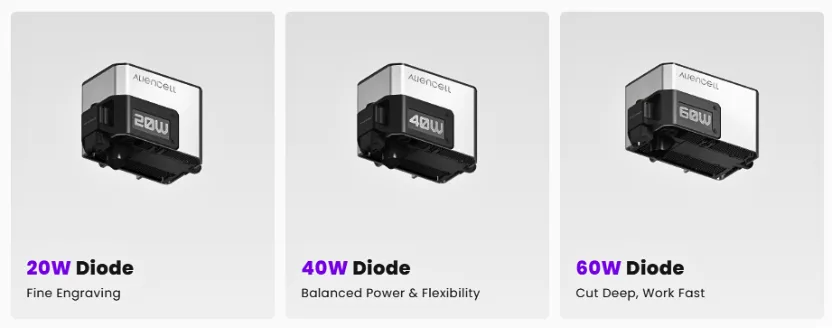
The X1 Lite supports 20W, 40W, and 60W diode configurations and an optional 3W infrared module, subject to package compatibility. Aliencell lists up to 600 mm/s working speed and 20,000 mm/s² acceleration. It also provides material-aware True-to-Result preview through Aliencell Space, parameter recommendations, and a safety-focused enclosure.
The main trade-off versus the X1 is the simplified control and imaging setup. Aliencell’s own comparison lists the X1 Lite without the X1’s integrated smart touchscreen, dual-camera automatic positioning, and live monitoring. Makers who already work primarily from a computer may find this arrangement sufficient, especially if workspace size and laser power are the priorities.
Compatible accessories for the X1 series include an air-assist system, honeycomb panel, rotary chuck, riser base, and filtration options. Check which components are included in a specific package rather than assuming they come with the machine.
Explore Aliencell X1 Lite bundles.
Aliencell X1: Advanced Laser Engraver with Smart Controls
Where to Buy Aliencell X1
Price: $1,359.99 – $2,399.99
Compare the Prices & Bundles:
Official Store | Amazon
The Aliencell X1 occupies the more feature-rich position in the company’s desktop laser range. It shares the large-format X1-series platform and its 20W, 40W, and 60W diode options, with an optional 3W infrared module for compatible marking tasks.
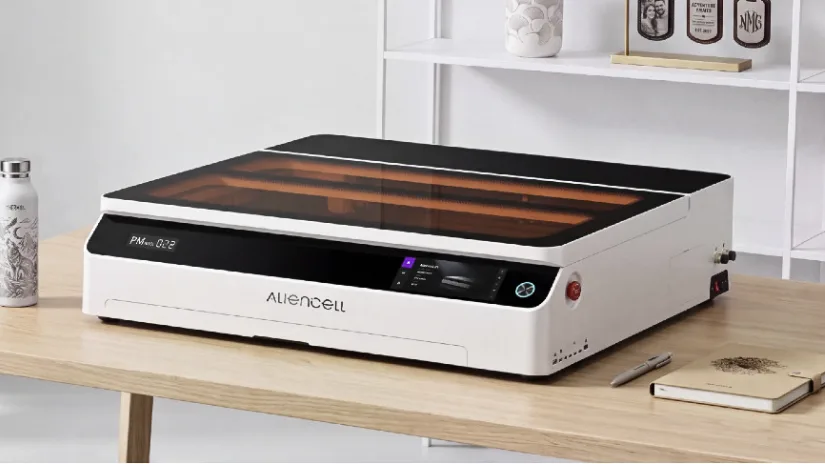
The features that distinguish the X1 are centered on machine interaction and positioning. Its 6.86-inch touchscreen supports onboard controls, while dual 8 MP positioning cameras help align artwork to workpieces. The specification also lists autofocus, live remote monitoring, Wi-Fi connectivity, Bluetooth accessory support, and multiple monitoring and safety functions.
For a small workshop producing personalized items regularly, those features could reduce repeated setup steps. Dual-camera positioning is especially relevant when placing designs across the larger workspace. However, any improvement in throughput or placement accuracy depends on the project and has not been independently measured here.
Working area depends on the installed laser: Aliencell quotes approximately 610 × 465 mm for its 20W and 40W configurations, and 595 × 455 mm for the 60W configuration. As with the X1 Lite, check the exact bundle, laser head, exhaust arrangements, and accessories before choosing a configuration.
Aliencell E1 vs X1 Lite vs X1: Key Differences
All three machines target desktop engraving and cutting, but the choice is mainly about available workspace, laser power, and how much automation and onboard control the user wants.
| Feature | E1 | X1 Lite | X1 |
|---|---|---|---|
| Main focus | Compact creative projects | Large work area with simpler controls | Large work area with advanced controls |
| Working area | 305 × 305 mm | Up to 610 × 465 mm* | Up to 610 × 465 mm* |
| Laser options | 10W / 20W diode; 3W IR option | 20W / 40W / 60W diode; 3W IR option | 20W / 40W / 60W diode; 3W IR option |
| Positioning camera | Front-facing 4K camera | No integrated X1 dual-camera auto-positioning | Dual 8 MP cameras |
| Display | 1.9-inch colour LCD | No integrated X1 touchscreen | 6.86-inch smart touchscreen |
| Maximum stated speed | 600 mm/s | 600 mm/s | 600 mm/s |
| Maximum stated acceleration | 20,000 mm/s² | 20,000 mm/s² | 20,000 mm/s² |
* X1-series working dimensions vary with the installed laser module; the 60W X1 is specified at approximately 595 × 455 mm. Figures are manufacturer specifications and may vary by configuration.
Aliencell Space and the Laser Engraving Workflow
Software is an important part of Aliencell’s pitch. Aliencell Space combines design preparation and machine control with features such as fonts, QR-code generation, design resources, AI-assisted image tools, parameter suggestions, and preview functions. The E1’s Smart Fill tool can help distribute repeated designs across several objects, while supported X1-series configurations offer their own material preview and positioning functions.
The E1 and X1-series machines also advertise LightBurn compatibility. Makers with an established workflow should confirm the supported LightBurn version and features for their chosen machine. Likewise, the True-to-Result material library differs across product lines and may evolve with software updates.
Accessories, ventilation, and appropriate materials remain essential. A machine enclosure does not eliminate smoke or fumes, and not every plastic is suitable for laser processing. Users should check material compatibility and always follow the manufacturer’s safety guidance.
About Aliencell
Aliencell is a sister brand of CHITUBOX, known for its CHITUBOX software in the resin 3D printing ecosystem. The company says it designs and manufactures its laser engravers and cutters in-house, with engineering work spanning optics, motion control, imaging, firmware, software, and mechanical design. Its move into desktop laser equipment connects digital design workflows with physical fabrication.
For product details, software downloads, accessories, and current regional availability, visit the official Aliencell website.
Conclusion
The Aliencell lineup gives creators three different entry points into enclosed desktop laser engraving. The E1 puts an emphasis on compact size, fine-detail optics, camera positioning, and a preview-led workflow. The X1 Lite offers substantially more space and higher-power configurations with a simpler interface. The X1 adds an integrated touchscreen, dual-camera positioning, and monitoring features aimed at more involved workshop use.
For someone choosing between them, the most useful questions are the size of the intended projects, the materials to be processed, whether the machine will be used for occasional gifts or regular production, and which accessories are required. Aliencell’s specifications suggest several promising options, but cutting quality, engraving consistency, usability, and long-term reliability are best assessed through independent hands-on testing.