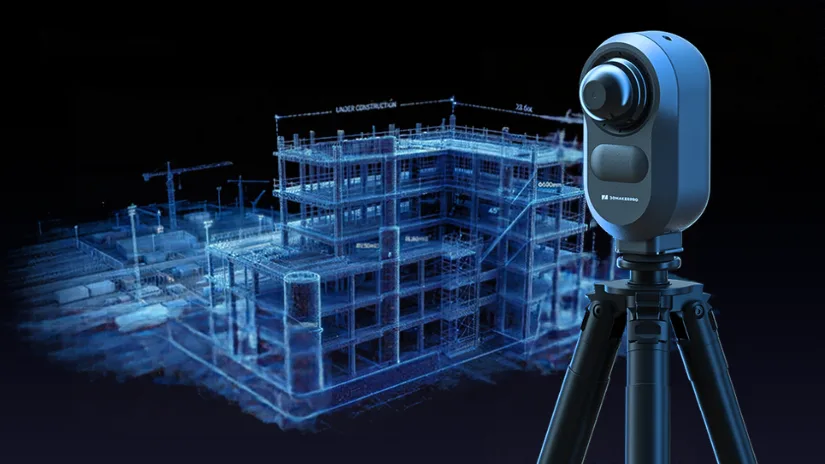
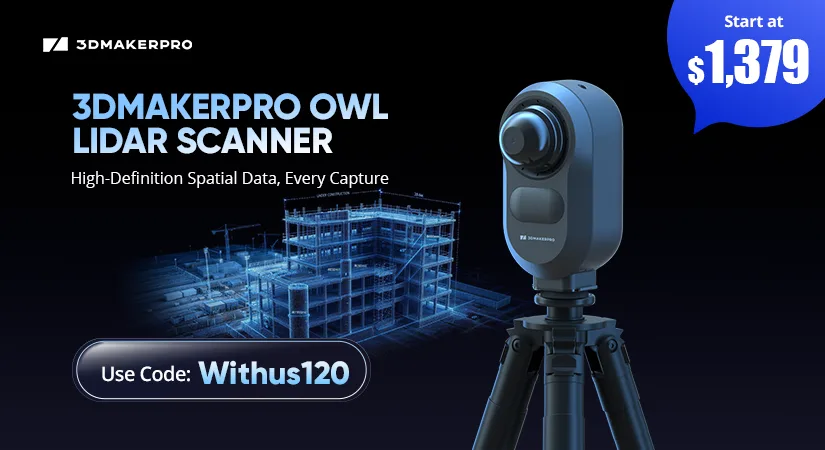
3DMakerpro continues to expand its spatial LiDAR 3D scanner lineup with the introduction of the Owl, a new stationary scanner designed to capture buildings, interiors, and large outdoor environments. Combining high-accuracy LiDAR scanning, 4K HDR panoramic imaging, and AI-powered floor plan extraction, the Owl brings a different approach to spatial 3D scanning. It joins the Raven and Eagle handheld LiDAR scanners, giving users more options for capturing everything from individual rooms to complex architectural spaces. In this guide, we explore the latest 3DMakerpro LiDAR scanners, starting with the newly launched OWL.
Table of Contents (Jump to a Section)
3DMakerpro Owl
Where to Buy 3DMakerpro Owl
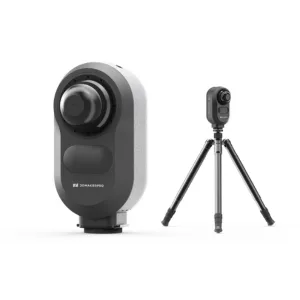
Owl Standard
3-camera scanner
Regular Price: $2,599
Early Bird Price: $1,499 (Limited to 100 units, use code Withus120 for extra 120 Off)
Compare the Prices & Bundles:
Official Store
Owl Premium
3-camera scanner and field kit
Regular Price: $2,799
Exclusive Price: $1,699 (Limited to 100 units, use code Withus120)
Owl Max Premium
5-camera scanner with handheld mode
Regular Price: $3,999
Exclusive Price: $2,499 (Limited to 100 units, use code Withus120)
What’s in the Box
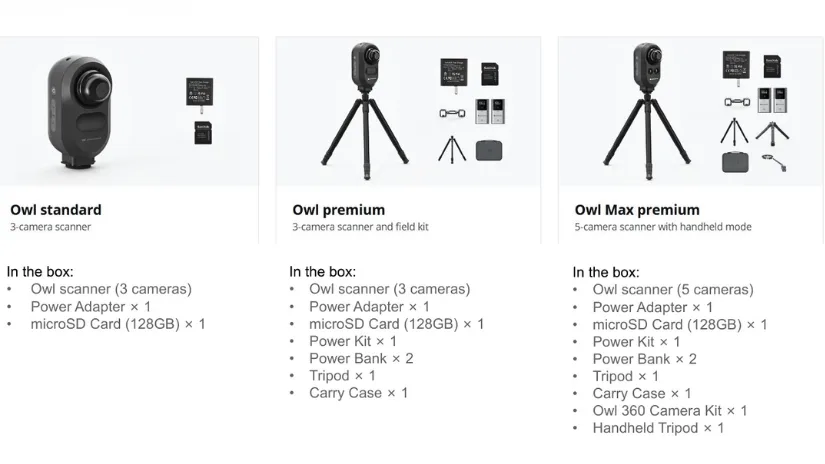
Please note that the product may be slightly revised over time, with additional add-ons or features introduced. Visit the official product page for the latest product contents and specifications.
Owl Technical Specifications
- Accuracy: 5 mm at 10 m
- Scan Range: Up to 120 meters (0.5–60 m radius at 20% reflectivity)
- Point Cloud Rate: 192,000 points per second
- Scan Angle: 360° horizontal, 280° vertical
- Camera System: 3-camera or 5-camera options, 48 MP × 3 with HDR support
- Laser: 905 nm, Class 1 (IEC 60825-1:2014)
- Connectivity: USB-C, WiFi 5
- Control: iPad M1 or newer
- Output Formats: PLY, E57, OBJ, PNG
- Battery: 10,000 mAh
- Operating Time: Approximately 2 hours, supports external power while charging
- Dimensions: 199 × 139 × 100 mm
- Weight: 1.6 kg
- Computing: 8-core 2.4 GHz processor, 4 GB RAM, 32 GB SSD, TF card expansion
- Power: 65 W USB-C PD
Owl Scanning Workflow
The 3DMakerpro Owl uses a stationary scanning approach, typically mounted on a tripod to capture rooms, buildings, and larger environments. Each scanning position collects both 3D point cloud data and high-resolution panoramic images. With 360° horizontal and 280° vertical coverage, the scanner captures surrounding geometry and visual details from a fixed location. You can use additional scanning positions to document larger or more complex spaces.
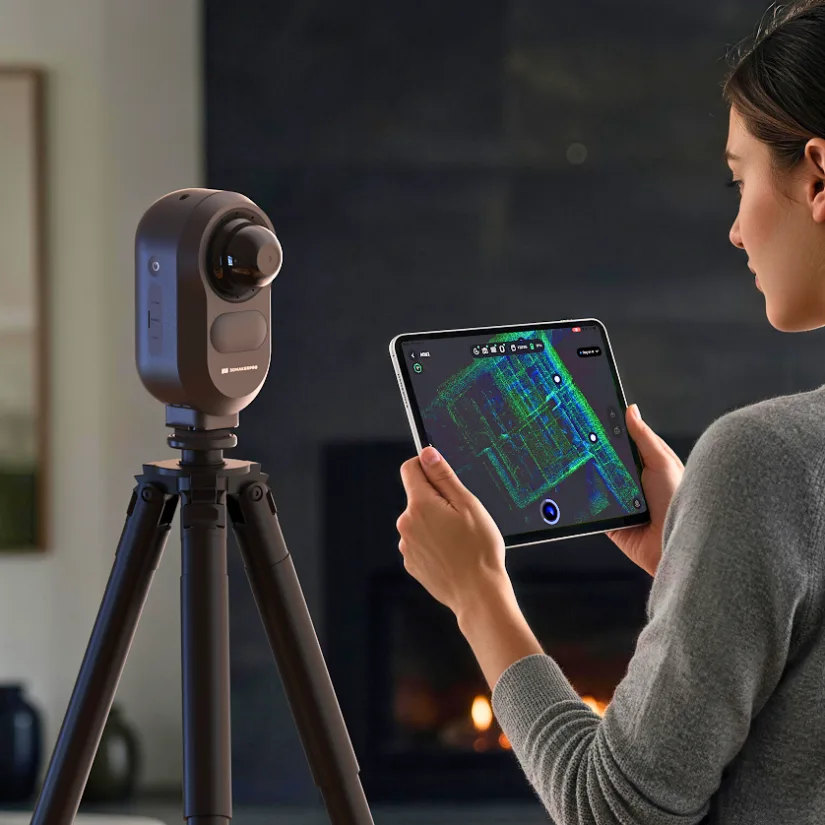
The scanning process is controlled using a compatible iPad with an M1 chip or newer, allowing users to monitor the captured spatial data. The Owl combines LiDAR scanning with 4K HDR panoramic imaging, helping preserve visual information such as window highlights and darker indoor areas. This combination is particularly useful for architectural documentation, interior design, construction sites, and surveying applications.
Software and Test Scans
3DMakerpro offers several software tools to process and present Owl spatial scans. RayStudio provides free point cloud processing, panoramic image generation, and export options, while the paid RayCraft software focuses on extracting building structures and editing point clouds. JimuMeta is an online platform for showcasing scanning projects, exploring captured environments, and working with floor plans. The following museum exterior example demonstrates how the Owl captures architectural details, trees, and surrounding outdoor spaces in different point cloud visualization modes.
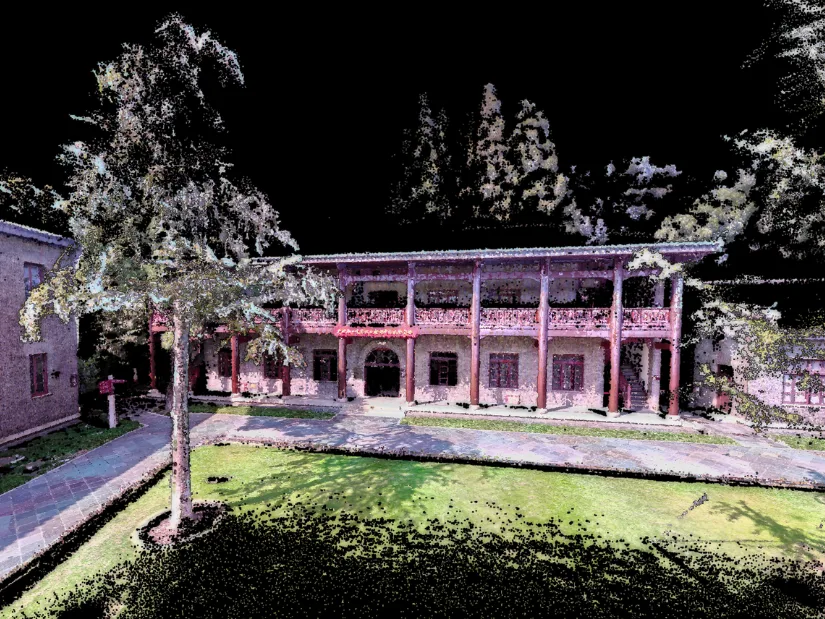
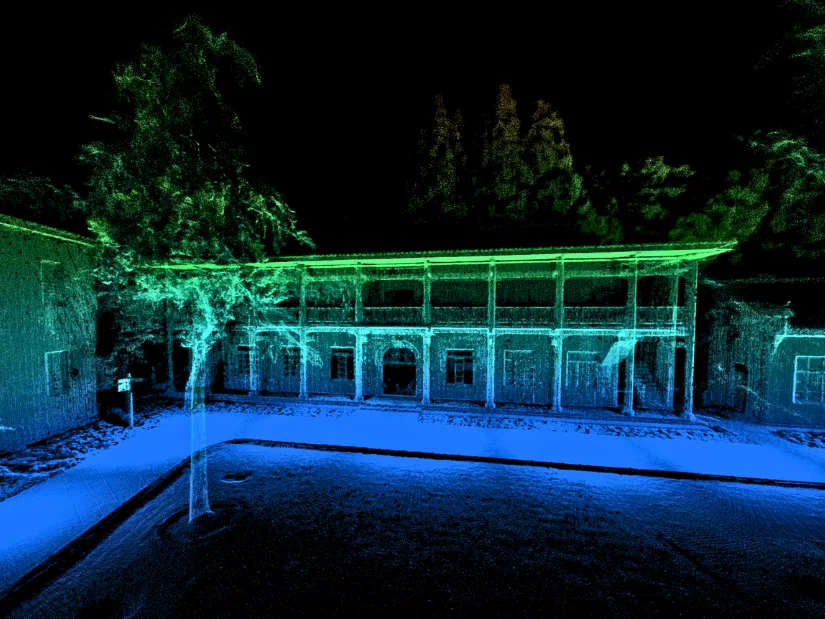
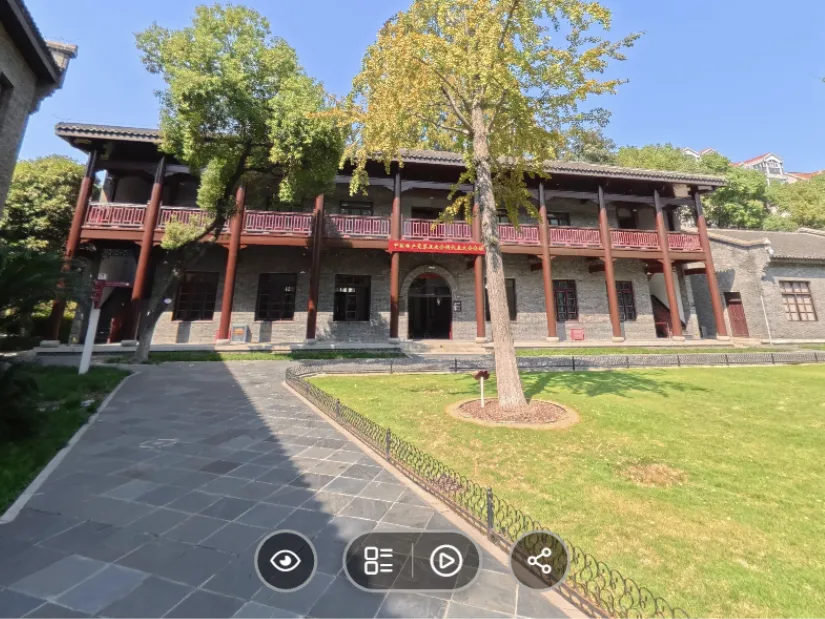
The museum example illustrates how LiDAR scanning can be used to document buildings and their surroundings, preserving both structural geometry and visual information. Beyond viewing static point clouds, users can explore the captured environment through JimuMeta’s interactive online viewer. Explore the Museum Exterior scan in JimuMeta to see the results in more detail.
Street View
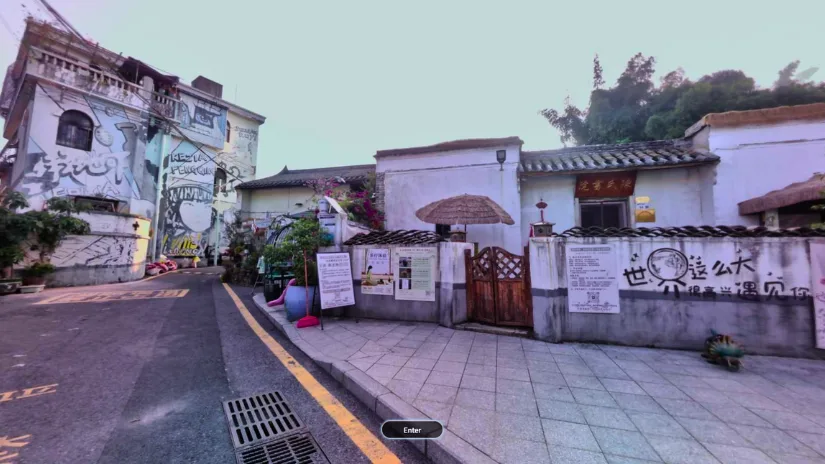
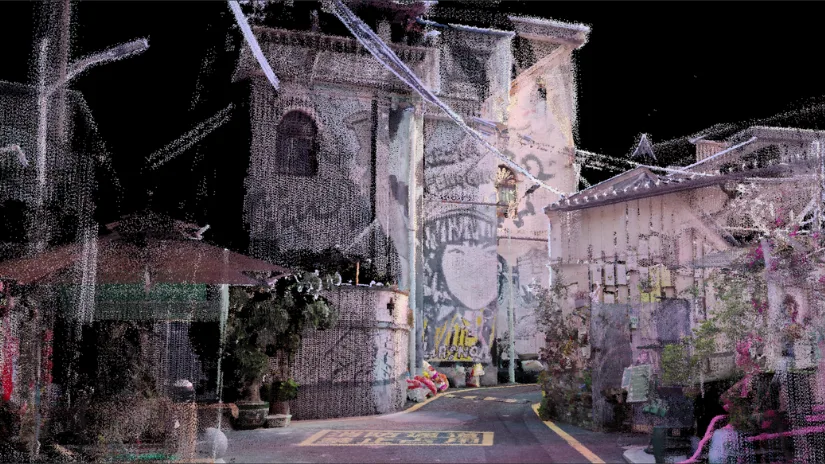
Another scanning example demonstrates how the 3DMakerpro OWL captures narrow streets, building facades, and complex outdoor environments. The point cloud reveals architectural details, overhead cables, and surrounding structures, while JimuMeta provides an interactive way to explore the location. Explore the Street View scan in JimuMeta to see the captured environment in more detail.
Owl Highlights
- Stationary LiDAR Scanning: Captures large indoor and outdoor environments using a fixed-position scanning approach.
- High Scanning Accuracy: Delivers a stated accuracy of 5 mm at 10 meters, with a scanning range of up to 120 meters.
- Comprehensive Spatial Capture: Combines 3D point cloud data with high-resolution panoramic images in a single scanning workflow.
- Wide Field of View: Offers 360° horizontal and 280° vertical coverage, capturing up to 192,000 points per second.
- 4K HDR Panoramic Imaging: Captures visual details across bright and dark areas, including windows and indoor shadows.
- AI-Powered Floor Plans: Supports automated floor plan extraction for spatial documentation and measurement.
- Software Ecosystem: Includes free RayStudio processing, paid RayCraft tools, and JimuMeta for online viewing and floor plan editing.
- Multiple Configurations: Available in Standard, Premium, and Max Premium packages, with a five-camera system and handheld mode offered in the Max Premium version.
For discussions, user examples, and updates from the community, see the official 3DMakerpro Facebook group:
Owl User Group.
Have questions? Feel free to ask in the comment section below.
For a wider discussion or to share your own 3DMakerpro scanner experience and results, join us in the forum:
Stationary vs. Handheld LiDAR 3D Scanners
Stationary LiDAR 3D scanners, such as the 3DMakerpro OWL, operate from fixed positions, typically using a tripod. They capture detailed spatial data of rooms, buildings, and outdoor environments. Multiple scans can be combined to create a more complete 3D representation of larger spaces.
Handheld LiDAR 3D scanners, such as the 3DMakerpro Raven and Eagle, allow users to move freely while capturing their surroundings. This approach offers greater mobility and flexibility, especially when scanning complex environments or areas that are difficult to capture from fixed positions. Below, we explore these handheld scanners, starting with the newer models.
3DMakerpro Raven

Where to Buy – Pricing

Raven
Regular Price From: $1,274 (use code Withus80 for an extra 80 OFF)
Compare the Prices & Bundles:
Official Store
Raven Max
Regular Price From: $2,024 (use code Withus80 for an extra 80 OFF)
Raven Max RTK
Regular Price From: $2,624 (use code Withus80 for an extra 80 OFF)
The 3DMakerpro Raven introduces LiDAR-based spatial scanning in a compact, portable format aimed at creators, designers, and professionals who need to capture larger environments. Unlike traditional desktop 3D scanners designed primarily for small objects, Raven focuses on scanning real world spaces such as rooms, interiors, buildings, and outdoor environments.
The scanner combines LiDAR distance measurement with color capture to generate detailed point clouds and spatial reconstructions that can later be processed into various formats suitable for visualization, documentation, and immersive content creation.
What’s in the Box

The 3DMakerpro Raven package includes the Raven LiDAR scanner, a detachable battery grip, and a holder base for stable placement. The box also contains a power adapter with plug adapters, necessary power cables, and additional accessories. Everything arrives neatly packed alongside documentation to help users get started with the scanner and its software.
Technical Specifications
- Accuracy: Up to 2 cm at 10 m
- Scan Range: Up to 80–100 meters
- Point Cloud Rate: Up to 150,000 points per second
- Scan Angle: 360° horizontal, 40° vertical
- Camera System: 12 MP color camera
- Display: 3.9 inch AMOLED touchscreen
- Connectivity: WiFi 5
- Output Formats: PLY point cloud, Gaussian splatting PLY, OBJ mesh
- Battery: 12,000 mAh modular battery grip
- Operating Time: approximately 2 hours
- Weight: approximately 1.1 kg
Scanning Workflow and On Device Experience
Raven is designed to make spatial scanning accessible through a straightforward workflow. The modular battery grip powers the device and allows mobile operation while scanning larger environments.

After powering on, the scanner performs internal synchronization and IMU initialization. Once ready, users can begin scanning while monitoring the capture process on the integrated AMOLED display.
During scanning it is recommended to move slowly and steadily through the environment while keeping the scanner pointed toward the areas that need to be captured. Maintaining smooth motion helps ensure stable point cloud acquisition and consistent coverage of the scanned space.
RayStudio Software and Data Processing
3DMakerpro Raven works together with RayStudio, the company’s processing software for LiDAR based scanning data. RayStudio allows users to process raw capture data into structured point clouds and other usable formats. The following examples show different visualizations generated from a spatial scan processed.


The software supports tasks such as point cloud processing, filtering, thinning, colorization, and visualization. Users can also generate Gaussian splatting data or export polygonal meshes depending on their workflow requirements.
This software layer plays an important role in transforming captured spatial data into practical outputs for visualization, documentation, VR environments, and other digital applications.
3DMakerpro Raven Highlights
According to 3DMakerpro, the new Raven LiDAR spatial scanner introduces several improvements aimed at portability and flexible spatial scanning workflows:
- Swappable Battery System – Designed for extended scanning sessions with hot-swappable batteries, allowing users to continue capturing data without long charging interruptions.
- 12MP Camera – A built-in camera designed to capture detailed color information for spatial scans and reconstructed environments.
- 360° Camera Support – Raven can be paired with compatible 360° cameras such as Insta360 devices for enhanced Gaussian splatting and immersive scene capture.
- Portable Design – With a weight of around 1.1 kg, Raven is designed to be carried easily for indoor and outdoor spatial scanning tasks.
For discussions, user examples, and updates from the community, see the official 3DMakerpro Facebook group:
3DMakerpro Community Group.
Have questions? Feel free to ask in the comment section below.
For a wider discussion or to share your own 3DMakerpro scanner experience and results, join us in the forum:
3DMakerpro Eagle LiDAR Spatial Scanner Quick Look

Before Raven, 3DMakerpro introduced the Eagle series, a professional-grade LiDAR spatial scanner designed for more demanding workflows. Eagle focuses on high-precision spatial data capture and has been used in professional environments such as architecture, surveying, digital documentation, and large-scale environment reconstruction.

Eagle Scanner:
Regular Price From: $3,198 (use code Withus80 for an extra 80 OFF)
Compare the Prices & Bundles:
Official Website
The Eagle platform introduced LiDAR-based spatial scanning to the 3DMakerpro ecosystem, targeting professionals who need reliable large-scale 3D capture. With support for advanced workflows such as drone-mounted scanning and detailed spatial reconstruction, Eagle is positioned for applications including architecture, site documentation, surveying, and digital twins. You can read our full overview of the 3DMakerpro Eagle LiDAR spatial scanner in the original launch coverage.
The introduction of Raven can be seen as a move to bring LiDAR spatial scanning into a more accessible format while still leveraging the core technologies that powered Eagle. Compared to Eagle, Raven offers a lighter and more creator focused approach while maintaining the core LiDAR spatial scanning capabilities needed for capturing rooms, buildings, and outdoor environments.
About 3DMakerpro
3DMakerpro, a brand of Shenzhen Jimuyida Technology Co., Ltd., was established in 2015 and focuses on developing both professional and consumer friendly 3D scanners. The company has introduced a range of devices aimed at making 3D scanning more accessible for creators, engineers, and digital artists.
According to the company, 3DMakerpro’s R&D team includes more than 100 engineers working on technologies such as multi spectral projection systems, visual tracking, and markerless registration algorithms. The company reports more than $30 million invested in research and development, along with over 60 patents and 30 software copyrights. Its software development system has been certified at CMMI level 3, and the company operates under an ISO9001 quality management system.
Websites and Social Media:
Store: https://store.3dmakerpro.com/
Facebook: 3DMakerPro
Twitter: @3DMakerPro
E-mail: [email protected]
3DMakerpro Object 3D Scanners
While the Owl, Raven, and Eagle focus on capturing large environments using LiDAR technology, 3DMakerpro also offers a range of 3D scanners designed for smaller objects and detailed surface capture. These include the modular Turtle with interchangeable scanning modules and the portable Toucan, which we have tested at 3DWithUs. For specifications, scanning workflows, and hands-on examples, explore our dedicated 3DMakerpro New 3D Scanners guide.
Conclusion
3DMakerpro continues to expand its spatial LiDAR scanning lineup with the introduction of the Owl, bringing stationary scanning alongside its existing handheld solutions. With its combination of point cloud capture, 4K HDR panoramic imaging, and AI-powered floor plan extraction, the Owl offers an interesting option for documenting buildings, interiors, and larger environments. The availability of three configurations, including the Max Premium version with handheld capabilities, adds further flexibility.
Meanwhile, the Raven and Eagle continue to serve users who prefer mobile scanning workflows. Together, these scanners demonstrate how 3DMakerpro is developing a broader ecosystem for spatial 3D capture. We will continue updating this guide as new models arrive and more scanning examples become available.