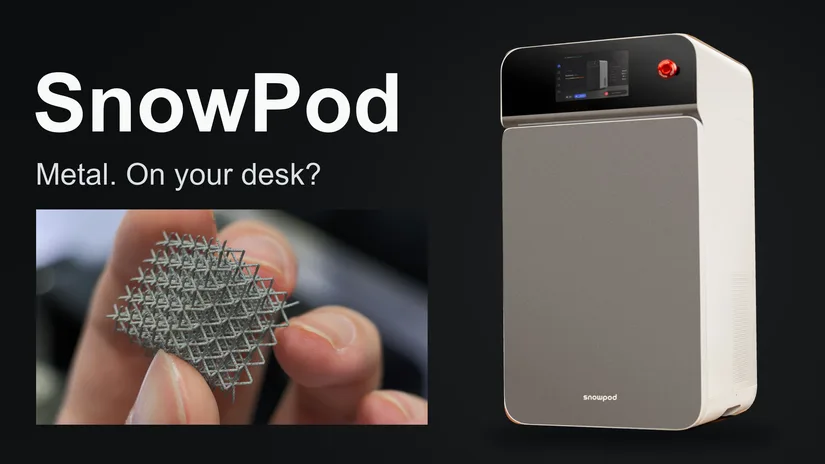
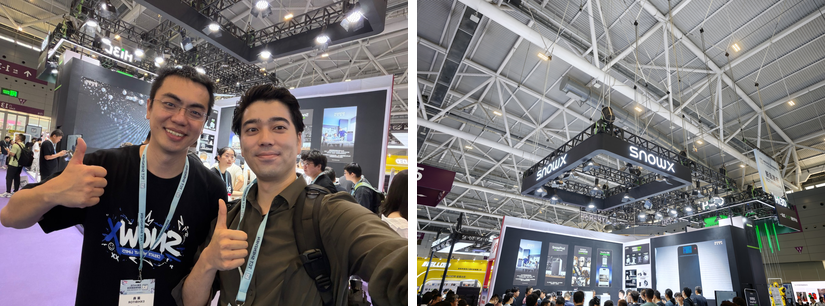
At the SnowX booth at TCT Shenzhen, I tried removing supports from a metal print. A staff member showed me how, then handed me the tools. The supports came off far more easily than I expected. It was the moment that stayed with me most from this visit.
A desktop 3D printer usually brings to mind something affordable enough to use at home. With metal, fitting on a desk is only part of the question. There is powder to handle and work to do after the print finishes. How much of that whole process can SnowPod bring within reach?
Before TCT, I spent about an hour talking with SnowX CEO Fangda Xu. At the show, he and the staff walked me through the machine and let me handle the samples. This article also includes SnowX’s answers to my follow-up questions after the exhibition.
- Specifications and Features
- Slicing with SnowPath
- Loading and Recovering Powder with Pods
- Getting the Print Out
- Trying the Snap-Off Supports
- The Rear and Internal Filters
- Connecting NitroPod and Finding Room for It
- Lattices and Mechanical Parts
- 316L Stainless Steel for Jewelry
- Miniatures, Moving Parts and Polished Finishes
- Fangda Xu and the Team Behind SnowX
- Why I Would Choose the NitroPod Bundle
- Why I Want to Try It in My Workshop
SnowPod Specifications and Features
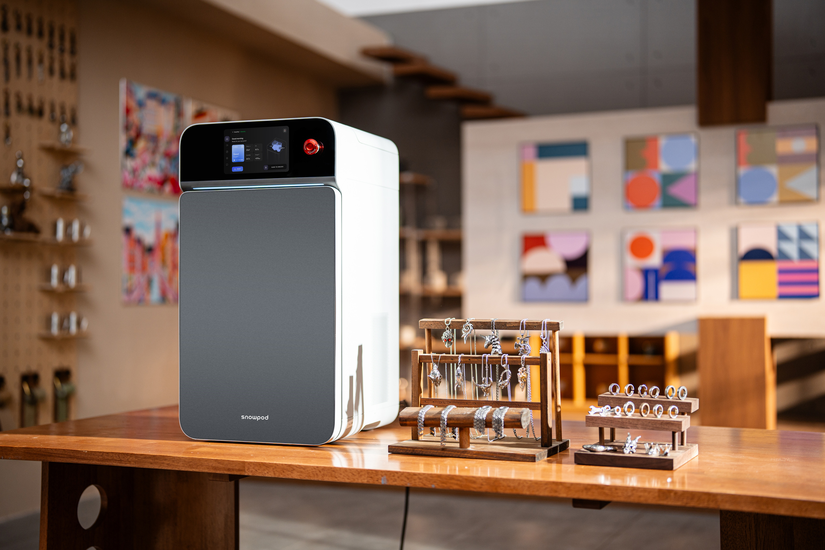
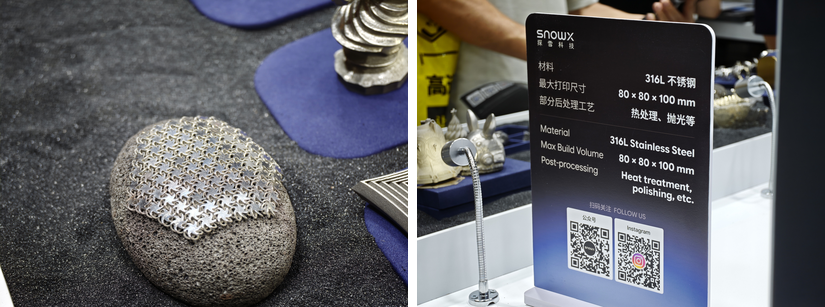
A 40 kg Metal Printer with a 36 cm Footprint. SnowPod uses selective laser melting (SLM) to melt 316L stainless steel powder, building a part one layer at a time. A separate nitrogen generator, NitroPod, supplies the build chamber. The team also mentioned copper alloys as a material they are considering, but 316L is the supported material at the time of writing.
| Feature | Published specification |
|---|---|
| Build volume | 80 × 80 × 100 mm |
| Laser | 200 W fiber laser |
| Laser spot size | Approximately 40 μm |
| Layer thickness | 30–60 μm |
| Dimensions / weight | 360 × 360 × 660 mm / 40 kg |
These are the specifications published at the time of this visit and article. The roughly 40 μm figure is the laser spot size, not the dimensional accuracy of a finished part. SnowX lists 0.05 mm dimensional accuracy on its website, based on its own testing, with results varying by geometry, part size and other factors. [SnowX specifications]
© SnowX
Some metal-filament printers are also presented as an affordable route into desktop metal printing. They still need sintering, though, and a furnace adds to the cost. SnowPod melts the powder directly, so there is no separate debinding and sintering stage to equip for or outsource. Support removal and any finishing still come afterwards. [Raise3D Metalfuse]
The machine is 36 cm wide and 36 cm deep. It needs a bench that can carry 40 kg, plus room to open the doors and work in front of it. Add NitroPod and the transfer box, and the working space is larger than the printer’s footprint. The tubing between SnowPod and NitroPod should at least give some flexibility in where the two units sit.
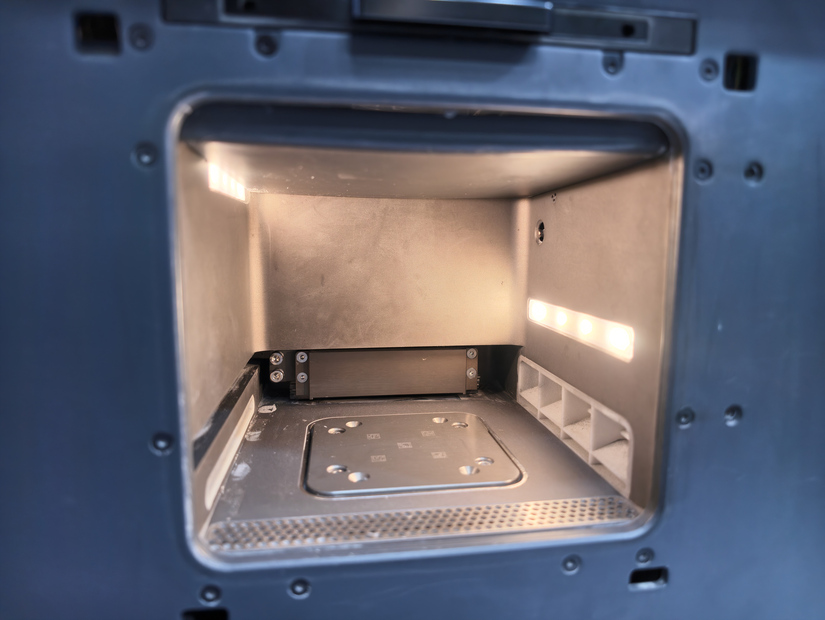
Photo: Yuto Horiuchi
Photos: Yuto Horiuchi
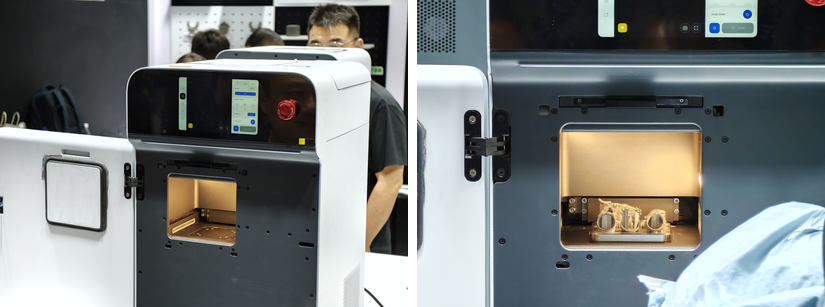
Alongside several mock-ups, the booth had three operable SnowPods and one NitroPod on display.
Slicing with SnowPath
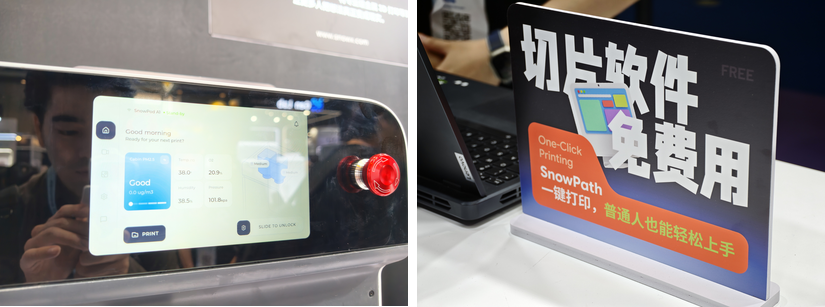
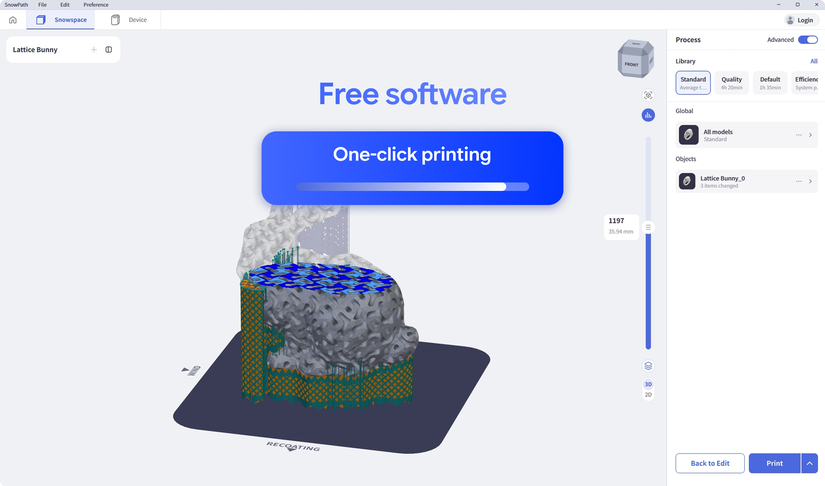
SnowPath, the dedicated slicer, is free. Choose a preset, then orient the model with support marks in mind: which surfaces do you want to keep clean? As someone who normally uses FFF and resin slicers, I found the basic workflow straightforward.
The staff demonstrated changing orientation, generating supports automatically and previewing individual layers. SnowPath also estimates print time and weight.
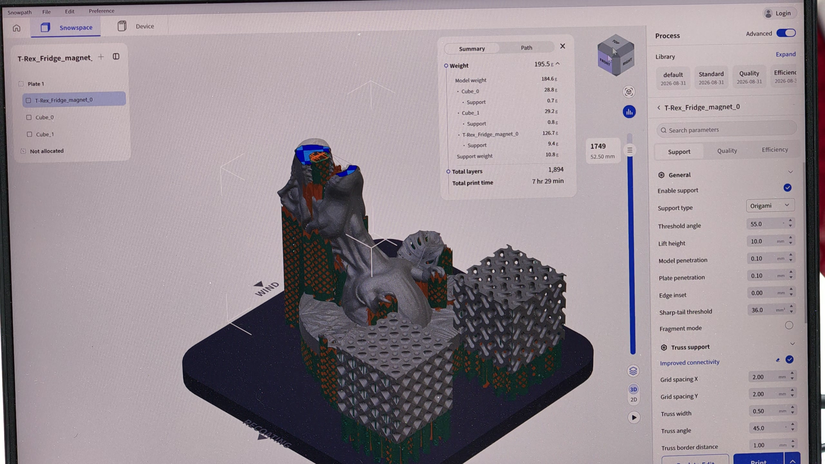
Photo: Yuto Horiuchi
Photos: Yuto Horiuchi
© SnowX
The team told me it is refining the presets to improve print success rates.
I was told that the printer and software can operate locally. The slicer was not connected to a printer at the booth, so I could not try sending a job or viewing the internal camera there. SnowX later sent me the screen from an actual camera connection.
At first glance, the camera shows a flat bed of powder, with the support pattern faintly visible on the surface. It can look strange if you are used to filament or resin printers. In a powder-bed machine, the printed layers remain buried in the surrounding powder. From above, you see the top layer.
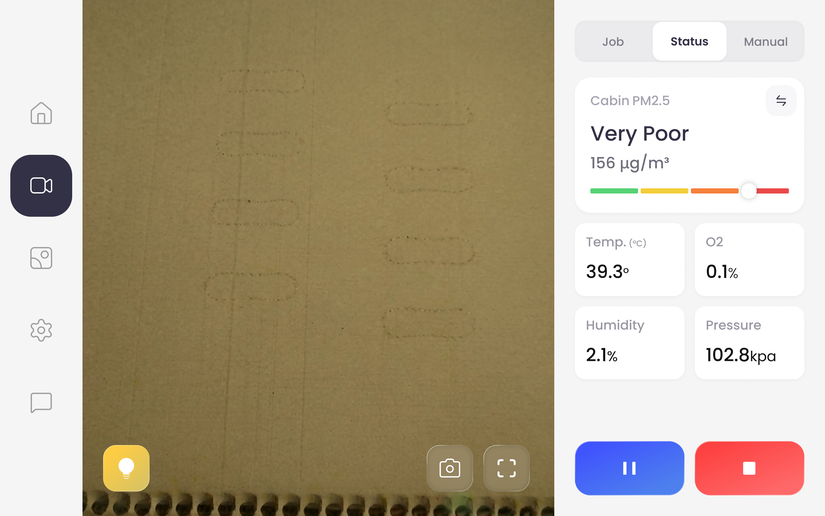
Image: SnowX
Loading and Recovering Powder with Pods
Powder is handled in cartridges called Pods. Under the top lid are two Pod bays. The same cartridge format is used both to supply fresh material and to recover powder after printing.
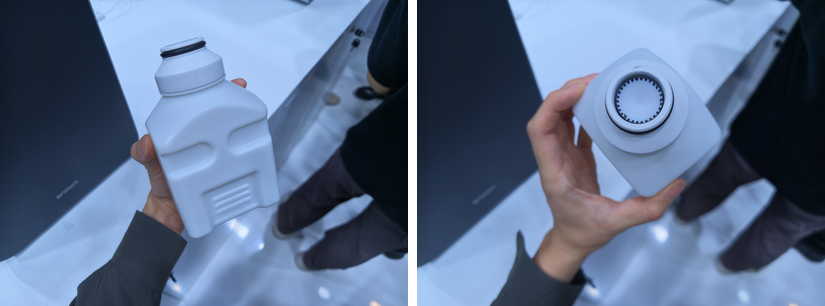
Photos: Yuto Horiuchi
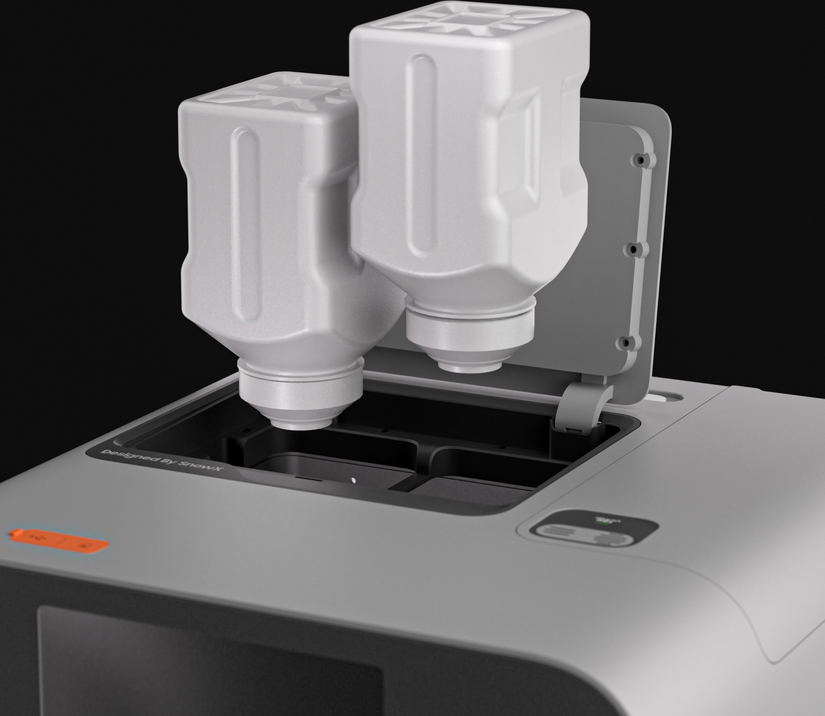
© SnowX
The staff described a cyclone-like separation mechanism that sorts the remaining powder into material for reuse and material for disposal. A compartment low on the front of the printer houses the waste-powder container.
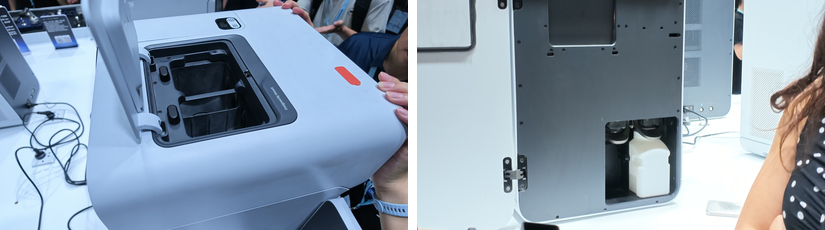
Photos: Yuto Horiuchi
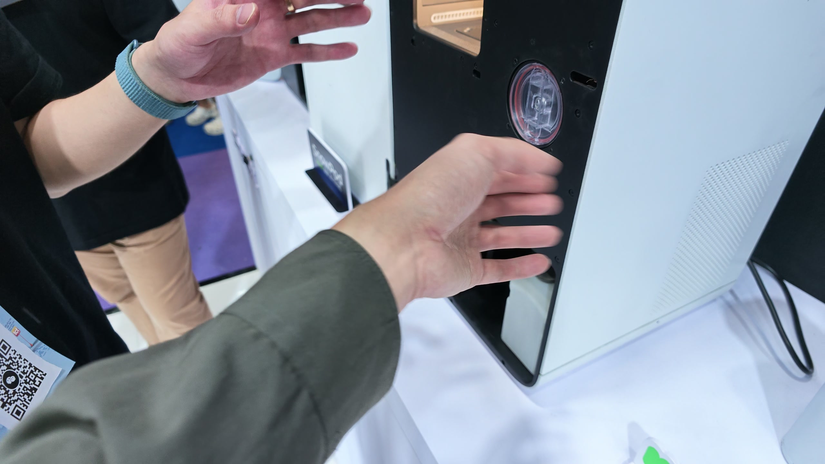
Photo: Yuto Horiuchi
When I raised concerns about the powder, Fangda compared it with the carbon toner in a conventional 2D printer. He explained that toner particles are finer than the stainless steel powder used in SnowPod and spread more readily once airborne, whereas the steel powder has a much higher density.
Particle size and density do not settle the safety question by themselves. SnowPod uses Pods and enclosed containers to reduce the occasions when the user has to handle powder directly.
Getting the Print Out
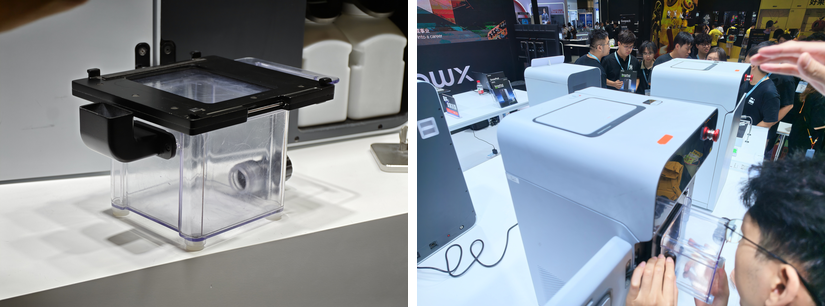
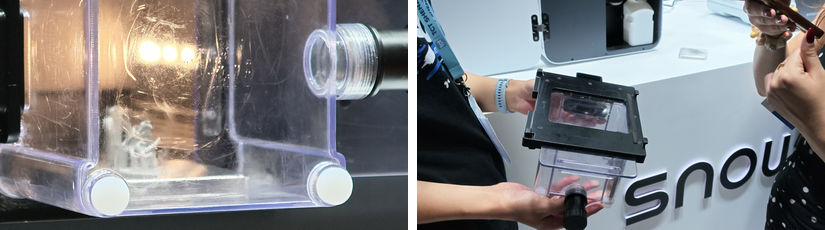
To retrieve a print, you attach a clear transfer box to the front of SnowPod. The staff demonstrated the sequence as it would run after a print: the machine pushes the plate and the sample parts out into the box.
Photos: Yuto Horiuchi
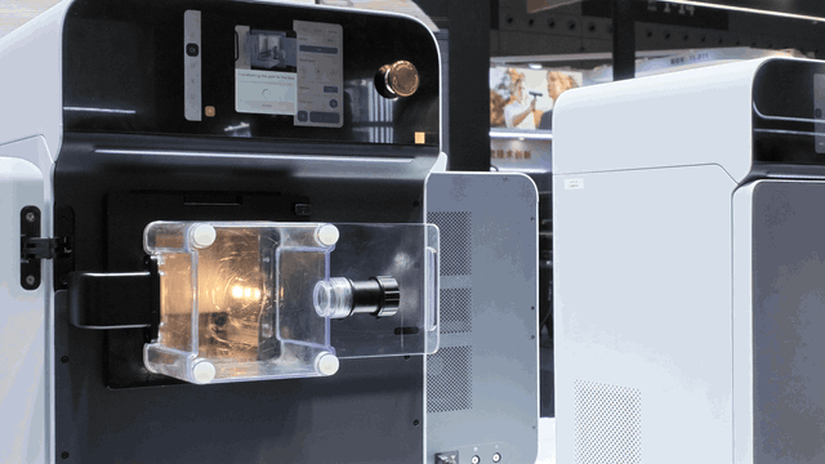
Image: Yuto Horiuchi
Once the plate is inside, you close the sliding door and detach the box from the printer.
Photos: Yuto Horiuchi
The next step, as explained to me, is to add water to turn the remaining powder into a slurry, collect the solids with a filter, then remove the supports. The booth demonstration covered attaching and detaching the box and ejecting the plate; adding water and filtering the slurry were not demonstrated.
Trying the Snap-Off Supports
The supports use thin metal walls designed to resist vertical loads but break more easily sideways. The trick is to put the tool against the support and apply force from the side, rather than pull the part upwards.
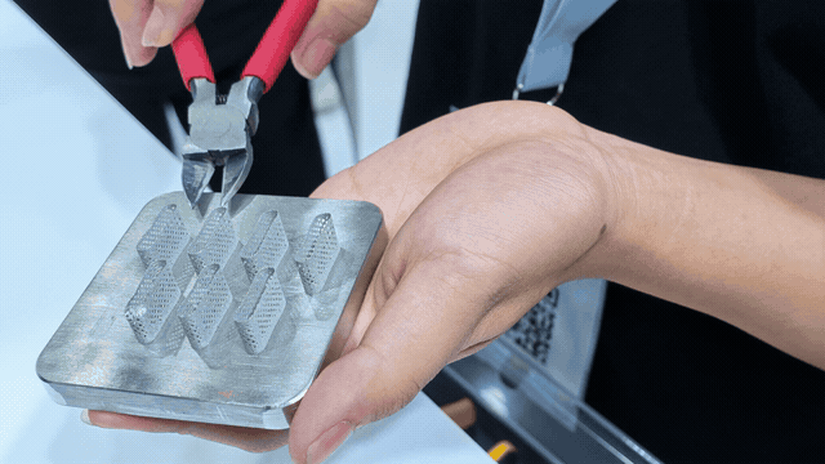
Image: Yuto Horiuchi
I tried it after watching the staff, and had not expected supports on a metal print to come away so easily. Some can be removed by hand, but the staff recommended nippers or pliers. The tool concentrates sideways force on the thin support instead of making you grip and pull the part itself. Just don’t reach for your favorite plastic-model nippers.
Photos: Yuto Horiuchi
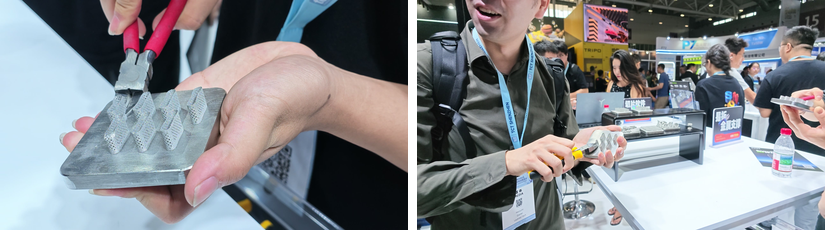
Photos: Yuto Horiuchi
At the booth, I was told that parts printed directly onto the plate need to be cut off; the intended approach is normally to raise them on supports. I later asked SnowX what happens if you leave supports out altogether. Residual stress and shrinkage can make a print fail, or warp the part enough to prevent printing from continuing. Easy-to-remove supports still have a job to do.
The build plate is normally replaced for each print. SnowX plans to publish its dimensions so users can buy one from the company, cut their own or have one made. I was also told that plates can be reused after surface grinding or similar treatment, provided they remain within the machine’s compensation range.
The Rear and Internal Filters
SnowX lists an internal H13 and an external H14 HEPA filter. During the interview, the team showed me a replacement unit with two filter layers inside a plastic housing; the entire housing is replaced. They expect replacement every few months. I did not get a price for the replacement units.
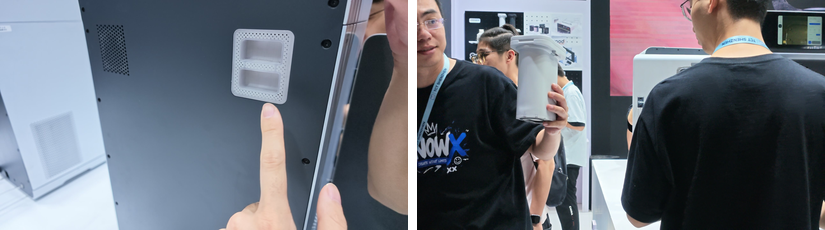
Photos: Yuto Horiuchi
Enclosure and filtration do not remove the need for protective equipment. SnowX’s FAQ recommends PPE during normal operation and requires it for maintenance and servicing. [SnowX specifications]
Connecting NitroPod and Finding Room for It
NitroPod separates nitrogen from air and feeds it to the build chamber, displacing oxygen to limit oxidation. It also saves the user from sourcing an external nitrogen cylinder. SnowX lists a flow rate of 3 L/min, 99.9% purity at that flow rate and a maximum output pressure of 0.2 MPa.
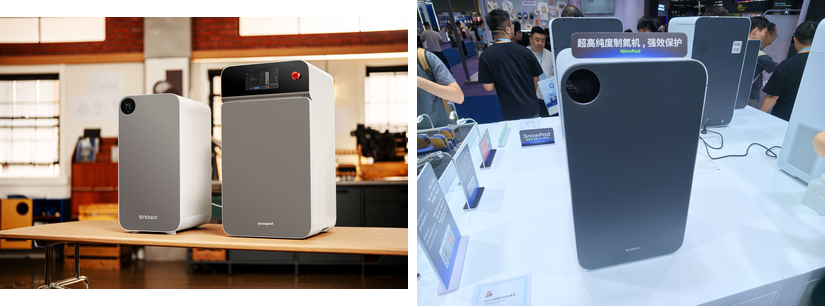
Images: SnowX / Yuto Horiuchi
At the booth, a clear tube ran from NitroPod to the back of SnowPod. Allow room behind the printer for that tube and the power cable. SnowX also told me that vibration can affect print quality, although the machine has some tolerance for it. I will be looking out for the detailed specifications when Kickstarter launches.
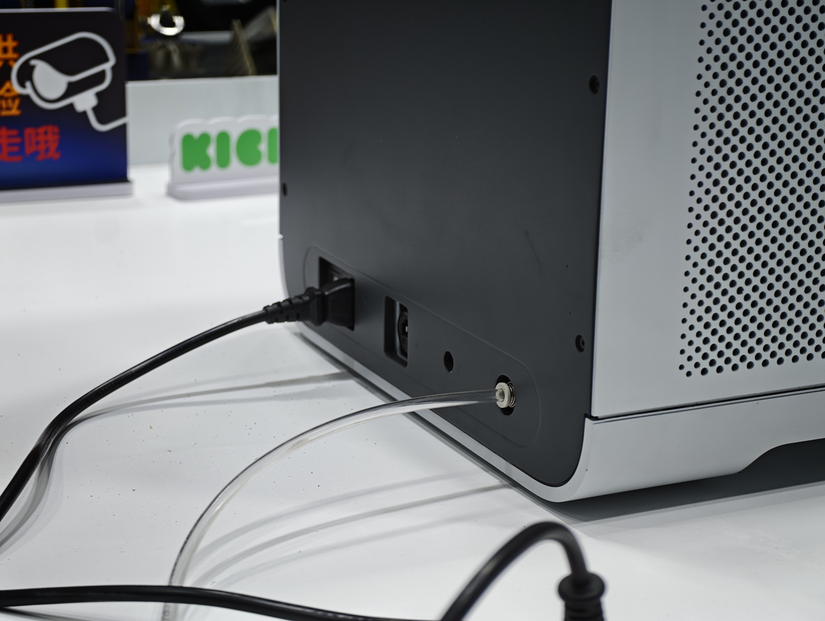
Photo: Yuto Horiuchi
At the same temperature and pressure, nitrogen is lighter than oxygen and slightly lighter than air, with a relative density of about 0.97. That does not mean a leak will simply drift away safely: a local buildup can displace oxygen. Separating nitrogen from air does not guarantee that the two gases immediately mix evenly again if it leaks. [Airgas nitrogen safety data sheet] [EIGA: nitrogen and oxygen generator safety]
In its follow-up reply, SnowX said the system monitors oxygen levels and pressure and stops automatically if it detects an anomaly. I hope the Kickstarter updates will explain where the oxygen sensors sit, what they monitor and what triggers a stop.
Lattices and Mechanical Parts
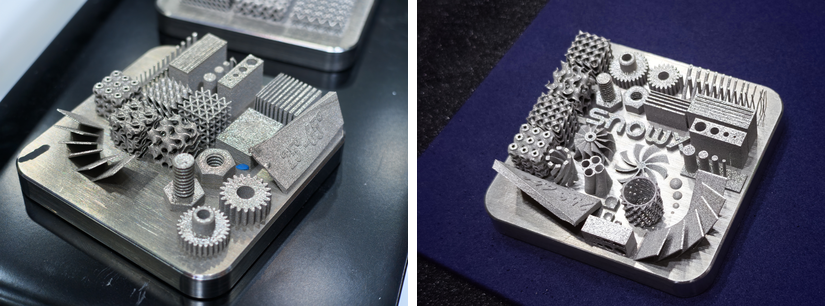
One test plate packed together threads, gears, thin walls and lattice structures. Turn it around and there are letters and blade-like shapes on the other side too.
Photos: Yuto Horiuchi
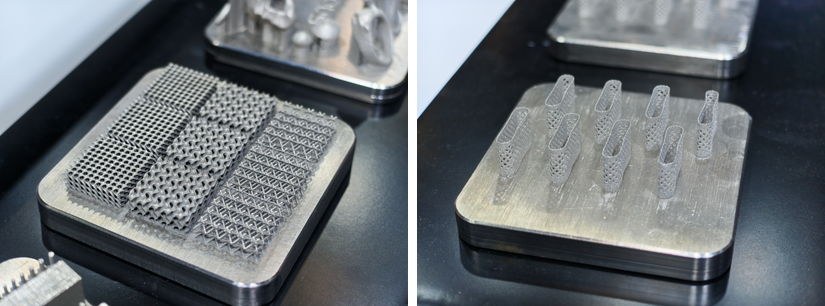
There were also plates of different lattices and plates carrying several copies of a part. These are examples I saw at the booth, rather than measurements of accuracy or strength. When I asked about differences between the XY and Z directions, SnowX said it has test reports for both but needs more time to retrieve the data. That is another update to look out for on Kickstarter.
Photos: Yuto Horiuchi
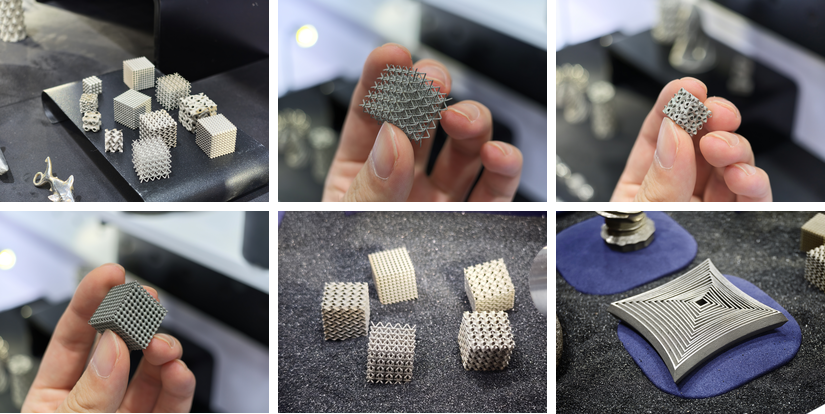
Picking up the smaller samples let me follow the repeating lattices and connected curves from different angles. Even pieces small enough to hold between two fingers had rows of tiny openings.
Photos: Yuto Horiuchi
The display wall held topology-optimized parts and lattice valve bodies. A porous cover-like sample was mounted on a robot arm.
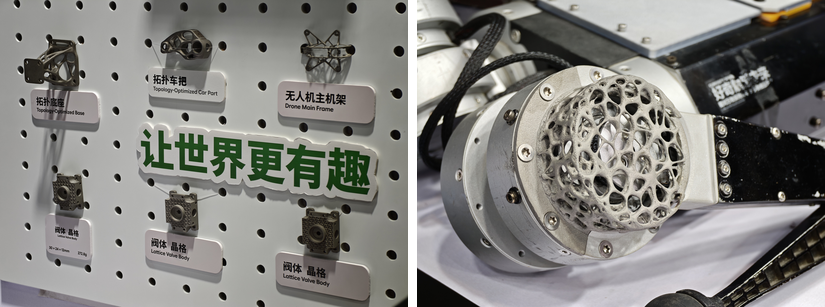
Photos: Yuto Horiuchi
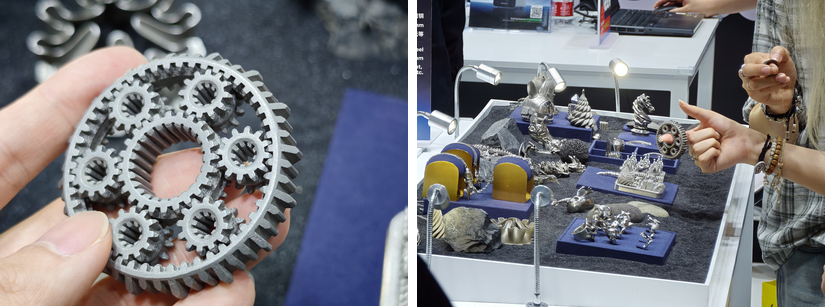
Photos: Yuto Horiuchi
316L Stainless Steel for Jewelry
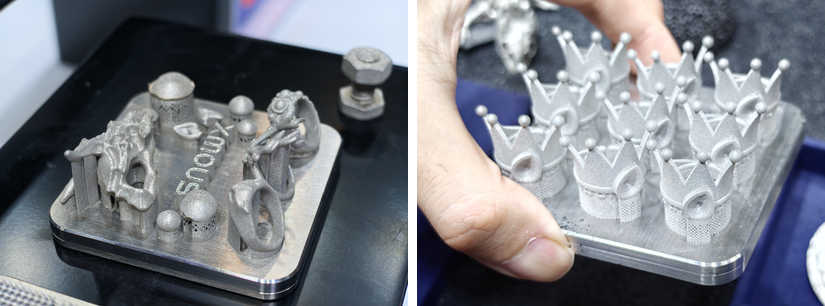
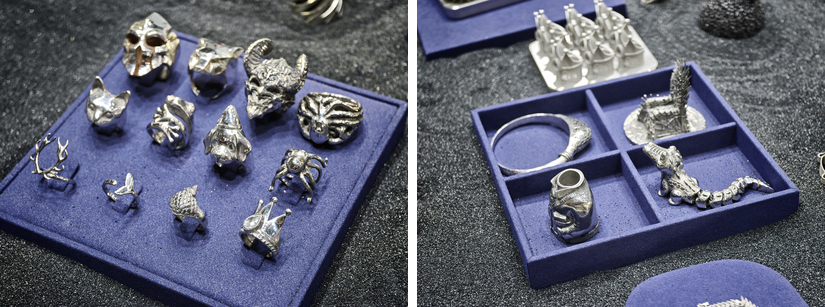
Rings and pendants are among the things I would like to make with SnowPod. Stainless steel does not have the precious-metal resale value of gold or silver, but its strength and durability leave plenty of room to enjoy the design itself. There were fewer mechanical parts on display, so I am also looking forward to seeing the material-property data.
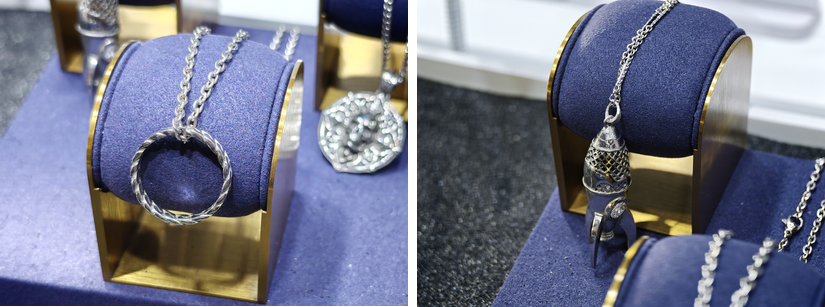
Photos: Yuto Horiuchi
Corrosion resistance is another advantage. Stainless steel forms a thin passive film on its surface that helps protect it from corrosion. [Outokumpu: corrosion resistance]
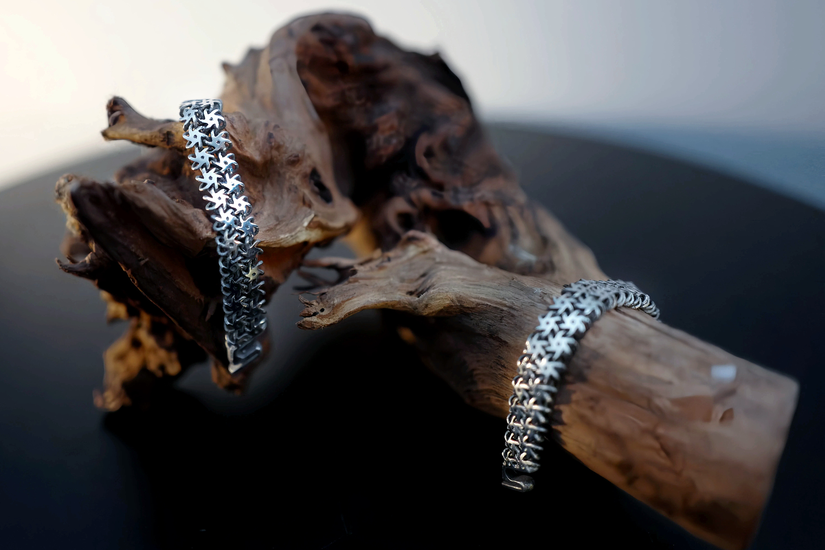
© SnowX
Photos: Yuto Horiuchi
For pieces worn against the skin, nickel matters too. SnowX confirmed that the 316L powder used in SnowPod contains nickel, with further details to follow after testing.
Miniatures, Moving Parts and Polished Finishes
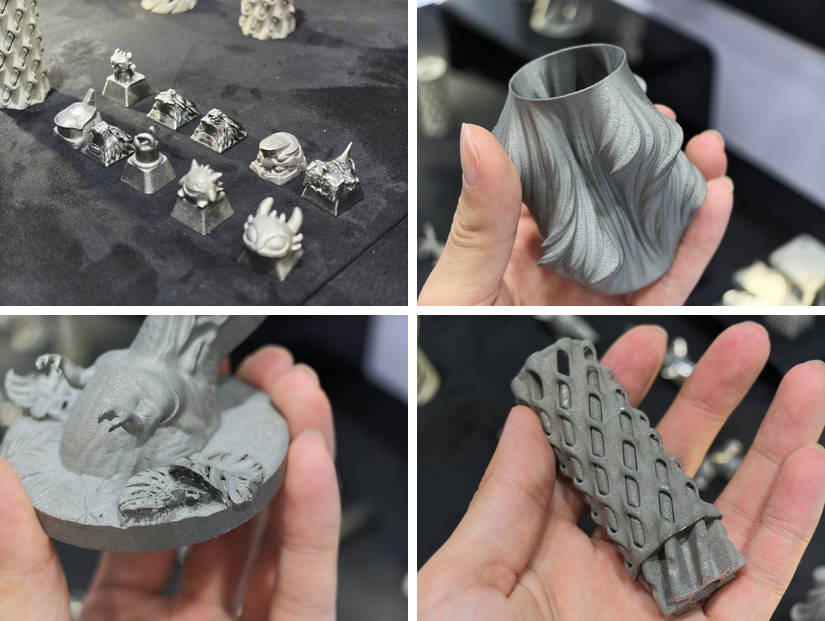
The decorative samples ranged from tiny character faces to twisted vases and reliefs. Even with a small build area, there seems to be plenty to make at this scale.
Photos: Yuto Horiuchi
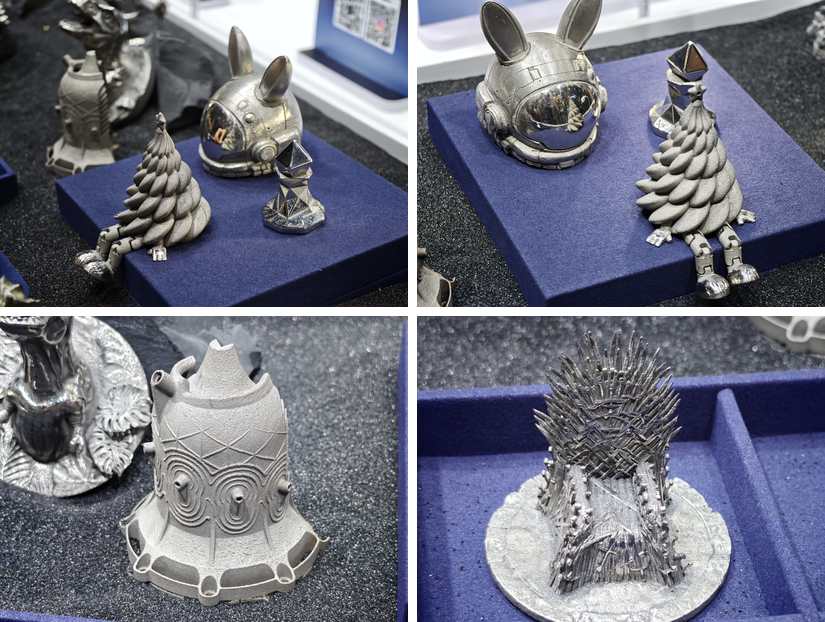
Being metal, the prints can also be polished to a mirror finish. The shoes and the helmet visor on these samples are good examples.
Photos: Yuto Horiuchi
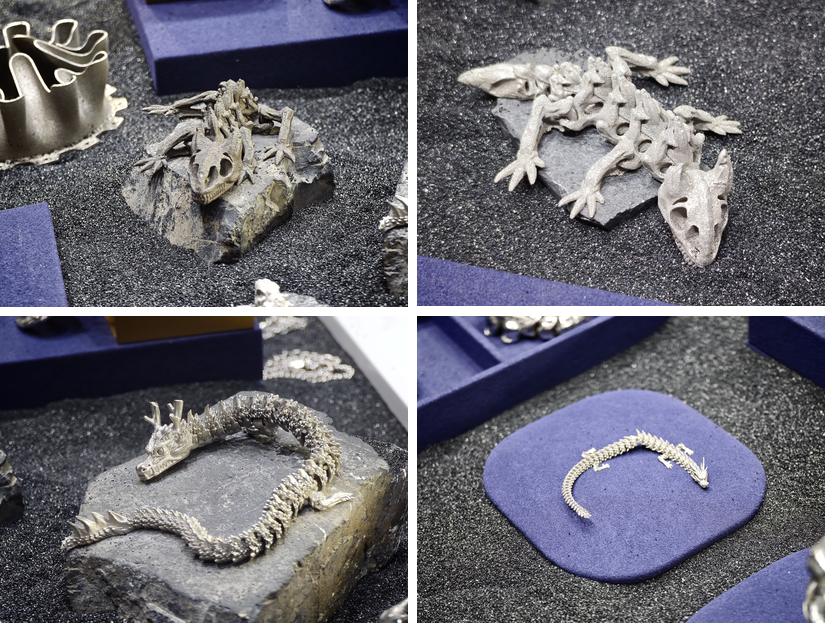
There were plenty of print-in-place models as well, with linked and moving features built together.
Photos: Yuto Horiuchi
Photos: Yuto Horiuchi
Fangda Xu and the Team Behind SnowX
SnowPod comes from a team with a background in metal additive manufacturing research and industrial machines. Fangda Xu earned his PhD at the University of Bath in 2020, researching monitoring systems for wire arc additive manufacturing (WAAM). [Fangda Xu on ResearchGate]
As a Research Associate at Bath, he developed AMtwin, a digital twin for WAAM, with Professor Stephen Newman and Vimal Dhokia. The work went through the ICURe commercialization program and received support from a Royal Academy of Engineering Enterprise Fellowship. [University of Bath] [Royal Academy of Engineering]
Photos: Yuto Horiuchi
RONGSU says it was established in 2020 and makes industrial metal additive manufacturing equipment using directed energy deposition (DED). In August 2026, it announced roughly RMB 100 million in Series A+ funding and introduced SnowX as its consumer brand. SnowPod takes the business from wire-fed DED into a small powder-bed machine. [RONGSU funding announcement]
Why I Would Choose the NitroPod Bundle
SnowX has already started a deposit offer and published its planned Kickstarter prices. These and the planned retail prices are figures announced ahead of mass production and sales.
| Package | Planned Kickstarter price | Planned MSRP |
|---|---|---|
| SnowPod Printer Kit | $5,299 | $9,299 |
| SnowPod with NitroPod | $5,899 | $9,999 |
SnowX also offers VIP prices of $4,999 for the SnowPod Printer Kit and $5,599 for the NitroPod bundle through its public reservation page. A refundable $50 deposit reserves an additional $300 discount on either package. [SnowX VIP reservation page]
The VIP offer applies only to the SnowPod campaign on Kickstarter. SnowX says the $50 deposit will be refunded to the original payment method and the $300 discount applied within 14 days after the campaign ends. If you decide not to back the campaign, you can request a refund before launch.
The difference is $600. If I were buying one, I would choose the NitroPod bundle. Once you consider the cost of a separate nitrogen generator, that extra amount looks appealing. It also saves the work of finding another generator, checking compatibility and sorting out the connections.
I was told the campaign is planned for Q4 2026. As of October 19, 2026, the Kickstarter page is still at the pre-launch stage.
Why I Want to Try It in My Workshop
I left wanting to try SnowPod in my own workshop. Seeing the machine made the powder recovery, part retrieval and support removal much easier to picture. Trying the supports myself was a big part of that.
Design a part or a piece of jewelry, print it in metal and finish it at the bench: that is what the visit had me imagining. Printing a resin pattern for investment casting is another route, but it comes with its own hurdles. If stainless steel suits the job, SnowPod could be a more straightforward way to get there. Metal 3D printing finally feels like something I could bring to my own desk.
SnowPod is still a Kickstarter product in development, and the machine I handled was a prototype. Specifications, prices, bundle contents, supported materials and shipping plans may change. Before pledging, check the [Kickstarter campaign] and its Updates once the campaign begins for the latest information.
Shenzhen’s food was excellent too. I suspect I came home a little heavier. New printer technology and good food: two very good reasons to go to a trade show.
More from SnowX: [SnowX]
Find SnowX’s social media links via the company’s home page.
Related Guide: See our regularly updated 3D Printing Events, Shows & Fairs list for upcoming additive manufacturing exhibitions and community events.