Creality is no longer just launching individual 3D printers. It is building a wider 3D creation ecosystem around compact color printing, high-speed FDM machines, AI-assisted tools, materials, cloud platforms, and connected workflows. The latest update adds the SPARKX i7 Nano Combo, a compact desktop multi-color printer with the CFS nano Kit, while the broader roadmap also includes the K2/K3 Series direction, KliTek™ nozzle-changing technology, Creality Cloud AI, 3D scanning, laser engraving, recycling, and creator communities.
Table of Contents (Jump to a Section)
SPARKX i7 Nano Launch
Where to Buy
Price: $299/€299
Compare the Prices & Bundles:
Official Website | Amazon
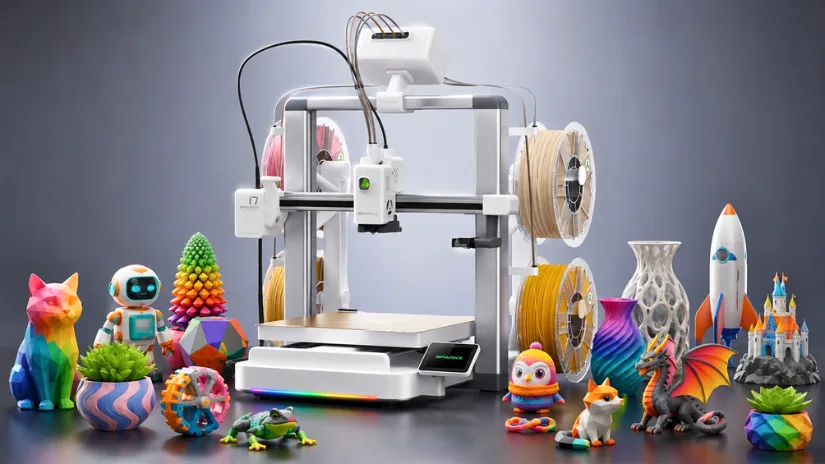
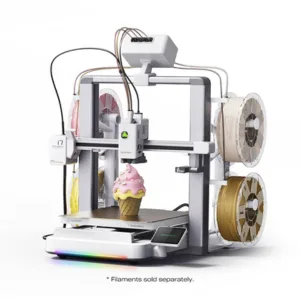
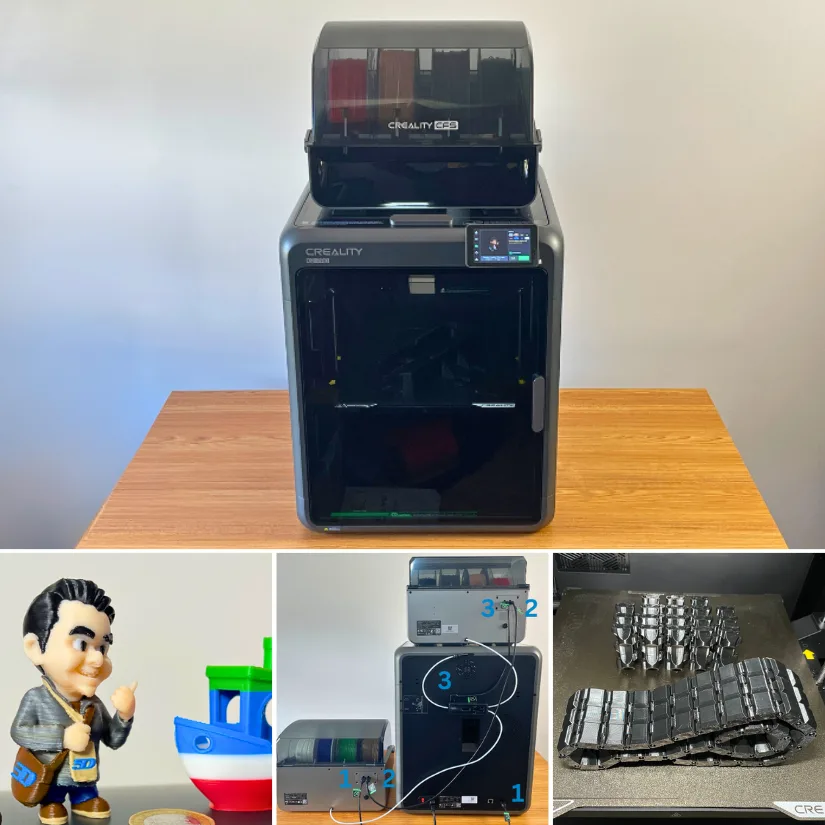
The SPARKX i7 Nano Combo is Creality’s compact, multi-color desktop 3D printer for users who want a smaller, simpler, more affordable entry into color printing. Instead of requiring a larger external CFS Lite setup, the i7 Nano uses a more space-saving layout with an integrated spool holder mounted directly onto the printer body. This snap-on design keeps the overall footprint smaller while maintaining a clean desktop appearance.
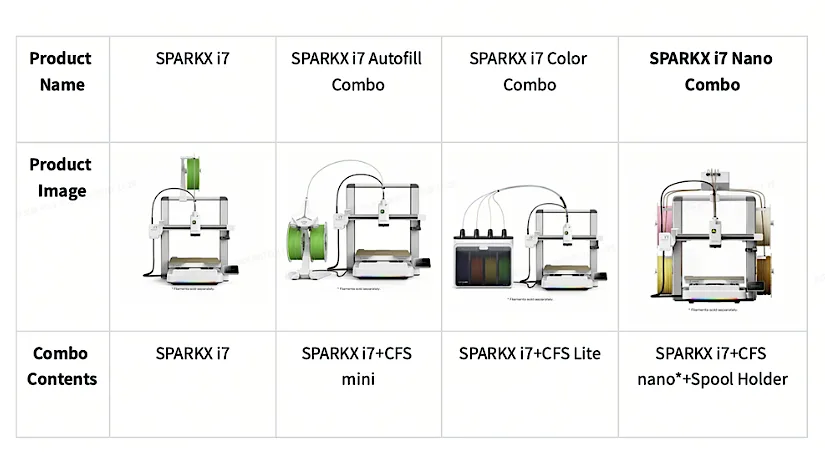
Paired with the new CFS nano Kit, the SPARKX i7 Nano Combo supports automatic filament switching for up to four colors. The CFS nano is mounted on top of the printer and uses a dual-motor system, with one motor handling filament channel switching and the other managing filament feeding and retraction. Creality also notes that the CFS nano can be installed without complex disassembly or modifications and is compatible with existing i7 units.
The machine also brings several user-friendly features into the compact i7 format. It includes AI-powered creation and monitoring tools, including CubeMe to automatically turn 2D portraits into multi-color 3D models, plus a built-in 720p AI camera to detect common print failures such as spaghetti and air printing. It also includes vibration compensation and dynamic pressure adjustment to maintain consistent print quality during high-speed jobs.
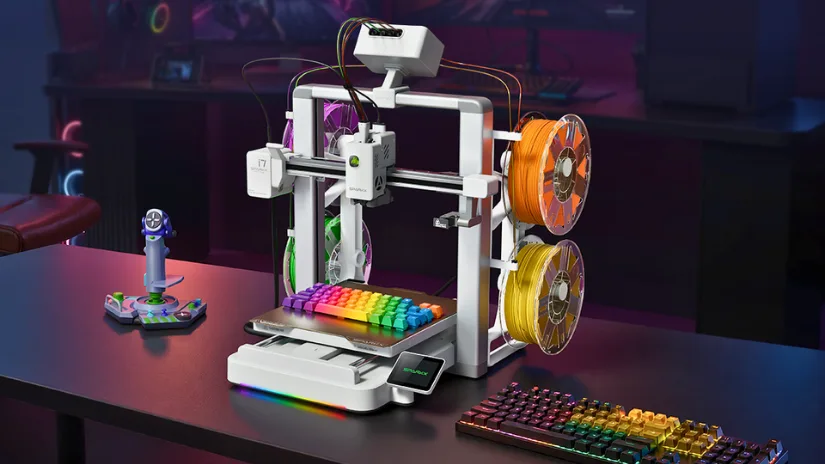
Hardware-wise, the SPARKX i7 Nano features a 260 × 260 × 255 mm build volume, print speeds up to 500 mm/s, a hardened steel nozzle rated up to 300°C, and support for 0.2, 0.4, 0.6, and 0.8 mm nozzle diameters. Automatic bed leveling, RFID filament reading, automatic filament refill, run-out detection, power-loss recovery, and quiet operation are also listed, making the machine suitable for beginners, home users, and value-conscious makers seeking a compact four-color workflow.
SPARKX i7 Nano Review
Phil Macey has been putting the new SparkX i7 Nano Combo through its paces for our latest hands-on review. This time, he focused heavily on the CFS Nano, covering everything from simple keyrings and QR codes to HueForge, image-to-3D, and the larger Nintendo/Pokemon wall art. Check the full article and video.
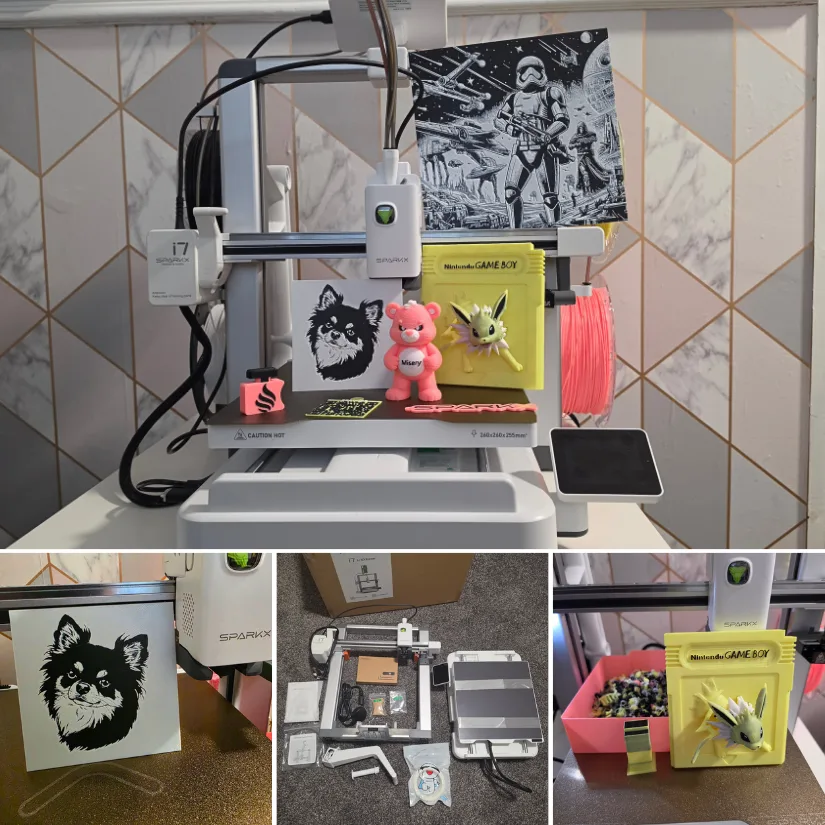
Print quality was excellent across the test models. Fine details, smooth surfaces, and sharp edges were produced consistently, while the high-speed capabilities remained usable thanks to the printer’s vibration compensation and pressure-control systems.
Read more – unboxing, testing and print examples:
Creality SPARKX i7 Nano Combo Review by Phil Macey.
Creality IPO and AI Ecosystem Direction
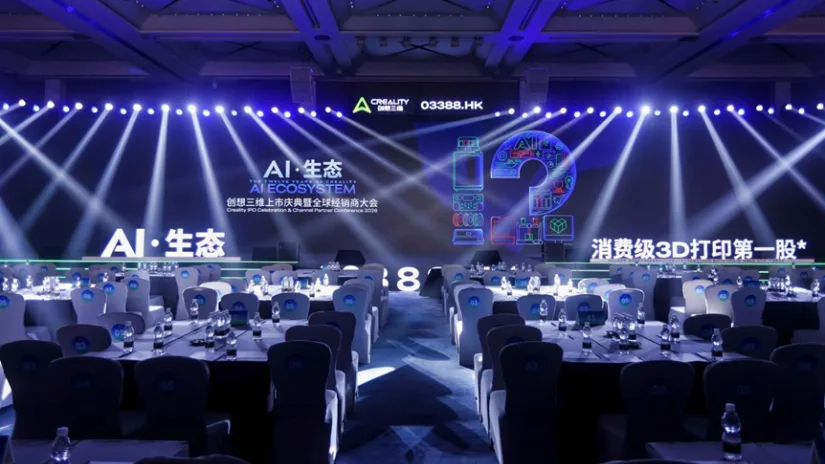
Creality’s official ecosystem update also highlighted the company’s Hong Kong IPO as an important business milestone. An IPO, or Initial Public Offering, is when a private company lists its shares on a stock exchange for public investors. For Creality, the IPO was presented alongside a broader AI Ecosystem direction, covering 3D printers, scanners, laser devices, materials, Creality Cloud, recycling workflows, creator communities, and KliTek™ nozzle-changing technology.
KliTek™ Nozzle-Changing Technology
KliTek™ is Creality’s next-generation nozzle-changing technology, introduced as part of its 12th anniversary ecosystem update. Instead of relying only on traditional filament switching, the system is designed around a lightweight nozzle-changing architecture with independent material pathways. According to Creality, this approach aims to reduce common multi-material printing issues such as slow color changes, purge waste, color bleeding, and maintenance complexity.
The technology is also positioned as a step forward for flexible material printing. Combined with features such as RFID filament recognition and the S-Drive™ dual-power feeding system, KliTek™ is intended to support more advanced TPU workflows, including multi-color and multi-hardness TPU applications within a single print. For consumer FDM 3D printing, this could be an important direction, as reliable flexible-material automation is still far less common than standard PLA multicolor printing.
KliTek™ Nozzle-Changing Technology & K3
KliTek™ is Creality’s next-generation nozzle-changing technology. Instead of switching colors or materials through one shared filament path, KliTek uses a multi-channel nozzle-changing architecture with independent material paths. Creality positions this as a way to reduce some of the biggest drawbacks of traditional single-nozzle multicolor printing: long filament swaps, purge waste, color bleeding, and the need to constantly load, retract, and purge material during color changes.
The core idea is to change only the essential print path rather than the entire toolhead. According to Creality, the KliTek nozzle assembly includes the nozzle, hotend, and filament tube, while remaining much lighter than a full toolhead swap. The company says a nozzle change takes under 5 seconds, while a full material change can be completed within 15 seconds. This lightweight approach is also designed to simplify maintenance, as users do not need to replace or service a full toolhead assembly for every nozzle-path change.
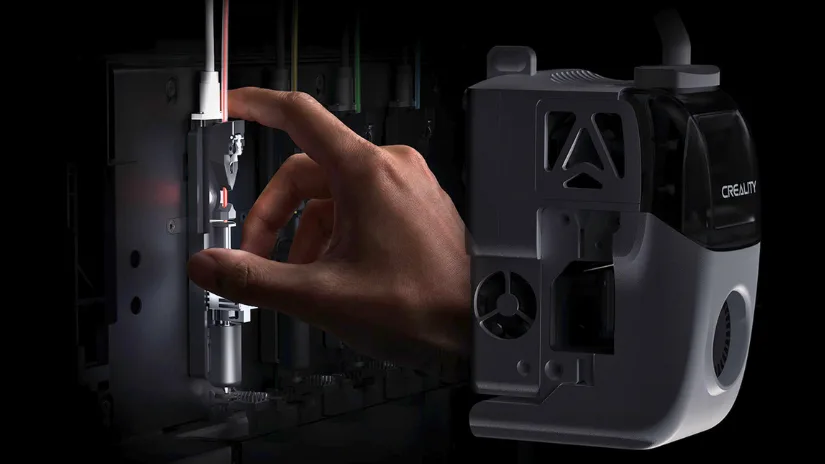
Precision is another important part of the KliTek pitch. Creality says the system uses XYZ three-axis positioning to keep nozzle changes aligned, with repositioning accuracy of less than 25 microns. In practical terms, this matters because nozzle-changing systems need to return to the print accurately after each swap, especially when printing detailed multicolor models, combining different materials, or using different nozzle diameters within the same object.
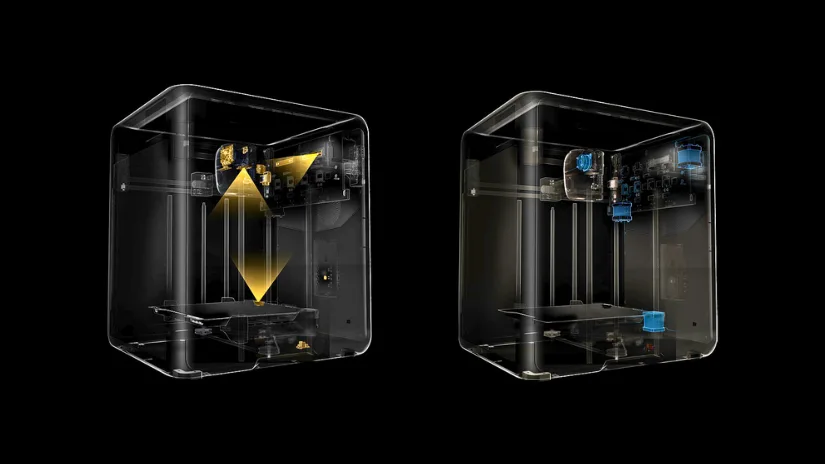
One of the more interesting claims is around TPU and flexible materials. KliTek is paired with Creality’s S-Drive™ dual-power feeding system, which uses a push-and-pull approach to reduce friction and improve flexible filament feeding. Creality says this allows stable printing of TPU as soft as 80A and can increase TPU 95A printing speed up to 7x compared with many consumer 3D printers. This could be especially relevant for applications such as insoles, cushions, flexible toys, and future multi-hardness 3D printed footwear, where soft and rigid zones may need to be combined in one print.
KliTek also opens the door to mixed-nozzle and mixed-material workflows. Creality gives the example of using a 0.4 mm nozzle for detailed outer walls and a 0.8 mm nozzle for faster infill, helping larger prints finish faster while preserving surface detail. The company also highlights possible use cases such as water-soluble supports, soft-hard material fusion, and CMYK-style color blending. KliTek is expected to debut on Creality’s next-generation flagship K3 Series (Expected Q3 2026), which suggests this technology may become a central part of Creality’s future high-end consumer 3D printing ecosystem.
Creality 3D Printing Ecosystem
Creality is building a wider 3D creation ecosystem around its core 3D printing products. The ecosystem diagram connects modeling, 3D scanning, user-designed models, laser engraving, 3D printing software, printers, filaments, accessories, and trading platforms into one broader workflow. For 3D printing users, the most relevant part is not just that Creality now covers more product categories, but that scanners, slicers, materials, printers, cloud platforms, and post-processing devices may increasingly work together as a connected creation pipeline.
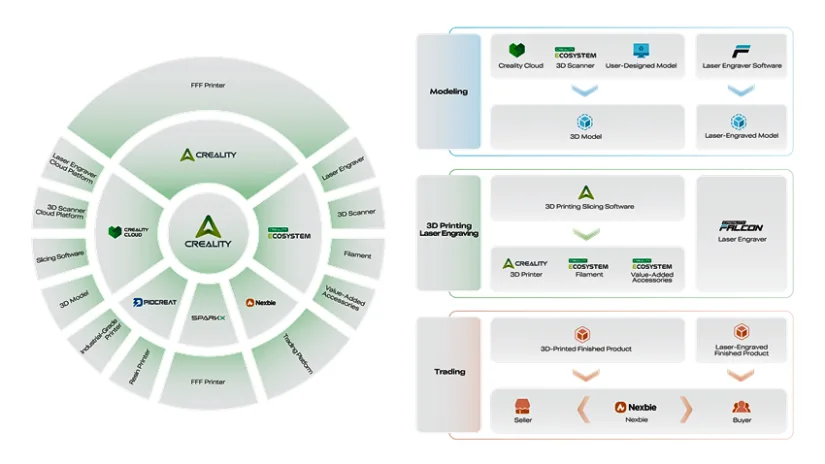
This is where Creality Cloud and AI-assisted tools become important. Creality describes its platform upgrade as adding AI-assisted modeling, intelligent slicing optimization, automated parameter recommendations, and print-risk detection. In practice, this points toward a more guided workflow where users can move from model creation or scanning to slicing and production with fewer manual steps. The same ecosystem also includes the Falcon laser line, Pika AI Scanner, Sermoon P1 Scanner, and the M1 & R1 Filament Recycling System, showing that Creality wants to cover more of the full maker workflow around 3D printing, not just the printer itself.
Explore Creality’s wider 3D printing ecosystem: From 3D printers and scanners to laser engravers, filaments, software tools, and recycling systems, Creality’s product range is increasingly built around a connected maker workflow. Check the products already available as part of the Creality ecosystem on the official Creality products page.
Current K2 Series Examples
While KliTek™ points toward Creality’s next-generation K3 Series, the current K2 lineup already shows how the company has been building toward a more connected 3D printing ecosystem. The K2, K2 Pro, and K2 Plus combine enclosed CoreXY printing, CFS multicolor workflows, AI cameras, auto-leveling, high-speed motion systems, and stronger automation around everyday printing tasks. These machines remain useful examples of Creality’s current direction before the K3 Series brings nozzle-changing technology into the spotlight.
The K2 Pro also adds features aimed at more demanding users, including active chamber heating up to 60°C, Ethernet connectivity, increased storage, and a nozzle camera for auto-flow calibration and waste chute monitoring. Meanwhile, the K2 Plus has already been tested on 3DWithUs with multicolor prints and engineering-grade materials, including PA6-CF carbon-fiber nylon parts. Once the K3 Series becomes available for real-world testing, 3DWithUs will aim to evaluate KliTek™ hands-on, especially around nozzle-changing reliability, TPU performance, purge reduction, and multi-material print quality.
Where to Buy
Creality K2 Combo
Price: $699 – $768
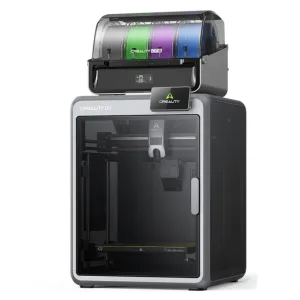
Compare the Prices & Bundles:
Official Website | AliExpress | Amazon
Creality K2 Pro Combo
Price: $1,049 – $1,168
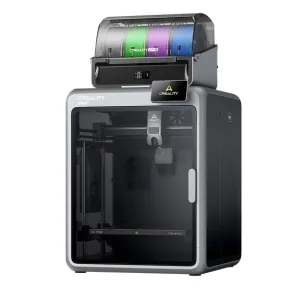
Compare the Prices & Bundles:
Official Website | AliExpress | Amazon
Creality K2 Plus Combo
Price: $1,299 – $1,499
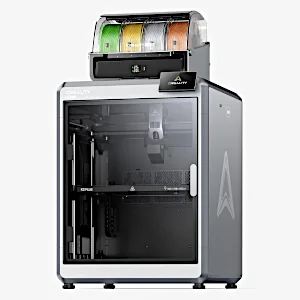
Compare the Prices & Bundles:
Official Website | AliExpress | Amazon
CFS Multicolor Workflow
Creality’s CFS system remains the current multicolor foundation for the K2 lineup. Both K2 and K2 Pro support CFS, while the K2 Plus Combo helped introduce Creality’s multicolor workflow to a larger enclosed CoreXY format. With multiple CFS units, the system can support up to 16 colors, making it useful for creators, small studios, print farms, and users producing personalized models, branded parts, display pieces, or soluble-support workflows.
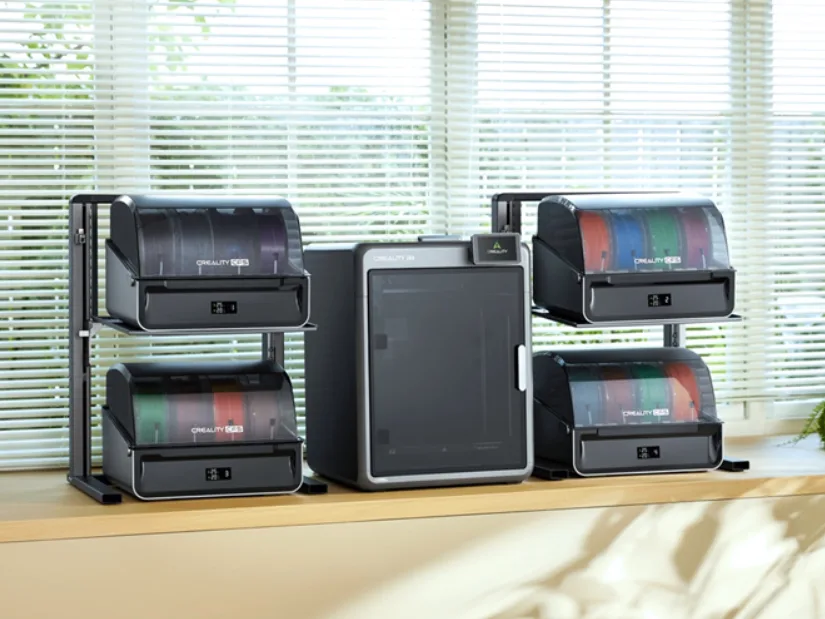
A setup like the one shown above, with four stacked CFS units, improves convenience when working with a wider colour palette. Instead of manually swapping filaments between prints, users can prepare multiple colours in advance and let the system handle the changes. This is especially useful for custom models, decorative prints, short-run batches, and workshop environments where colour consistency and repeatability matter.
K2 Pro Combo Hands-On Testing
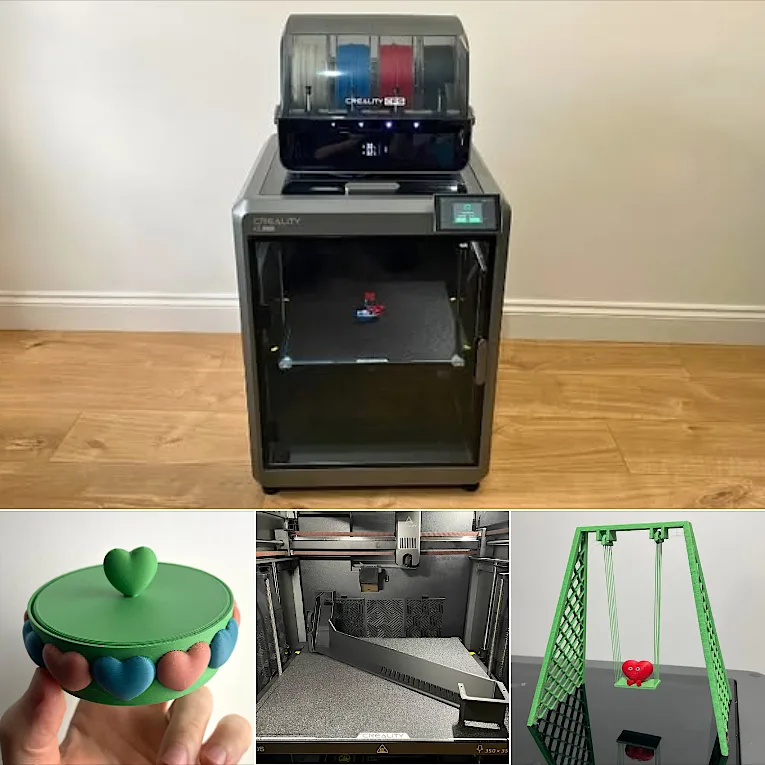
The Creality K2 Pro is a solid step forward in the K2 series. I was pleased to see several thoughtful improvements, including the expanded waste filament “poop” chute, which makes multicolor printing far more manageable. The overall design and usability show that Creality is listening to feedback and refining the machine in meaningful ways.
©3DWithUs – Prints and Photo: Max Funkner
The K2 Pro adds several features that make it more suitable for demanding users than the standard K2, including active chamber heating up to 60°C, Ethernet connectivity, larger internal storage, and a nozzle camera for auto-flow calibration and waste chute monitoring. These additions are especially relevant for longer multicolor jobs, engineering materials, and users who want a more capable enclosed CoreXY machine without moving all the way to the larger K2 Plus format.
Read more – unboxing, testing, and print examples:
Creality K2 Pro Combo Review by Max Funkner.
K2 Plus Combo Hands-On Testing
The Creality K2 Plus Combo remains one of the most important examples of Creality’s current high-end consumer ecosystem. It combines a large 350 x 350 x 350 mm build volume, enclosed CoreXY design, CFS multicolor support, and the ability to connect additional CFS units for expanded color workflows. It also helped establish Creality’s move into multicolor printing before the newer K2 and K2 Pro models joined the lineup.
©3DWithUs – Prints and Photo: Max Funkner
Creality has finally delivered on its promises with the release of the K2 Plus Combo, a remarkable fully enclosed CoreXY machine capable of multicolor printing with up to 16 colors. Our extensive testing, which included a variety of projects of varying complexity, helped us evaluate this product thoroughly.
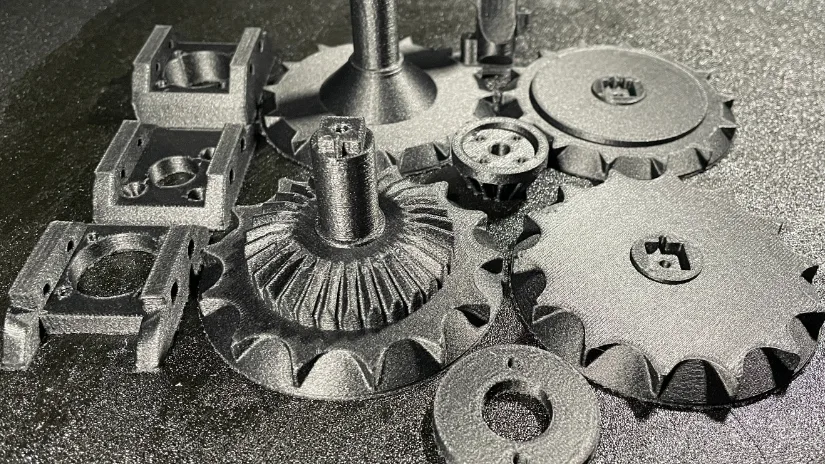
©3DWithUs – Print and Photo: Max Funkner
Previously, we tested a wide range of engineering-grade materials using the Creality K2 Plus. Printing demanding filaments requires more than just a strong frame. The nozzle, extruder, heated bed, chamber temperature, and cooling system all play an important role in achieving reliable results. Features such as chamber heating help maintain consistent temperatures and reduce warping, while hardened nozzles and powerful extrusion systems are essential for abrasive composites such as PA-CF or PC blends.
Read more – unboxing, testing and print examples:
Creality K2 Plus Combo Review by Max Funkner.
Previous Creality 3D Printer Testing
The K2 lineup also builds on Creality’s earlier K1 Series, which helped push enclosed CoreXY 3D printers into a more mainstream price range. For readers comparing the evolution of Creality machines, our previous hands-on tests may still be useful, especially when looking at speed, enclosure design, print quality, and day-to-day usability across different generations.
Read more – unboxing, testing, and print examples of K1 Series 3D printers:
Creality K1 Review by Max Funkner.
Creality K1 Max Review by Will Zoobkoff.
Creality K1 SE Review by Phil Macey.
About Creality
Founded in 2014, Creality is a leading 3D printer manufacturer known for accessible innovation. From the best-selling Ender-3 to the new K series, Creality continues to deliver consumer and professional-grade tools. The brand also develops in-house slicing software, apps, and a wide array of accessories — offering a full 3D printing ecosystem for makers worldwide.