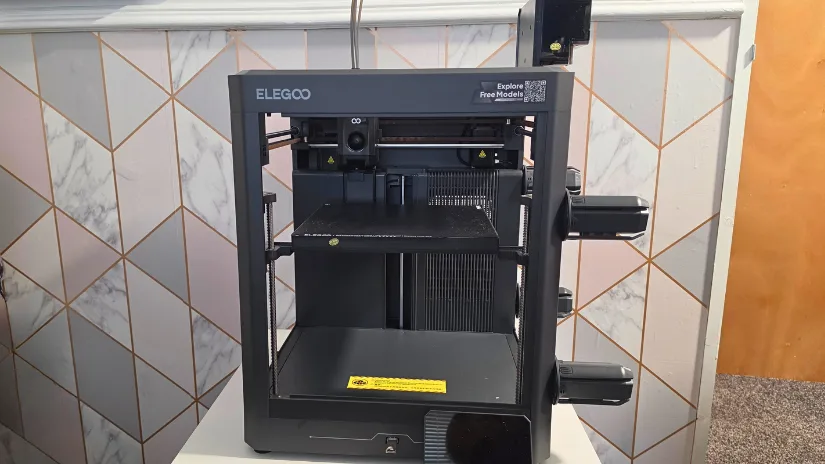
The Elegoo Centauri 2 Combo is a budget-focused open-frame CoreXY 3D printer with multi-colour support through the Elegoo CANVAS system. It joins the growing Centauri family alongside the Centauri 2, Centauri Carbon and Centauri Carbon 2 models. For this overview, I’m focusing primarily on the design, features and differences between the Centauri 2 Combo and Centauri Carbon 2.
Table of Contents
- What’s in the Box
- Elegoo Centauri 2 Specifications
- Centauri 2 Combo Overview
- Design and Features
- CANVAS Multicolour System
- Unboxing and Setup
- Centauri 2 vs Centauri Carbon 2
- Youtube Video
- Initial Thoughts
Where to Buy the Elegoo Centauri 2 Combo
Price: $429-$499
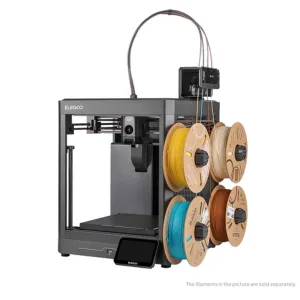
Note: Filament Sold Separately
Compare the Prices & Bundles:
Official Store | Amazon
What’s in the Box
The Centauri 2 Combo arrives with the printer itself, a 5-inch touchscreen, nozzle wiper assembly, power cord, 4-pin cable, four spool holder modules, filament hub, CANVAS mounting bracket, four PTFE tubes, unclogging pin, Allen key, screwdriver, filament sample, spare nozzle wiper, scraper blade, USB flash drive, and user manual.
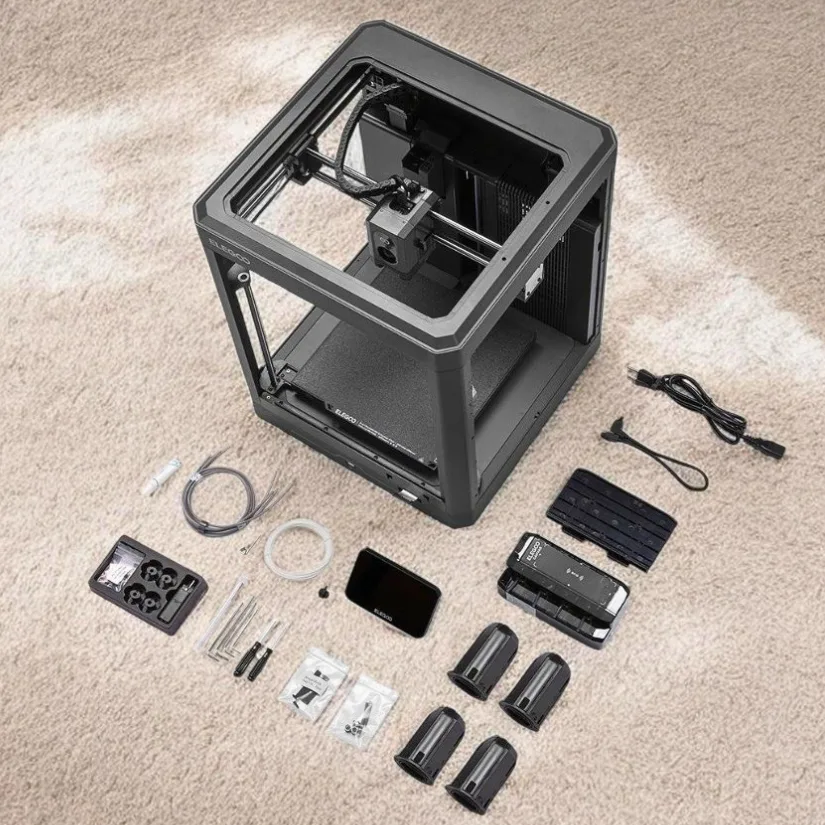
©3DWithUs – Photo: Phil Macey
Elegoo Centauri 2 Specifications
- Printing technology: FDM (Fused Deposition Modelling)
- Build volume: 256 × 256 × 256 mm
- Printer dimensions: 500 × 480 × 743 mm
- Extruder: Direct drive
- Multicolour system: Elegoo CANVAS
- Nozzle diameter: 0.4 mm
- Maximum nozzle temperature: 350°C
- Maximum build plate temperature: 110°C
- Maximum print speed: 500 mm/s
- Recommended print speed: 300 mm/s
- Maximum acceleration: 20,000 mm/s²
- Layer height: 0.1–0.4 mm, with 0.2 mm recommended
- Filament diameter: 1.75 mm
- Connectivity: USB and Wi-Fi
Centauri 2 Combo Overview
The Elegoo Centauri 2 Combo builds on the latest Centauri platform, particularly the Centauri Carbon 2 Combo that I hands-on tested recently, while bringing multi-colour printing to a more accessible price point. Rather than simply being a stripped-down Carbon 2, it sits as its own model in the range, with a feature set aimed more at everyday materials and general-purpose printing.
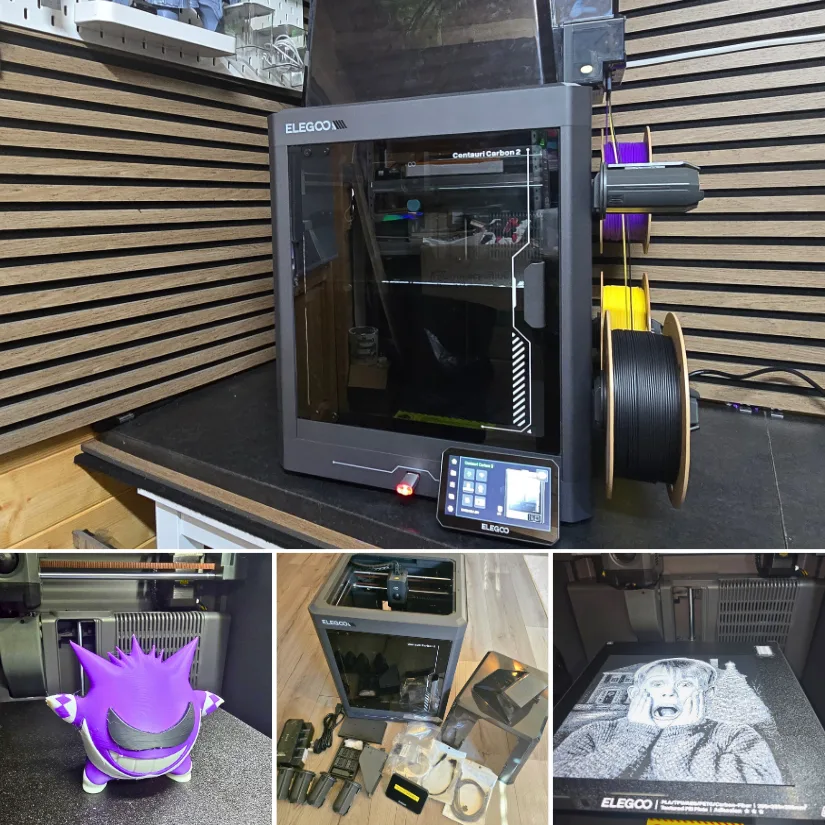
©3DWithUs – Prints & Photo: Phil Macey
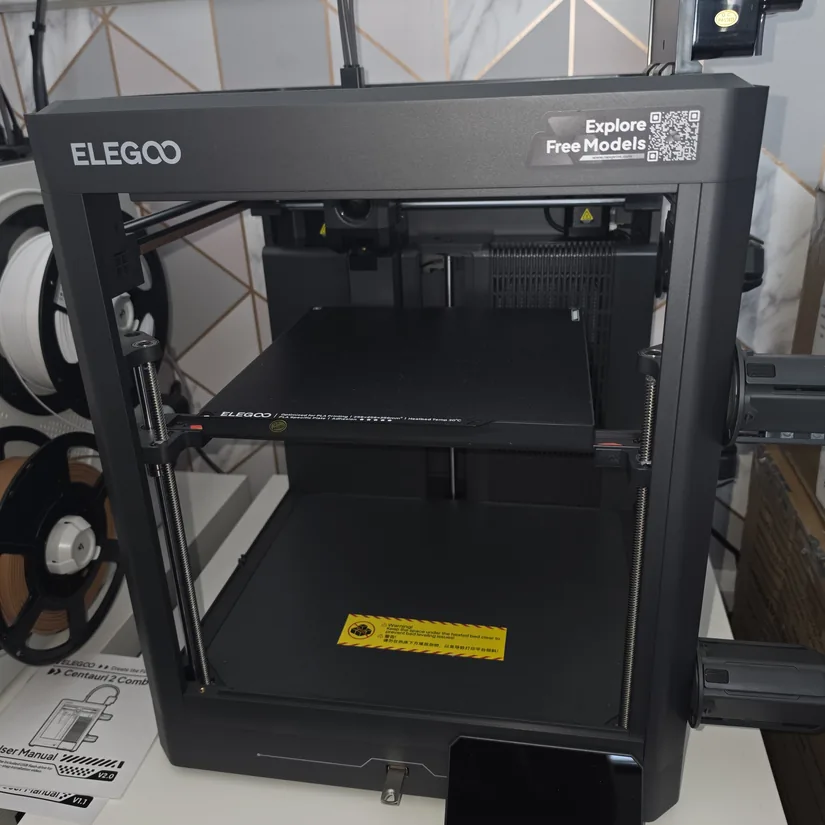
The most obvious changes are around the enclosure and supporting hardware. The Centauri 2 is open-frame, while several features found on the Carbon models have also been removed. The basic CoreXY layout, large touchscreen and CANVAS multi-colour system remain, however.
Design and Features
The Centauri 2 is positioned more as a general-purpose 3D printer for common materials, while the Centauri Carbon series adds features for users who want a more enclosed, feature-rich machine.
With that distinction in mind, it’s worth looking at what has changed and what Elegoo has removed to bring the Centauri 2 Combo into a lower price category.
Open-Frame Design
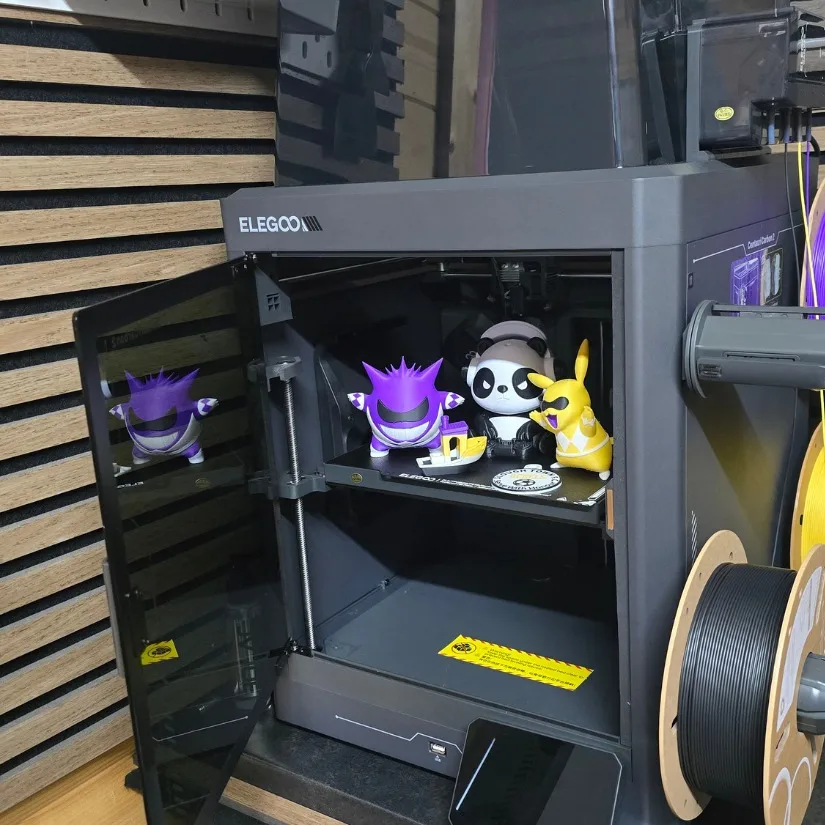
The most significant difference is the removal of the enclosure. The lid, front door, and side panels found on the Carbon models are gone, leaving the Centauri 2 with an open-frame design.
This is an important consideration when choosing materials. An enclosed printer provides a more controlled environment for materials that benefit from higher and more stable chamber temperatures. The Centauri 2 is therefore better suited to common everyday materials such as PLA, PETG and TPU rather than being positioned primarily around more demanding engineering filaments.
No Built-In Camera
Elegoo has also omitted the onboard camera. For many users, this may not be a major issue, but it means remote visual monitoring and time-lapse functions require an external solution rather than being built directly into the printer.
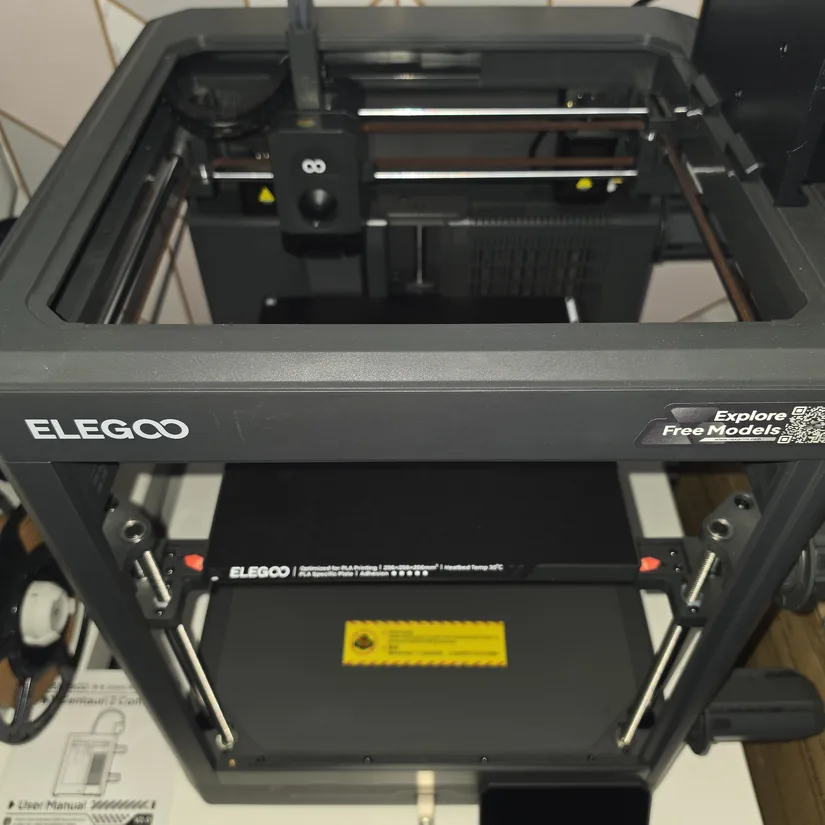
An aftermarket camera can still be mounted to the machine if remote monitoring is important to your workflow.
Fans and Extraction
Because the Centauri 2 no longer has an enclosed chamber, the side blower and rear extraction fan used on the Carbon version are also absent.
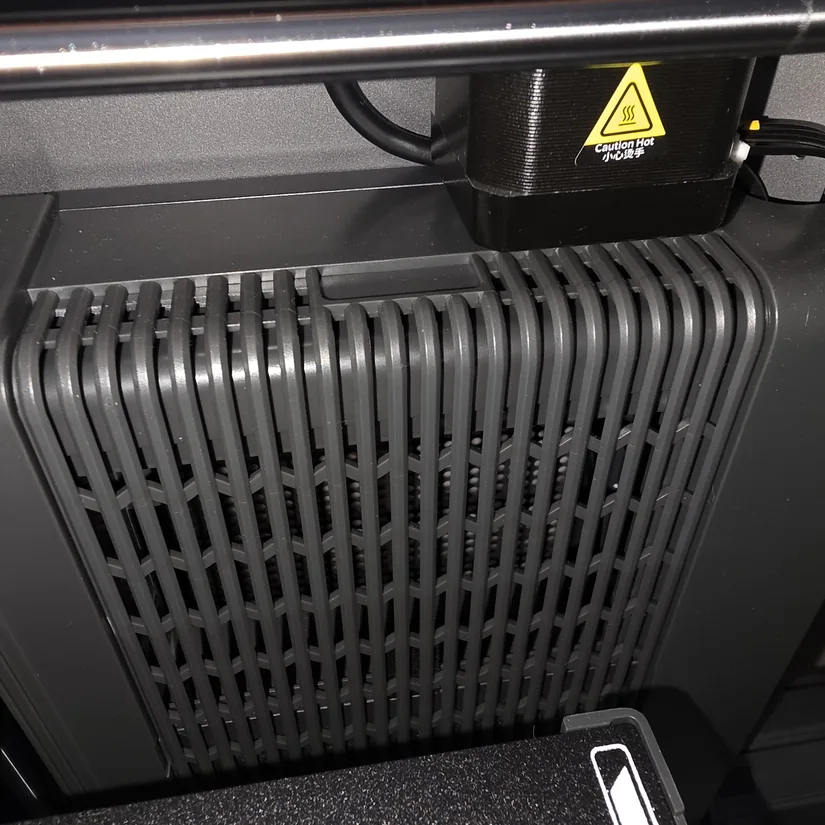
The removal makes sense alongside the open-frame construction, where there is no sealed chamber requiring the same type of controlled airflow or extraction arrangement.
Lighting
Internal lighting has been removed as well. With no built-in camera, the lighting system becomes less important, making this another fairly logical area where Elegoo could reduce the overall hardware cost.
Sensors
A number of sensors found on the higher-end model have also been removed or simplified. The main printing platform and automated setup functions remain, but buyers should be aware that the Centauri 2 does not carry every convenience feature available on the Carbon models.
CANVAS Multicolour System
One of the most important features retained on the Centauri 2 Combo is Elegoo’s CANVAS multi-colour system.
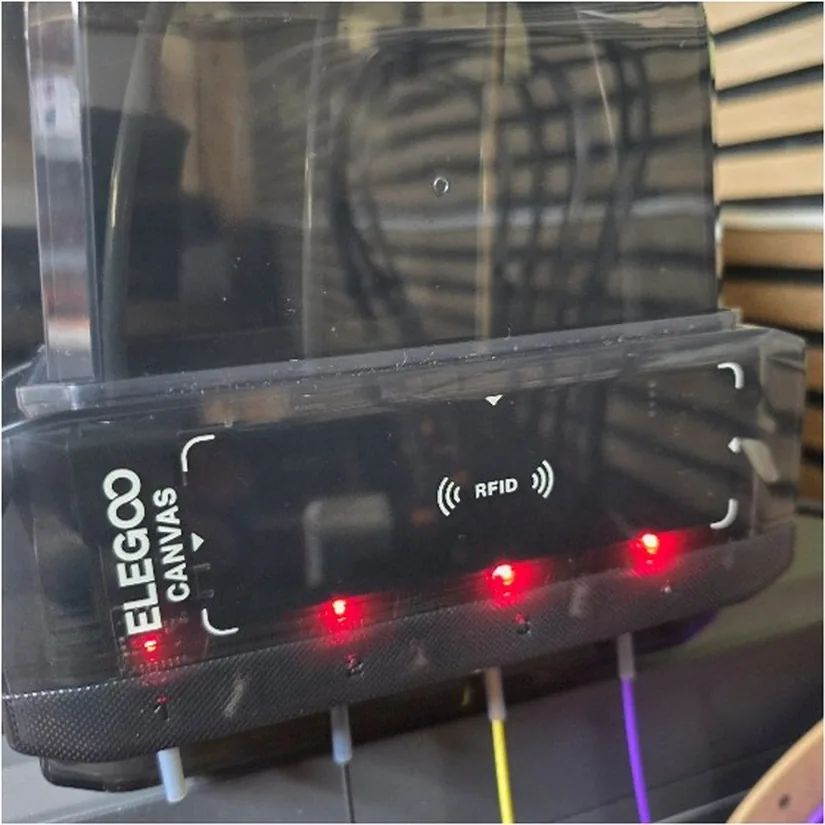
The Combo configuration uses four spool holders connected through a filament hub, allowing the printer to manage up to four filament feeds. Elegoo RFID-tagged spools can also be automatically recognised by the system, helping identify compatible filament information during setup.
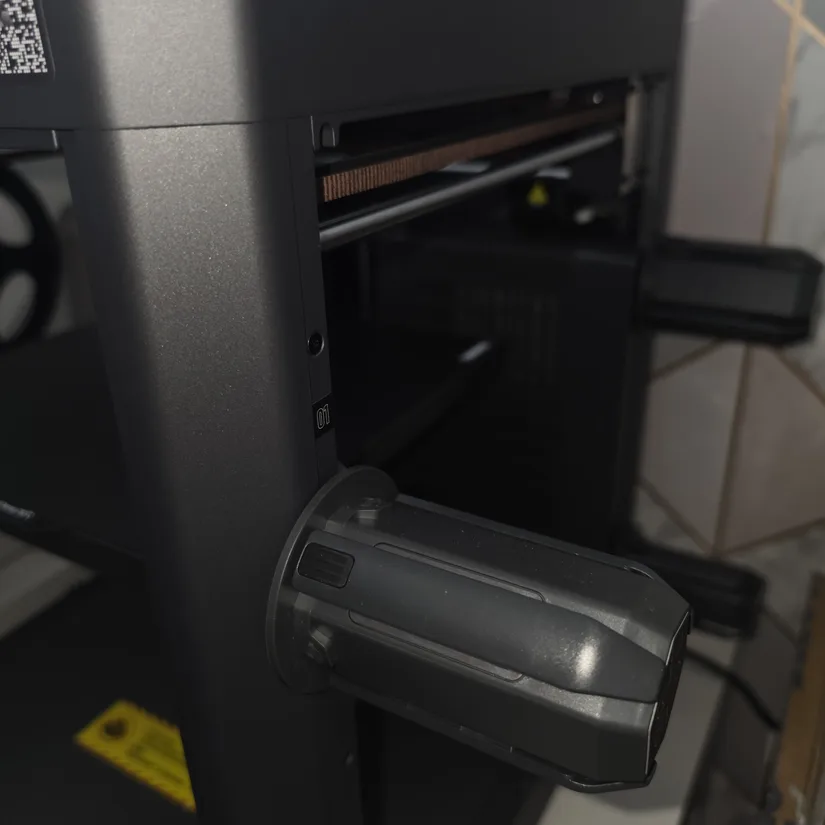
This is what separates the Combo model from the standard Centauri 2 and makes it the more interesting option for users who want multi-colour printing without stepping up to the enclosed Carbon series.
Unboxing and Setup
The unboxing and initial setup process will look familiar to anyone who has used one of Elegoo’s recent Centauri machines.
One important step before starting the calibration process is to remove the three transport screws. These secure the printer during shipping and need to be removed before the motion system is operated.
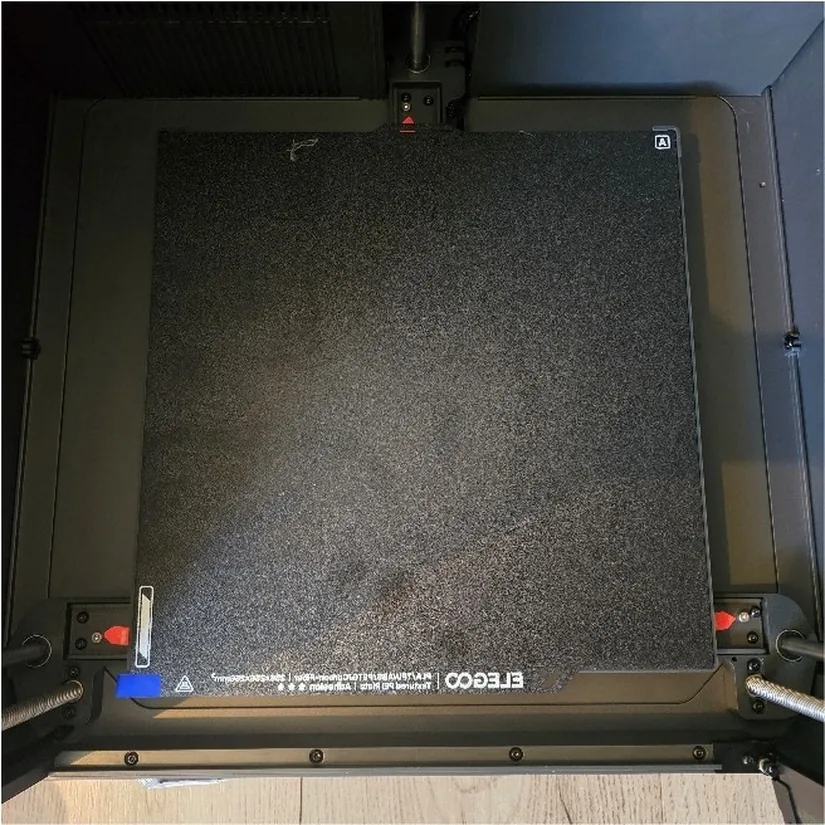
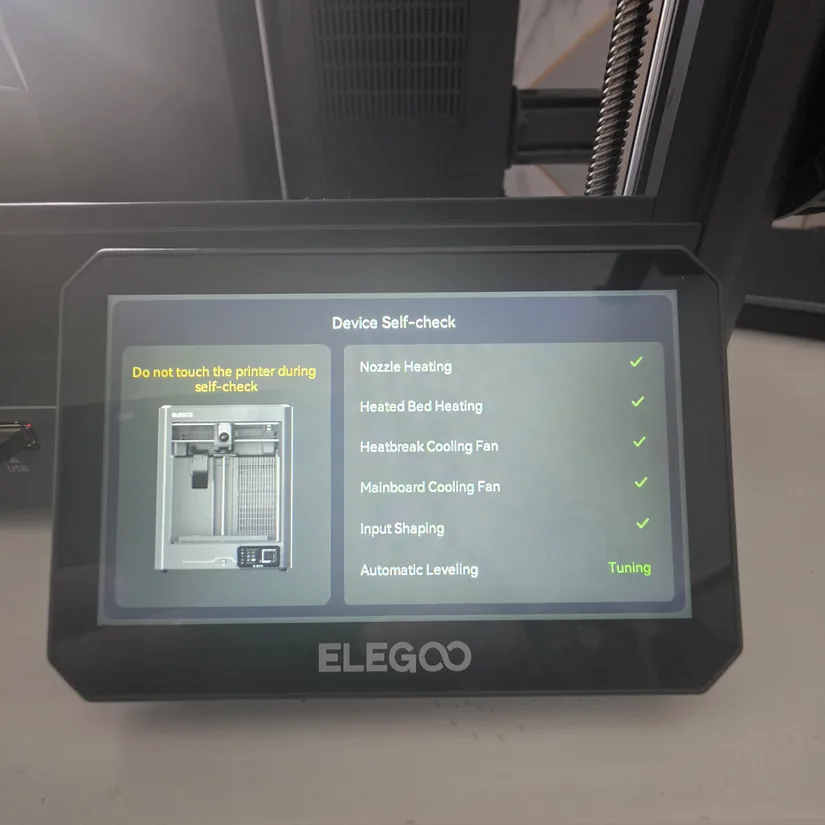
The printer then guides you through the main setup stages using the retained 5-inch touchscreen. This includes language selection, Wi-Fi configuration and the standard automated calibration routines.
It’s good to see the larger touchscreen retained on this more budget-focused model, rather than this being another area where Elegoo has reduced the specification.
Centauri 2 vs Centauri Carbon 2
The easiest way to understand the Centauri 2 is to look at what you gain or lose compared with the Centauri Carbon 2.
Both machines share the same general Centauri CoreXY approach and 256 × 256 × 256 mm build volume, while the Combo versions support Elegoo’s CANVAS multi-colour system. The main differences are instead concentrated around the enclosure and additional convenience features.
- Open frame: The Centauri 2 removes the enclosure found on the Carbon model.
- No built-in camera: Monitoring requires an external solution.
- No chamber extraction system: The side and rear fan arrangement associated with the enclosed machine is removed.
- No internal lighting: Another feature omitted from the lower-cost model.
- Simplified sensor package: Some additional monitoring and convenience features are reserved for the Carbon series.
- CANVAS retained: The Centauri 2 Combo still provides Elegoo’s four-filament multi-colour system.
- 5-inch display retained: The main touchscreen interface remains.
Rather than treating one machine as simply better than the other, the choice comes down largely to the type of printing you plan to do. For users mainly working with PLA, PETG, TPU and multi-colour models, some of the additional Carbon features may not be essential. Users working with materials that benefit from an enclosed environment have a stronger reason to consider the Carbon version.
©3DWithUs – Print and Photo: Phil Macey
For our print-quality examples and more extensive hands-on testing, see our Elegoo Centauri Carbon 2 review.
Youtube Video
I take a closer look at the Elegoo Centauri 2 Combo in the video above, covering the printer’s design, setup and key features. The video complements this overview with a more visual look at the machine and its CANVAS multi-colour system.
Initial Thoughts
The Elegoo Centauri 2 Combo is an interesting addition to the Centauri lineup because it takes a noticeably different approach to reaching a lower price point. Instead of changing the basic printer format, Elegoo has concentrated much of the cost reduction around the enclosure, camera, lighting, extraction hardware and some additional sensors.
At the same time, the features likely to matter most to its target audience remain: the CoreXY platform, 256 mm cubed build volume, 5-inch touchscreen and, importantly, the CANVAS multi-colour system.
This overview has focused on those design differences rather than print performance. Without running a full set of prints on the machine, I wouldn’t draw conclusions about print quality, reliability or multi-colour performance. Those areas are better covered through dedicated hands-on testing.
As a result, the Centauri 2 Combo looks particularly interesting for users who want an accessible route into Elegoo’s multi-colour ecosystem and mainly intend to print everyday materials, while the Carbon series remains the more feature-rich option for users who need an enclosure and its associated hardware.
Elegoo has been known for affordable 3D printers since its Neptune series and now covers the CoreXY 3D printer category as well. For more options across different price ranges, see our regularly updated guide to the budget FDM 3D printers.
Price: $429-$499
Note: Filament Sold Separately
Compare the Prices & Bundles:
Official Store | Amazon
Have questions? Feel free to ask in the comment section below.
For a wider discussion or to share your own Centauri 2 prints, join us in the forum: