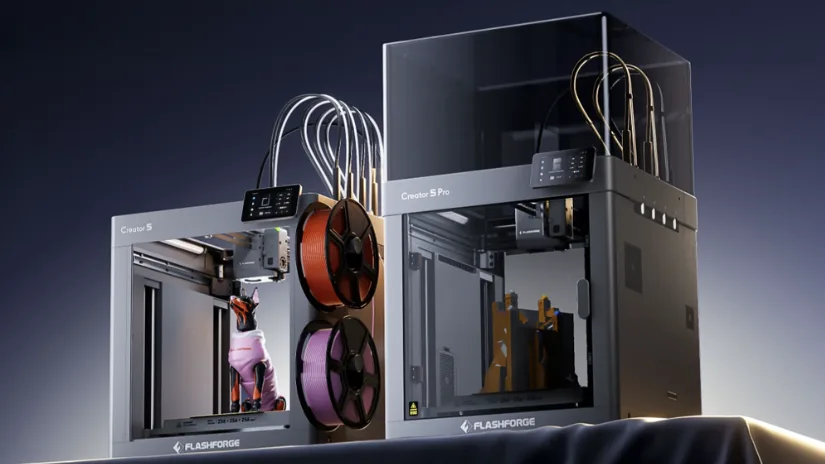
Flashforge has expanded into toolchanging multicolor 3D printing with the launch of the Creator 5 and Creator 5 Pro. Instead of relying on the more common purge-heavy material system, these new machines use multiple interchangeable toolheads designed to reduce waste, speed up color changes, and support a wider mix of materials. In this guide, we look at the new Flashforge Creator 5 series, how the two models compare, and also feature other new Flashforge 3D printers.
Table of Contents
Where to Buy
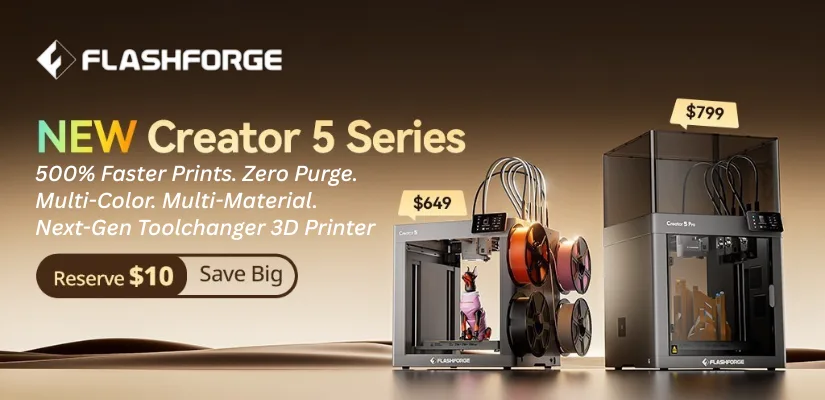
The Flashforge Creator 5 and Creator 5 Pro are available via Flashforge’s official product page. Launch pricing starts from $649 for the Creator 5 and $799 for the Creator 5 Pro.
Flashforge Creator 5
Compare the Prices & Bundles:
Official Website
Flashforge Creator 5 Pro
Compare the Prices & Bundles:
Official Website
Flashforge Introduced Toolchanging 3D Printing
With the Creator 5 series, Flashforge introduced a toolchanging-style system to its multicolor 3D printer lineup. The main idea is to reduce the filament waste and long print times often associated with conventional multicolor setups. The system uses four interchangeable toolheads and is designed to avoid the purge waste typically seen in color or material-switching prints.
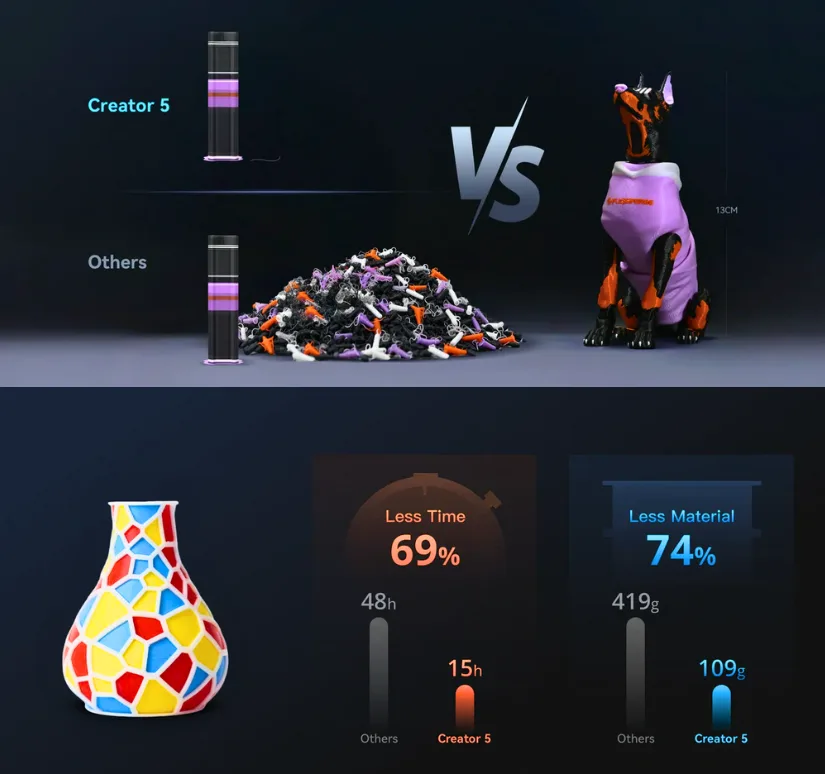
When talking about increased printing speed and reduced purge waste, the infographic above explains it best. The difference becomes more significant as the number of filament changes increases.
Flashforge Creator 5 Overview
The Flashforge Creator 5 is presented as an open multicolor 3D printer focused on faster output, lower material waste, and flexible multi-material printing. Flashforge highlights its FlashSwap system, 256 × 256 × 256 mm build volume, print speeds up to 600 mm/s, and support for up to four toolheads working within the same print job. This positions the machine as a potential option for makers, prosumers, and small studios looking for a different approach to multicolor FDM printing.
Flashforge Creator 5 Pro Overview
The Flashforge Creator 5 Pro builds on the same multicolor platform but adds a fully enclosed design with extra features aimed at more demanding materials and controlled printing environments. Flashforge states that the Creator 5 Pro includes active chamber heating up to 65°C, continuous airflow cooling, reduced operating noise, and dual-layer air filtration. These additions make the Pro version more suitable for users printing ABS, ASA, PC, PA, and other engineering-grade materials that benefit from a stable enclosed chamber.
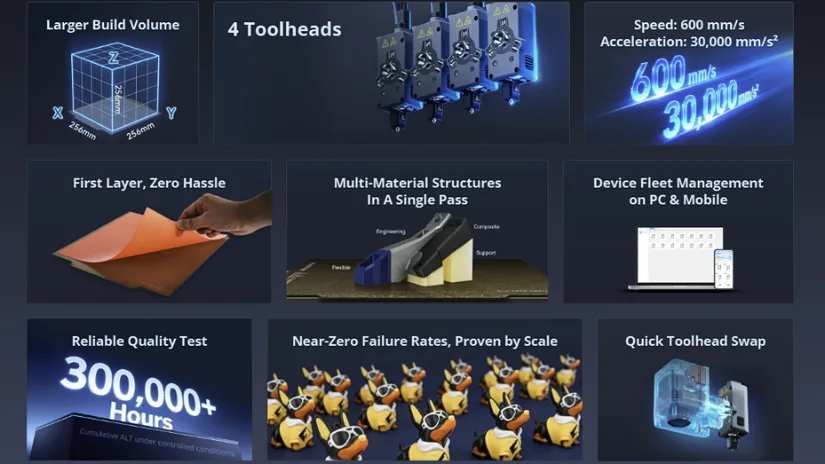
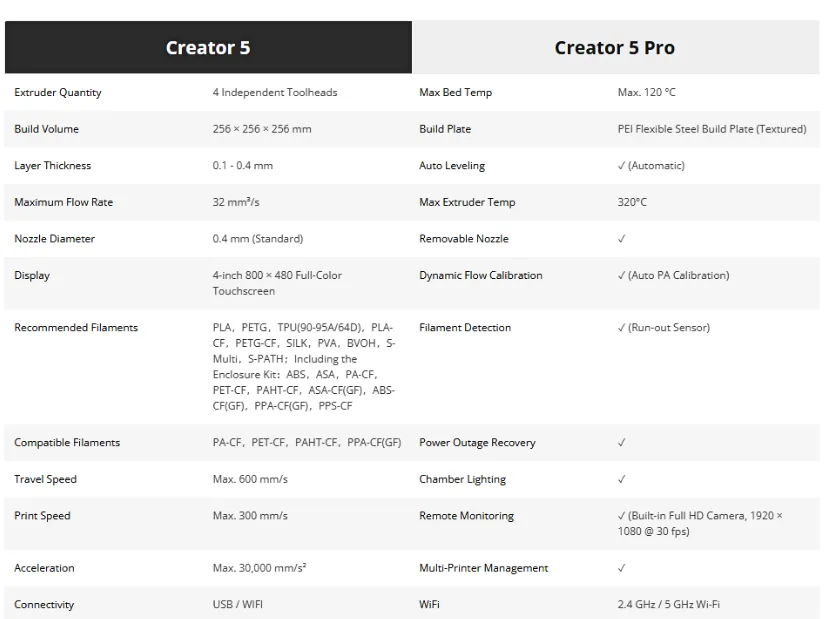
We asked the 3D printing community to share photos if they spotted the Creator 5 at Rapid TCT in Boston, and we are thankful that Ellie Rose sent us a few images. If you have a chance to visit such trade shows and Flashforge or its representatives have a booth there, the Creator 5 will likely be on display.
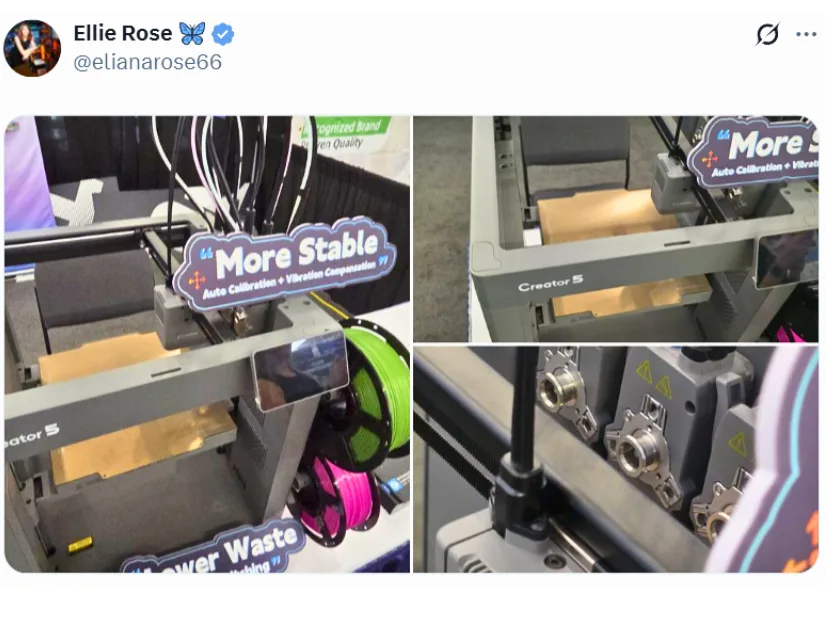
Photo: Ellie Rose
Flashforge Creator 5 vs Creator 5 Pro
Both Flashforge Creator 5 models are built around the same core concept of multicolor printing with multiple toolheads, but they target slightly different users. The standard Creator 5 appears better suited to general-purpose printing with PLA, PETG, TPU, and similar materials, while the Creator 5 Pro adds enclosure, chamber heating, and air purification for users who want to print engineering filaments in a more controlled environment. In simple terms, the choice comes down to whether you need an open multicolor machine or a more advanced enclosed setup for higher-temperature materials.
Flashforge Creator 5 Review NEW
Phil Macey tested the Flashforge Creator 5, a 4-toolhead FDM printer designed for multi-colour and multi-material printing while keeping filament waste low. The article covers setup, calibration, Orca-Flashforge slicer workflow, multi-colour prints, TPU tests, and a full 3D printed shoe project.
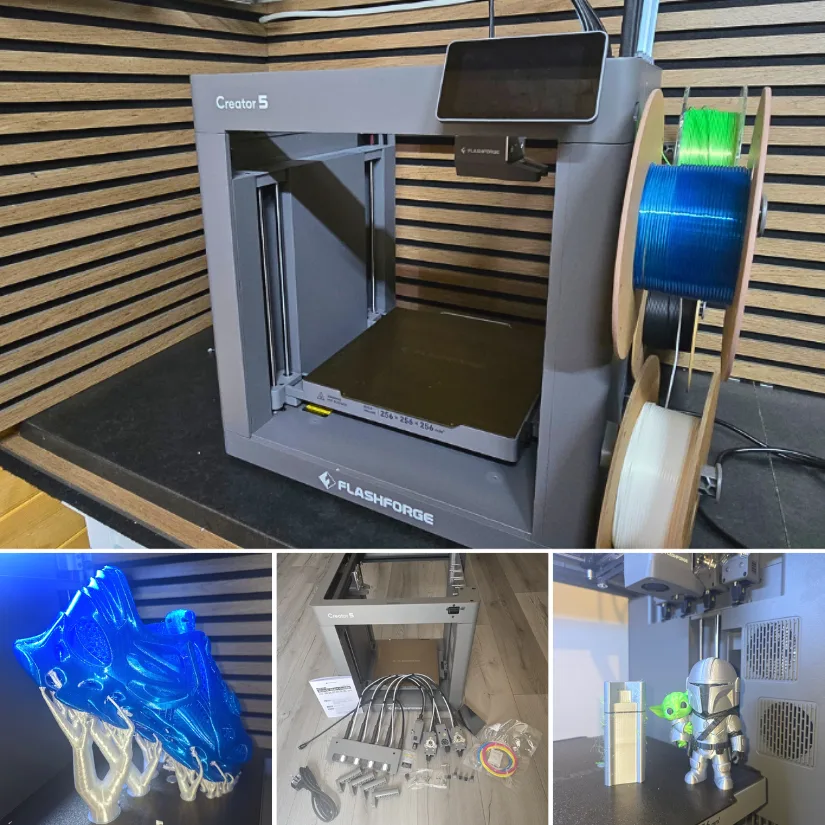
©3DWithUs – Print and Photo: Phil Macey
After spending the past two months working with the Flashforge Creator 5 Basic, I have been genuinely impressed by how capable and efficient this machine is, especially for a multi-toolhead printer in this price range. One of the standout advantages has been its multi-toolhead system, which not only speeds up print times but also significantly reduces filament waste. Tool changes are clean and controlled, and despite the faster workflow, overall print quality remains consistently high.
Read more – unboxing, testing and print examples:
Flashforge C5 Review by Phil Macey.
Flashforge AD5X Review
For readers exploring the wider Flashforge range, our Flashforge AD5X review by Will Zoobkoff offers a more hands-on look at another machine from the brand. That article focuses on practical testing, print settings, and real-world observations, which makes it a useful companion piece to this launch overview.
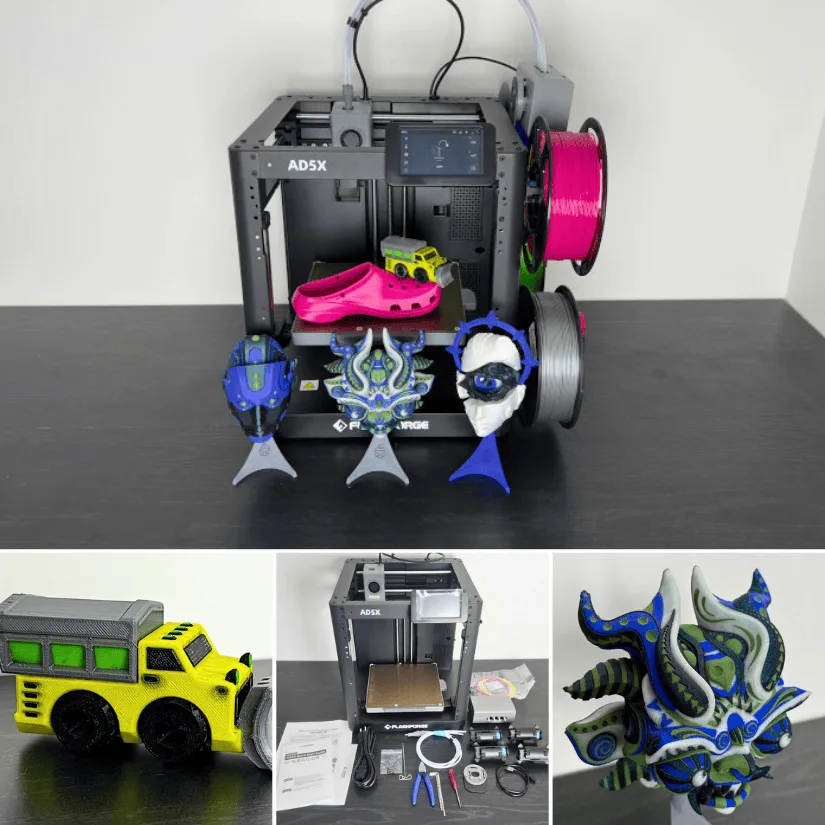
While the AD5X belongs to a different product category, it still helps show how Flashforge is developing its desktop 3D printer lineup across multiple segments. Readers comparing ease of use, multicolor workflow, and real printing results may find it helpful to view the AD5X review alongside the new Creator 5 and Creator 5 Pro announcements.
About Flashforge
Flashforge is an established 3D printer manufacturer founded in 2011, with a broad portfolio covering hobbyist, educational, and professional use. Over the years, the company has released a wide range of desktop FDM and resin 3D printers, with increasing attention on user-friendly workflows, enclosed designs, and more advanced material capabilities.
It is also worth mentioning that Flashforge is regularly represented at major 3D printing trade shows such as TCT events and Formnext, where new technologies are often shown at an early stage.
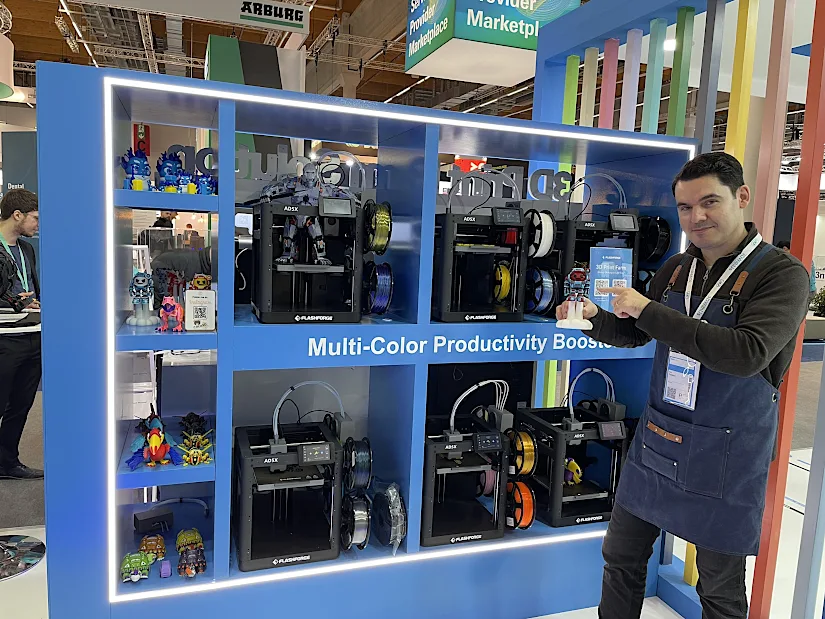
Photo: Max Funkner
On 3DWithUs, we have also covered Flashforge’s 3D print farm solutions in the past, including how its machines are used in higher-volume production environments. Their AD5M series is also well regarded for such tasks, and our earlier article features several print farm examples.
Conclusion
The Flashforge Creator 5 and Creator 5 Pro mark a notable step for the brand by introducing a toolchanging-style multicolor system designed to reduce purge waste and improve printing efficiency. As more hands-on testing and user feedback appear, these new 3D printers could become important additions to Flashforge’s growing desktop lineup, especially for users interested in multicolor and multi-material printing without the usual trade-offs.