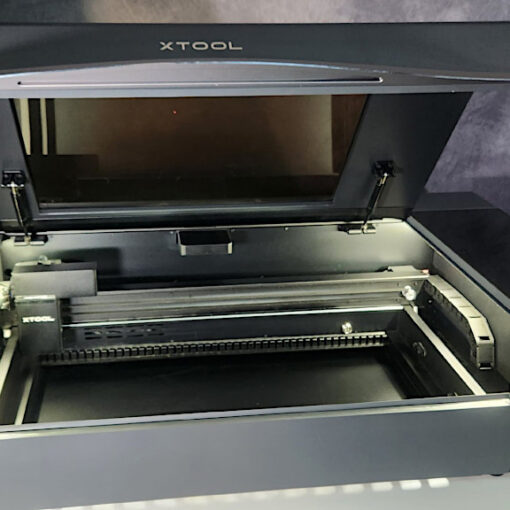
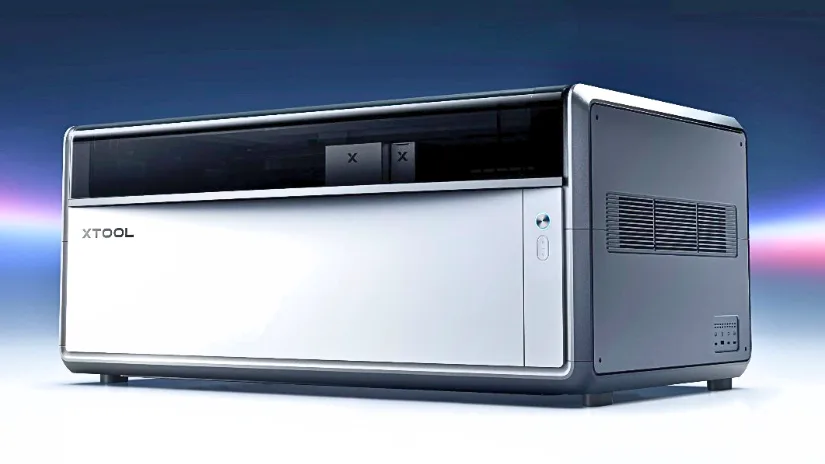
xTool has become one of the most recognizable names in desktop laser cutting and engraving, with machines ranging from compact portable engravers to larger enclosed CO₂ systems and specialist metal-processing tools. We have been covering and testing xTool products on 3DWithUs since 2023, and the latest addition is the new xTool X1, an all-in-one modular laser platform that combines multiple laser technologies, automation, and xTool’s wider software and Atomm ecosystem.
Table of Contents (Jump to a Section)
xTool X1: New All-in-One Laser Platform
Pre-Order:
Price: $3,399 – $3,999
Compare the Prices & Bundles:
Official Website
The xTool X1 is a new modular desktop laser system built around a 55W CO₂ laser, with support for additional laser sources depending on the type of work required. The system is designed to cover cutting, engraving, marking, and more specialized applications within one expandable machine.
Another key feature is xTool’s Hybrid Motion™ system, which combines gantry movement with galvo scanning. This allows the X1 to handle a relatively large working area while also supporting high-speed engraving workflows.
Main Features and Laser Modules
The X1 uses xTool’s Laser Swap™ concept, allowing different laser sources to be used for different materials and applications. The 55W CO₂ laser is aimed at cutting materials such as wood, acrylic, leather, and paper, while the optional 20W Diode Galvo Module focuses on fast, detailed engraving.

Source: xTool
For more specialized engraving, the X1 platform expands into diode, UV, fiber, and MOPA laser sources. The 20W diode module is designed for fast engraving across a wide range of everyday materials and coated surfaces.

Source: xTool
The UV module is designed for detailed, low-heat engraving. UV lasers use a shorter wavelength than CO₂ or diode lasers, making them useful for materials such as glass, plastics, and other surfaces that can be sensitive to heat.

Source: xTool
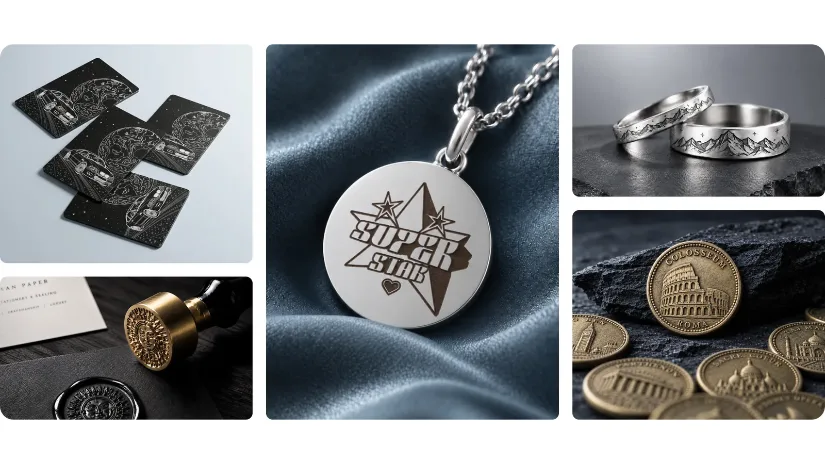
Fiber lasers are primarily used for marking and engraving metals. They are well suited to applications such as jewelry, metal cards, identification plates, coins, and other detailed metal parts.
Source: xTool
MOPA stands for Master Oscillator Power Amplifier. It is a more flexible type of fiber laser that gives greater control over pulse duration and frequency, making it useful for deeper engraving, controlled surface processing, and color marking on certain metals.

Source: xTool
Software, Automation and Atomm AI
The X1 also includes xTool’s Automated Creation System™, or ACS™, which combines a triple-camera setup with the AutoLift Base. The aim is to simplify material positioning and height adjustment, reducing the amount of manual setup before starting a job.
For design and control, the X1 works within xTool’s software ecosystem, including xTool Studio and Atomm. Together, these tools cover machine control, project preparation, ready-made designs, and AI-assisted generators for laser cutting and engraving workflows.
Atomm: Project File Repository and Maker Community
Alongside its laser cutters and engravers, xTool has been developing Atomm, an online maker platform where users can discover and share ready-to-make laser cutting and engraving projects. The repository includes files for materials such as wood, acrylic, metal, leather, paper, glass, and fabric, with common formats including XCS, SVG, DXF, PNG, JPG, and even STL.
One particularly useful feature is the ability to browse projects by machine. Dedicated collections are available for many xTool machines. This makes Atomm a practical starting point for new users who want to find projects already designed around the capabilities of their laser cutter rather than creating everything from scratch.
Atomm AI Generators
Atomm is also becoming more than a traditional file repository. Its newer AI-powered design tools can help generate or prepare artwork for engraving, cutting, vectorization, relief work, and other workflows. For example, users can convert photos into engraving-ready artwork, create outline vectors, generate layered cutting designs, or prepare relief-style images before exporting them for production.

We registered on Atomm as 3DWithUs and spent some time exploring the platform. Beyond its library of downloadable projects, Atomm now includes a growing collection of AI-powered generators designed around digital fabrication. From the landing page, users can start with existing project templates or create new designs using tools for graphics and structure building.
The available generators cover a surprisingly wide range of applications, including stencil fonts, flowers, packaging, layered ornaments, depth maps and reliefs, and halftone artwork. This makes Atomm particularly interesting for laser users who may have an idea for a project but do not necessarily want to create every vector or engraving image manually from scratch.
xTool M2 Review NEW
Price: $1,100-1,800
Compare the Prices & Bundles:
Official Website | Amazon
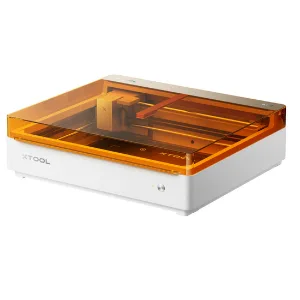
The xTool M2 combines a diode laser with optional full-color inkjet printing, allowing users to cut, engrave, and print with one machine. Unlike the previous M1 Ultra, it removes the blade-cutting tools for a simpler, more affordable design.
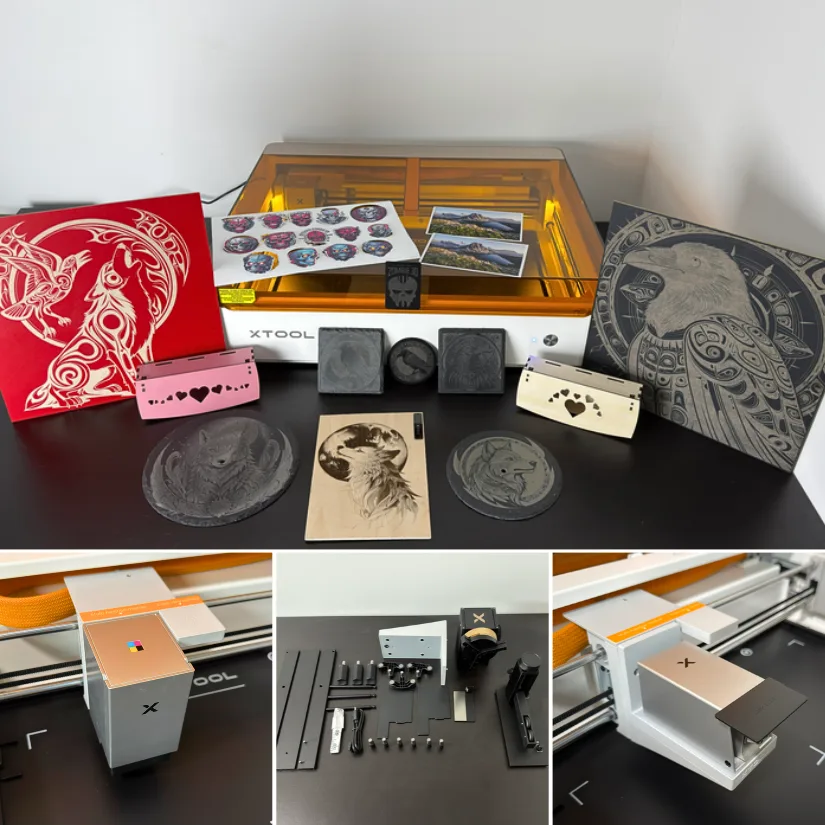
Overall, the xTool M2 offers an excellent balance of performance, versatility, and ease of use. Its enclosed Class 1 design makes it well suited to home workshops, while the clean results and streamlined workflow give it enough capability for small businesses and more experienced makers. For anyone looking for an accessible desktop laser with the added flexibility of full-colour printing, the M2 is an easy machine to recommend.
Read more – unboxing, testing and project examples:
xTool M2 Review by Will Zoobkoff
xTool M1 Ultra Review by Will Zoobkoff
xTool S1 Review
Price: $799 – $2,289
Compare the Prices & Bundles:
Amazon | Official Website
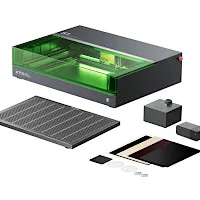
The xTool S1 is a fully enclosed laser engraver, offering four laser module options. With swappable modules, you can quickly switch between four different options – diode 10W, 20W, 40W, and 2W IR laser modules – to meet any task’s needs. This versatility, along with a large work area, a rotating attachment, and a riser and base with a conveyor system, makes the S1 one of the most complete engraving and cutting systems available.
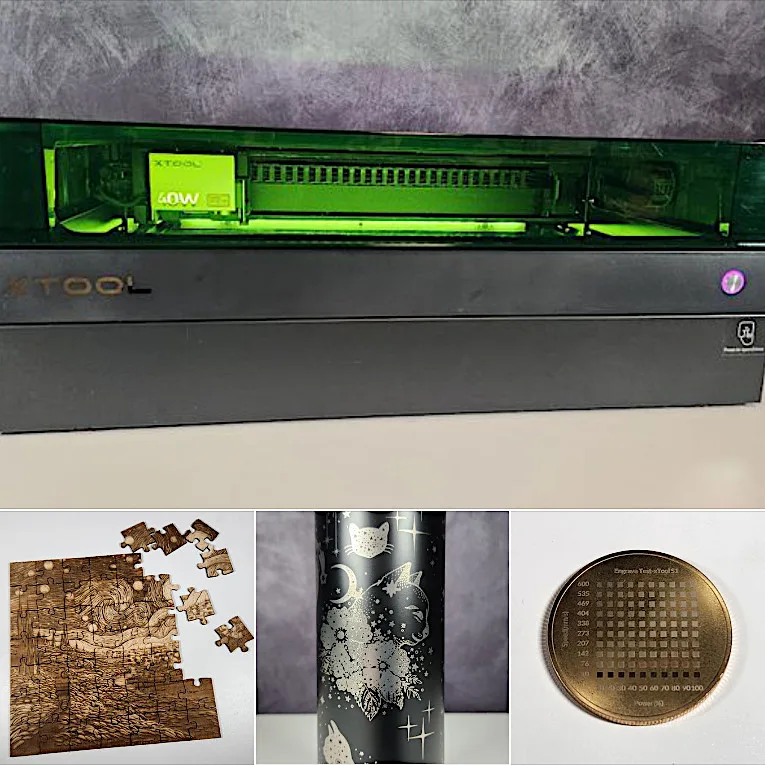
©3DWithUs – Laser Job & Photo: Will Zoobkoff
During our testing, the S1 performed brilliantly on various tasks. The engraving of black-coated stainless steel tumblers demonstrated the 40W module’s capacity to create detailed and crisp graphics. When we switched to the 2W 1064 IR module, we got excellent results on challenge coins and metal tags, demonstrating the module’s metal engraving precision. The engraved and cut jigsaw puzzle was another success, with clean cuts and a clear image, demonstrating the S1’s ability to handle complicated tasks. The wood engraving and glass jar tests demonstrated the machine’s versatility, delivering high-quality results on a variety of materials.
Read more – unboxing, testing and project examples:
xTool S1 Review by Will Zoobkoff
xTool F1 Ultra Review
Price: $2,999

Compare the Prices & Bundles:
Amazon | Official Website
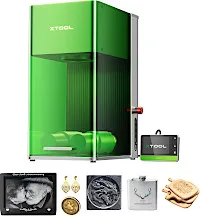
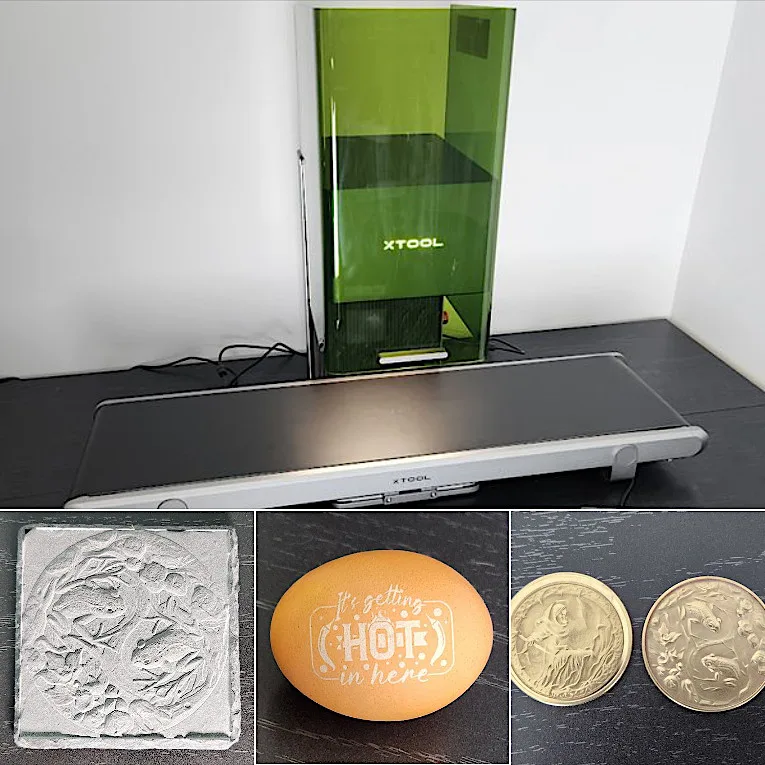
xTool has once again proven it is a true pioneer in the desktop laser engravers and cutters market. The F1 Ultra features innovative capabilities such as 3D-curve engraving (without a rotary attachment) and powerful 20W diode and fiber lasers that can emboss engravings even on metal and stone-like materials. Additionally, the optional conveyor belt for the F1 Ultra is a must-have add-on for batch operations.
©3DWithUs – Laser Job & Photo: Will Zoobkoff
The xTool F1 Ultra is a versatile and promising device that revolutionizes laser engraving and cutting. Since it has a larger work area measuring 220 x 220 mm in width, new dual 20W diode and fiber lasers, and great accessory compatibility, it has the potential to be an essential addition to any workshop. One of the tools that stand out is the 20W fibre laser that allows engravings on more than 300 different materials, such as metals, wood, and slate. The performance of this machine on anything from wooden engravings to metallic designs captures its effectiveness, thus meeting most engraving and cutting needs, whether they are mass production or complex segmentation.
Read more – unboxing, testing, and project examples:
xTool F1 Ultra Review by Will Zoobkoff
xTool P2 Review
Price: $2,999.00 – 4,499.00
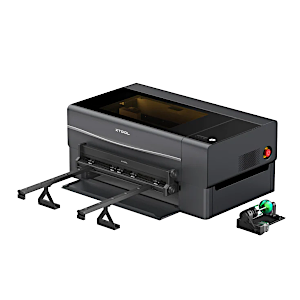

xTool P2 with Conveyor System, Riser, and Rotary Attachment
Compare the Prices & Bundles:
Amazon | Official Website
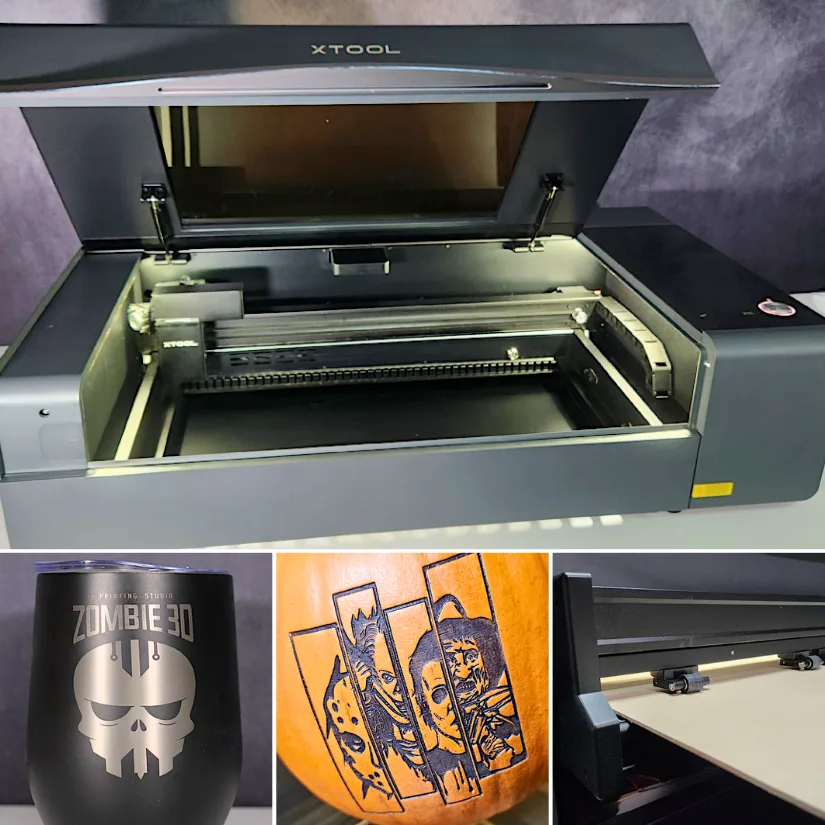
While reviewing the xTool P2 Versatile Bundle, Will Zoobkoff highly praised the machine’s laser engraving capabilities. To demonstrate, he engraved a tiny object like a grain of rice, as well as a large, uneven object like a pumpkin.
©3DWithUs – Laser Job & Photo: Will Zoobkoff
Remarkably, its revolutionary pass-through conveyor feeding mechanism allows large-scale cuts and engravings up to 2 feet by 9 feet, significantly optimizing batch operations and easily accommodating massive projects. Additionally, the P2 comes with a variety of attachments, most notably the riser base. This feature enables engraving larger items, such as luggage and guitars, or large panels through the conveyor system.
The xTool Creative Space software supports smooth operation by offering features such as 3D curved engraving and precise measurements. Our testing confirms the effectiveness of xTool’s presets, ensuring efficient engraving and cutting operations. While the default profiles allow detailed customization, they consistently deliver strong results, as shown in various projects, including a remarkable pumpkin engraving for Halloween. For those looking for a laser engraving system that can handle larger projects, the xTool P2 is an ideal choice.
Read more – unboxing, testing, and project examples:
xTool P2 Review by Will Zoobkoff
About xTool
xTool is a brand of Makeblock, a technology company founded in 2013 and based in Shenzhen, China. The xTool ecosystem focuses on laser cutting, engraving, and related maker technologies for creators, small businesses, educators, and workshops, with products spanning diode, CO₂, fiber, infrared, and MOPA laser systems. Alongside hardware, xTool has expanded into software, accessories, materials, and online project tools such as Atomm, building a wider ecosystem around digital-to-physical creation.
Conclusion
This is an evergreen xTool guide, and we will continue updating it as new laser cutters, engravers, modules, software features, and hands-on tests become available. With products such as the S1, F1, P2, and now the modular X1, xTool continues to expand its range across very different types of laser workflows. Hopefully, we will see even more machines and new technologies from the company in the future, giving us more opportunities to test, compare, and add them to this guide.